Cloud management is not all about pushing a few buttons. You have to deal with user permissions and resolve any issues arising from service failures. The AZ-104 certification exam evaluates all of these abilities through practical Azure-related questions. The following sections provide you with information about the exam format, its contents, and a six-week preparation schedule. In addition, you will get an insight into how to use test questions and labs to assess your skills.
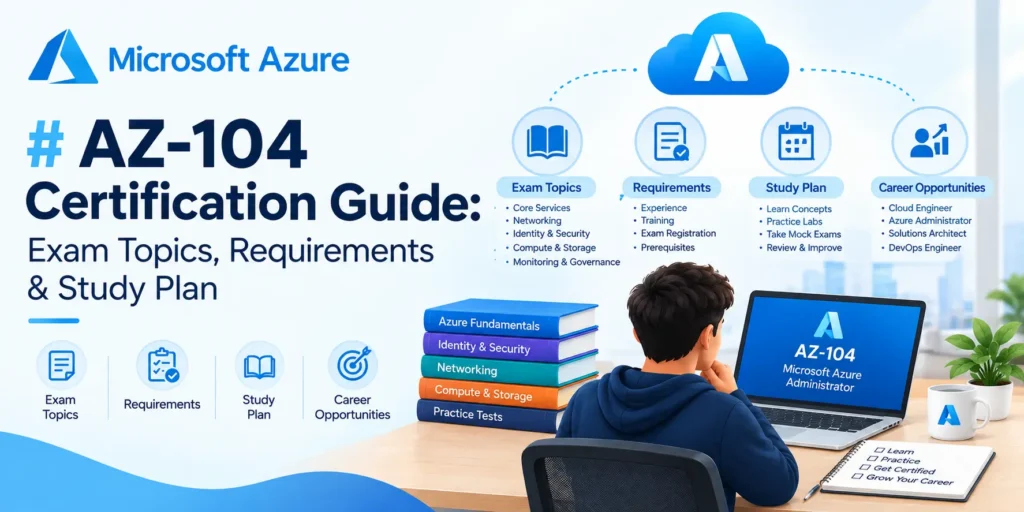
AZ-104 Certification Guide: Exam Topics, Requirements & Study Plan
What Is the AZ-104 Exam?
The AZ-104 exam is for the Microsoft Certified: Azure Administrator Associate certification. It tests your ability to manage cloud resources and keep them running well.
As an Azure administrator, you may need to:
- Create and manage virtual machines.
- Control user access to cloud resources.
- Store files and protect data.
- Set up virtual networks.
- Monitor services and fix issues.
The exam suits IT workers who manage cloud systems or want to move into Azure administration. You should know the basics of networking and virtual machines before you start. It also helps to know the Azure portal and Microsoft Entra ID.
The AZ-104 certification can support your career goals. However, passing the exam is only one part of learning cloud administration. You also need hands-on practice.
Detailed Explanations

No Subscription Required

Exam simulations

Mobile App Included

100% MoneyBack Guarantee
If you are not satisfied, we refund 100% of the purchase price.


501
Questions

0
Total Topics

Study Modes
- Practice Mode
- Exam Mode
- Flashcards


The Most Trending Certification Exams
- GH-600 exam prep: Microsoft Developing in Agentic AI Systems
- AB-731 exam prep: Microsoft AI Transformation Leader
- AI-103 exam prep: Microsoft Developing AI Apps and Agents on Azure
Show More... (7)
- AZ-140 exam prep: Configuring and Operating Windows Virtual Desktop on Microsoft Azure
- 70-247 exam prep: Configuring and Deploying a Private Cloud with System Center 2012
- 70-473 exam prep: Designing and Implementing Cloud Data Platform Solutions
- 70-532 exam prep: Developing Microsoft Azure Solutions
- 70-533 exam prep: Implementing Microsoft Azure Infrastructure Solutions
- 70-534 exam prep: Architecting Microsoft Azure Solutions
- 70-535 exam prep: Architecting Microsoft Azure Solutions - 70-534 INCLUDED FREE (231 questions more)
Prepare smarter
Why choose Certification Exam for AZ-104?
Practice with realistic certification exams, clear explanations and flexible study modes designed to help you improve faster.
- Updated questions and exam-style simulations
- Instant feedback with detailed explanations
- Study online or from the mobile app
AZ-104 Exam Criteria and Format
The exam assesses your understanding of Azure services and typical administrative tasks. The passing grade for the exam is 700 out of 1,000 according to Microsoft criteria. The cost of the exam is stated at US$165. But, may vary based on where you are located. Refer to the official exam page prior to scheduling your test.
Here are some key points:
- Level: Intermediate
- Role: Azure Administrator
- Exam duration: 100 minutes
- Passing grade: 700 out of 1,000
- Key topics: identity and monitoring
No certification is required prior to attempting the exam; however, it would be useful if you have some general IT skills. Refer to the official AZ-104 exam page for updated information. Read the official AZ-104 exam page to check the latest rules and fees.
AZ-104 Exam Topics and Their Weight
The exam covers five main areas. Each area has a set weight range. Use these figures to plan your study time.
| Exam topic | Weight |
| Manage Azure identities and governance | 20–25% |
| Implement and manage storage | 15–20% |
| Deploy and manage compute resources | 20–25% |
| Implement and manage virtual networking | 15–20% |
| Monitor and maintain Azure resources | 10–15% |
You can find the full list in the official study guide. Check it before you begin, as exam topics can change.
Key AZ-104 Exam Topics You Need to Study
The AZ-104 exam tests your ability to manage Azure services and cloud resources. Each section covers a different part of Azure administration. Review the topics below and practise them in a test environment to build your skills.
1. Manage Identities and Governance
This section covers users and rules for cloud resources. You need to know who can access a resource and what they can do.
Study these topics:
- Create and manage users and groups.
- Assign roles with role-based access control (RBAC).
- Manage subscriptions and resource groups.
- Apply tags and Azure Policy rules.
- Set access rights at the correct level.
Lab task: Create a test user and assign a role. Check which resources the user can access. Then compare access at the resource level and subscription level.
2. Implement and Manage Storage
This section tests how you store data and control access to it.
Focus on:
- Storage accounts and data redundancy.
- Blob storage and Azure Files.
- Access keys and shared access signatures.
- Storage tiers and lifecycle rules.
- File shares and data movement.
Lab task: Create a storage account and upload sample files. Set access rules and test them. Learn how storage choices affect data safety and cost.
3. Deploy and Manage Compute Resources
Compute services run applications and workloads. You need to know how to set them up and manage them.
Study these topics:
- Create and resize virtual machines.
- Manage disks and virtual machine availability.
- Use virtual machine scale sets.
- Deploy and manage containers.
- Set up Azure App Service.
Lab task: Create a test virtual machine and connect to it. Change its size and review its disks. Practise starting and stopping it. Delete unused test resources to avoid extra charges.
4. Implement and Manage Virtual Networking
This section covers how cloud resources connect and exchange data. You also need to know how to control network traffic.
Review these topics:
- Virtual networks and subnets.
- Network security groups and rules.
- Public and private IP addresses.
- Virtual network peering.
- DNS settings and network troubleshooting.
Lab task: Create a virtual network with two subnets. Apply security rules, and troubleshoot blocked traffic.
5. Monitor and Maintain Azure Resources
This section tests how you check system health and keep services running. Study these topics:
- Azure Monitor metrics and logs.
- Alerts and action groups.
- Backup settings and recovery.
- Azure Site Recovery.
- Resource health and troubleshooting.
Lab task: Set alerts, and practise backing up and restoring data.
Sample Practice Questions
Try these sample questions before moving to the full interactive quiz below. Each question includes the correct answer and explanation, similar to what you will experience in a complete AZ-104.
1. You are tasked with managing access to Azure resources for a team that includes contractors. Your organization uses Microsoft Entra ID for identity management. You need to grant the contractors temporary access to a specific resource group for three months, after which their access should automatically expire without manual intervention. Which Azure feature should you use to implement this requirement?
- Permanent role assignment with a scheduled deletion reminder
- Azure role-based access control (RBAC) with a time-limited assignment using privileged identity management (PIM)
- Azure resource locks combined with access reviews
- Management groups with conditional access policies
Correct Answer: Azure role-based access control (RBAC) with a time-limited assignment using privileged identity management (PIM) Privileged Identity Management (PIM) allows you to create time-bound role assignments that automatically expire after a specified duration. You can assign contractors a specific Azure RBAC role (such as Contributor) on a resource group with an expiration date of three months, and the access will be revoked automatically without requiring manual intervention. Why the other options are incorrect: l Permanent role assignment with a scheduled deletion reminder: This requires manual action to remove the assignment and relies on someone remembering to do so. It does not provide automatic expiration. l Azure resource locks combined with access reviews: Resource locks prevent accidental deletion or modification but do not control access permissions. Access reviews help audit access but do not automatically expire role assignments. l Management groups with conditional access policies: Management groups are for organizing subscriptions hierarchically, and conditional access is primarily for authentication conditions (device state, location, etc.), not for automatic permission expiration.
2. Your organization is deploying a set of virtual machines in Azure using a standardized template. You have several different configurations needed for development, staging, and production environments, each with different VM sizes, storage types, and network security group rules. Rather than creating separate templates for each environment, you want to use a single parameterized template that can be deployed multiple times with different values. What approach should you use to deploy these VMs efficiently?
- Create separate ARM templates for each environment and deploy them manually through the Azure portal
- Use a single Bicep file with parameters that define environment-specific values and deploy it with a parameters file for each environment
- Create one large Azure Resource Manager (ARM) JSON template and manually edit the JSON before each deployment
- Use Azure DevOps pipelines to deploy VMs without any template infrastructure
Correct Answer: Use a single Bicep file with parameters that define environment-specific values and deploy it with a parameters file for each environment Bicep is the modern Azure Infrastructure as Code (IaC) language that is more readable and maintainable than ARM JSON templates. By creating a single Bicep template with parameters (such as vmSize, environment, storageType, and nsgRules), you can deploy the same template to multiple environments by providing different parameters files. This approach is efficient, repeatable, version-controllable, and reduces template duplication and the risk of configuration drift. Why the other options are incorrect: l Separate templates for each environment: This creates duplication and maintenance overhead. When you need to update the template logic, you must do so in multiple places, increasing the risk of inconsistencies. l Manually editing JSON before each deployment: This is error-prone, time-consuming, and does not follow Infrastructure as Code best practices. It also makes it difficult to track what changed between deployments. l Using Azure DevOps pipelines without templates: While DevOps pipelines are useful for automation, they do not replace the need for Infrastructure as Code templates. Pipelines should orchestrate the deployment of well-defined templates.
A Practical AZ-104 Study Plan
A six-week plan can work if you already know basic IT concepts. But, you may need more time if you are new to cloud systems.
| Week | Study focus | Practical task |
| 1 | Identity and governance | Create users, and resource groups |
| 2 | Storage | Set up storage accounts and access rules |
| 3 | Compute | Deploy and manage virtual machines |
| 4 | Networking | Build networks and test security rules |
| 5 | Monitoring and recovery | Set up alerts, and logs |
| 6 | Revision | Review weak areas and take timed tests |
Try to study for 60–90 minutes a day. Spend some time reading and the rest on lab work or practice questions. Keep a list of your mistakes. Write down why an answer was wrong and what you need to review. Check this list every week.
An effective AZ-104 study guide should align with the existing exam blueprint. You can begin with the official topic list and follow up by studying on Microsoft Learn.
How to Use Practice Tests and Labs
An AZ-104 practice test helps you learn how questions are asked. It can also show which topics need more work. However, one high score doesn’t mean you are ready for the exam.
Use this three-step method:
- Test your knowledge: Take a short quiz before studying each topic.
- Review mistakes: Find out why your answer was wrong.
- Try again: Complete a lab, then answer similar questions.
Choose practice questions that match the current exam topics. Don’t rely on memorised answers. Learn why a setting works and when to use it.
For example, when a network rule blocks traffic, check its priority and settings. Then test the connection in Azure. This helps you understand the reason behind the answer. Use timed tests during your final week. Read each question carefully and note key limits and details.
FAQs
1. Is AZ-104 exam hard?
Yes. The exam is hard as it consists of multiple Azure services. Lab practice and revision could be helpful.
2. How long does it take to pass AZ-104 exam?
4-8 weeks can be enough if you have a basic understanding of IT concepts and you frequently study. It would take more time for beginners.
3. Does Azure Administrator certification expire?
Yes. This certification must be renewed every year. Microsoft provides an opportunity to renew Azure Administrator certification for free on their online training platform.
4. Can beginners pass the AZ-104 exam?
Yes. But, the basic understanding of networking, and operating systems would be required. The AZ-104 exam will demonstrate that you have knowledge of important Azure administration skills. Begin with the official exam objectives and practice them in an exam-like setting.
Conclusion
The AZ-104 certification is able to prove your knowledge on key Azure administrative tasks. You need to begin with studying the official list of topics and then practice all of them in testing conditions. You need to take mock tests in order to see where your weak points are and monitor your own development with Certification Exam.