Quiz 800-150: Cisco Supporting Cisco Devices for Field Technicians
Quiz
Quiz
assigned for network and traffic management in an enterprise network?
Quiz
Drag and drop the network connectivity and management tools used to ensure connectivity from the
left onto the description on the right.
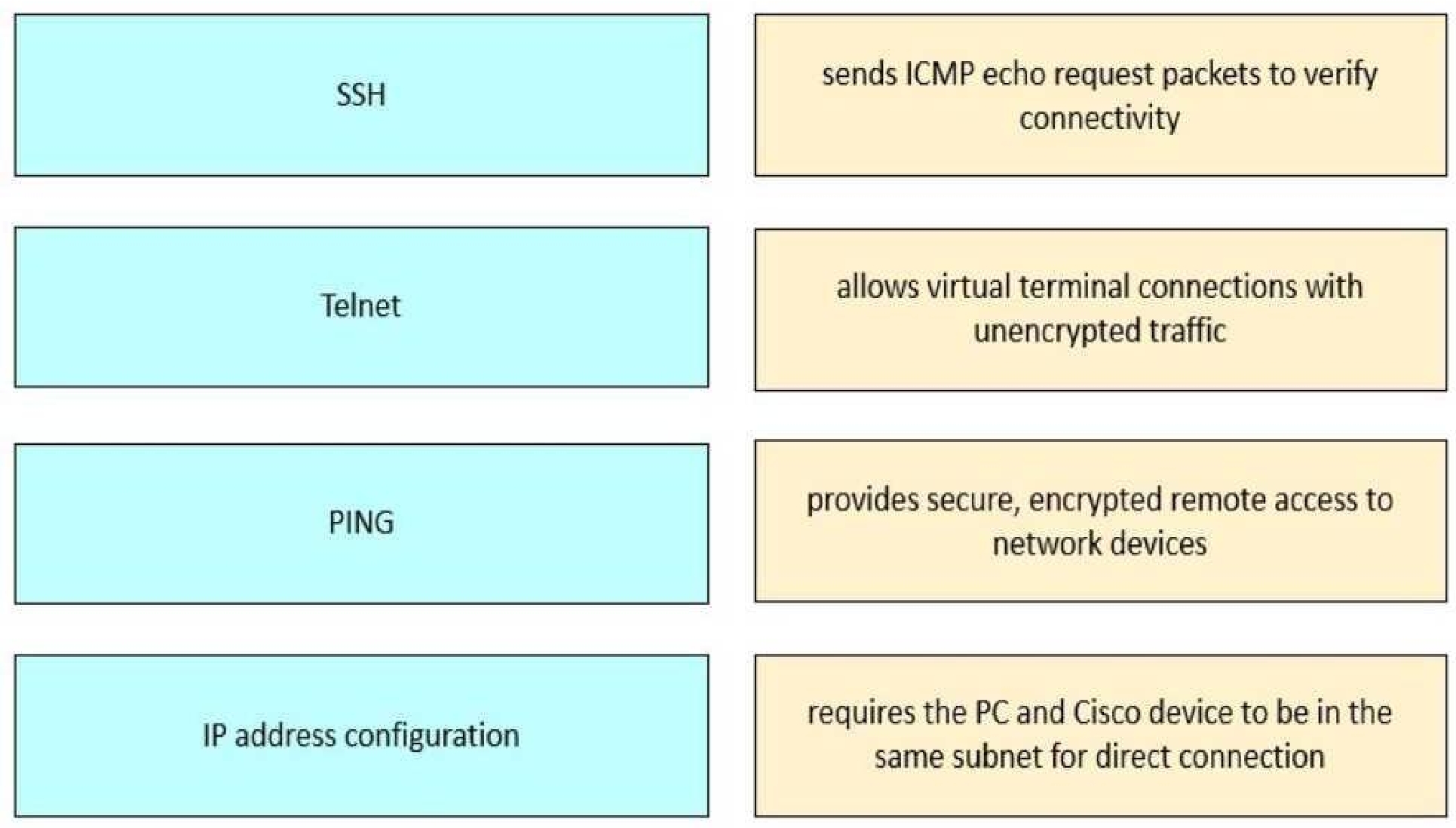
Telnet → Allows virtual terminal connections with unencrypted traffic
SSH → Provides secure, encrypted remote access to network devices
IP address configuration → Requires the PC and Cisco device to be in the same subnet for direct
connection
These tools and their functions are covered under “Device Configuration and Verification” in the
FLDTEC course:
PING: Utilized to test basic network connectivity using ICMP echo request/reply messages. It
confirms whether a device is reachable and measures the round-trip time.
Telnet: A protocol that allows for remote device access but transmits data in plaintext, which makes
it insecure. It's typically disabled by default on modern Cisco devices due to security concerns.
SSH (Secure Shell): Replaces Telnet as the preferred method for secure CLI access. It encrypts the
session, protecting sensitive information such as login credentials.
IP Address Configuration: For direct device access via the same local network, both the PC and the
Cisco device must be in the same subnet. This allows the use of tools like browser-based GUIs or
terminal emulators when connecting directly.
Quiz
speed settings?
Quiz
controlled?
Quiz
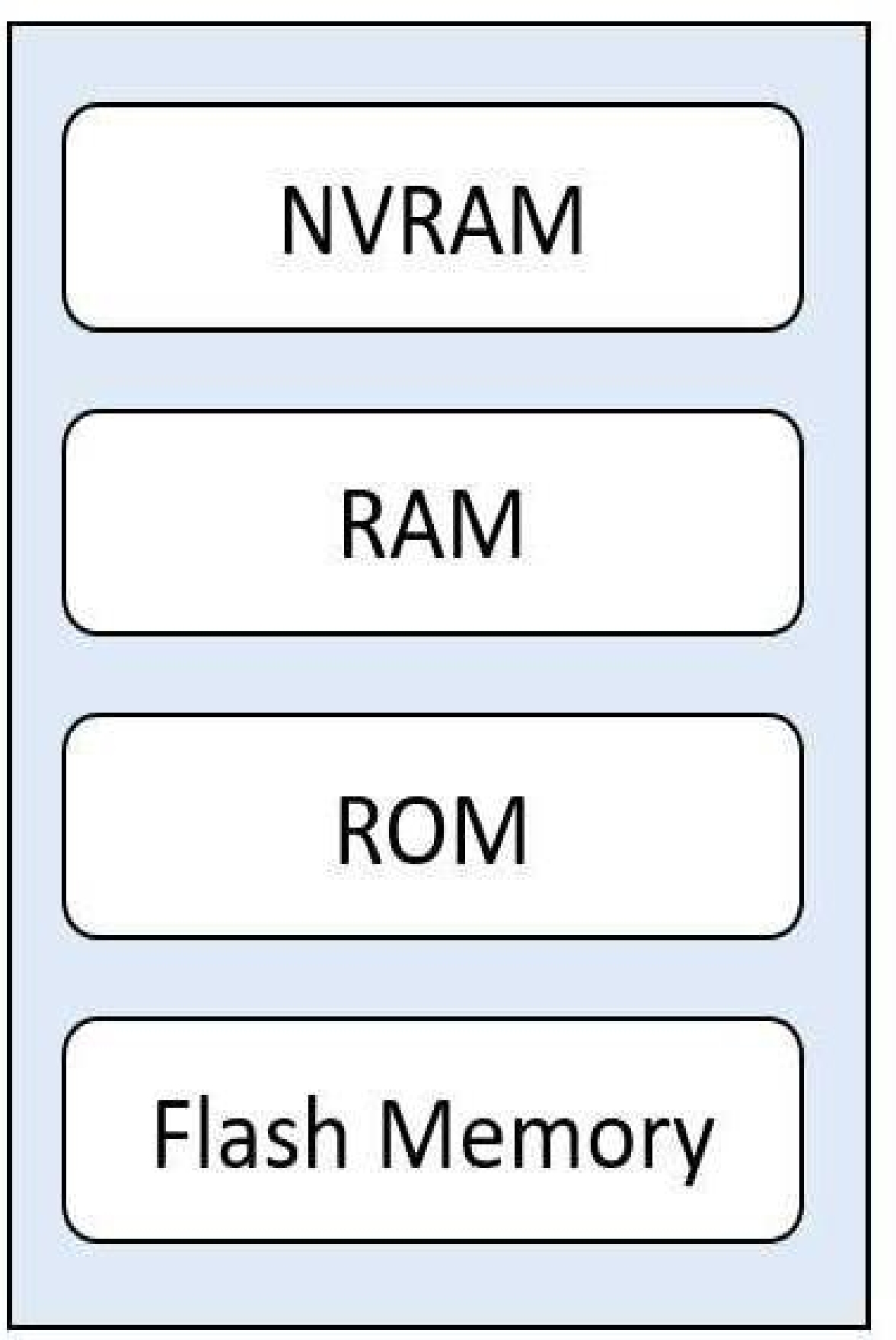
Refer to the exhibit. Drag and drop the functions from the left onto the corresponding internal
memory components on the right.
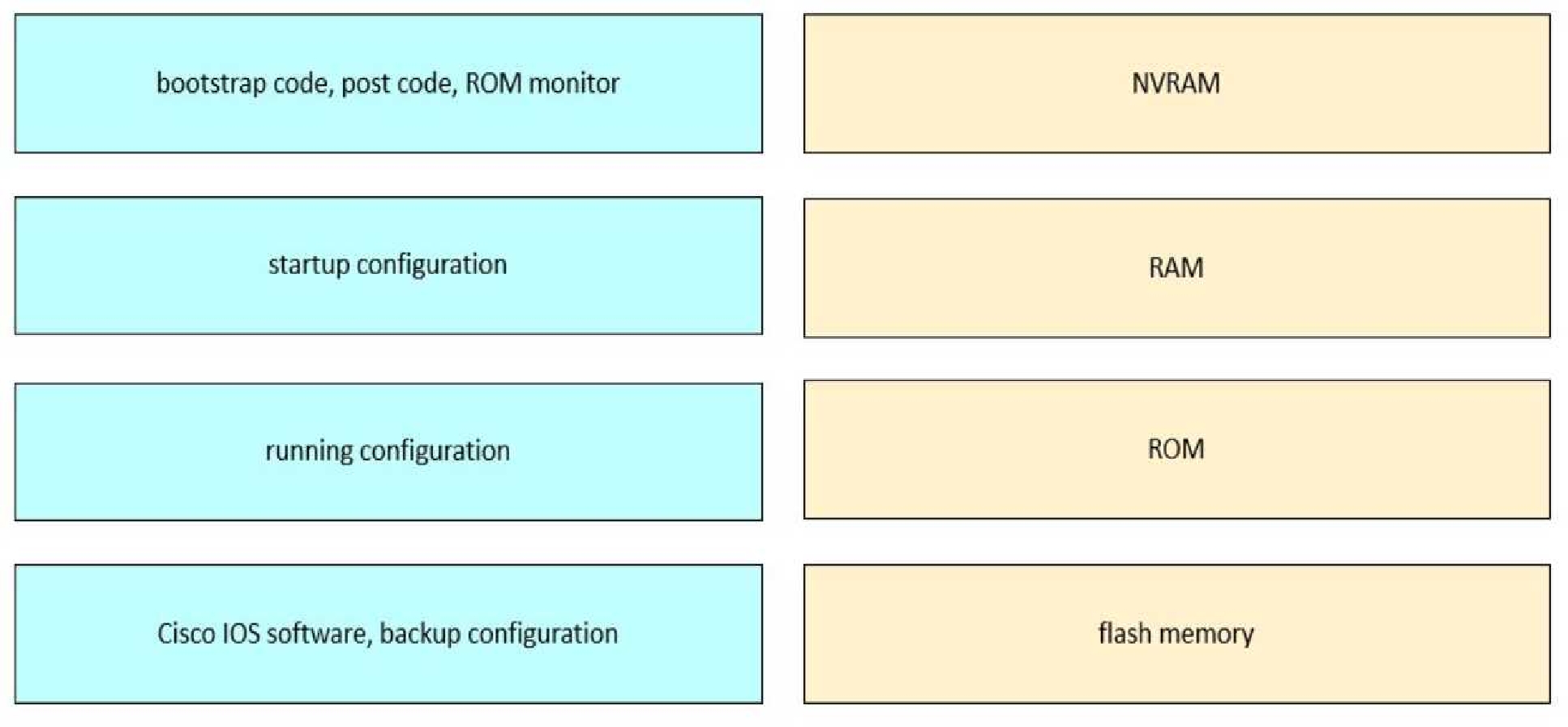
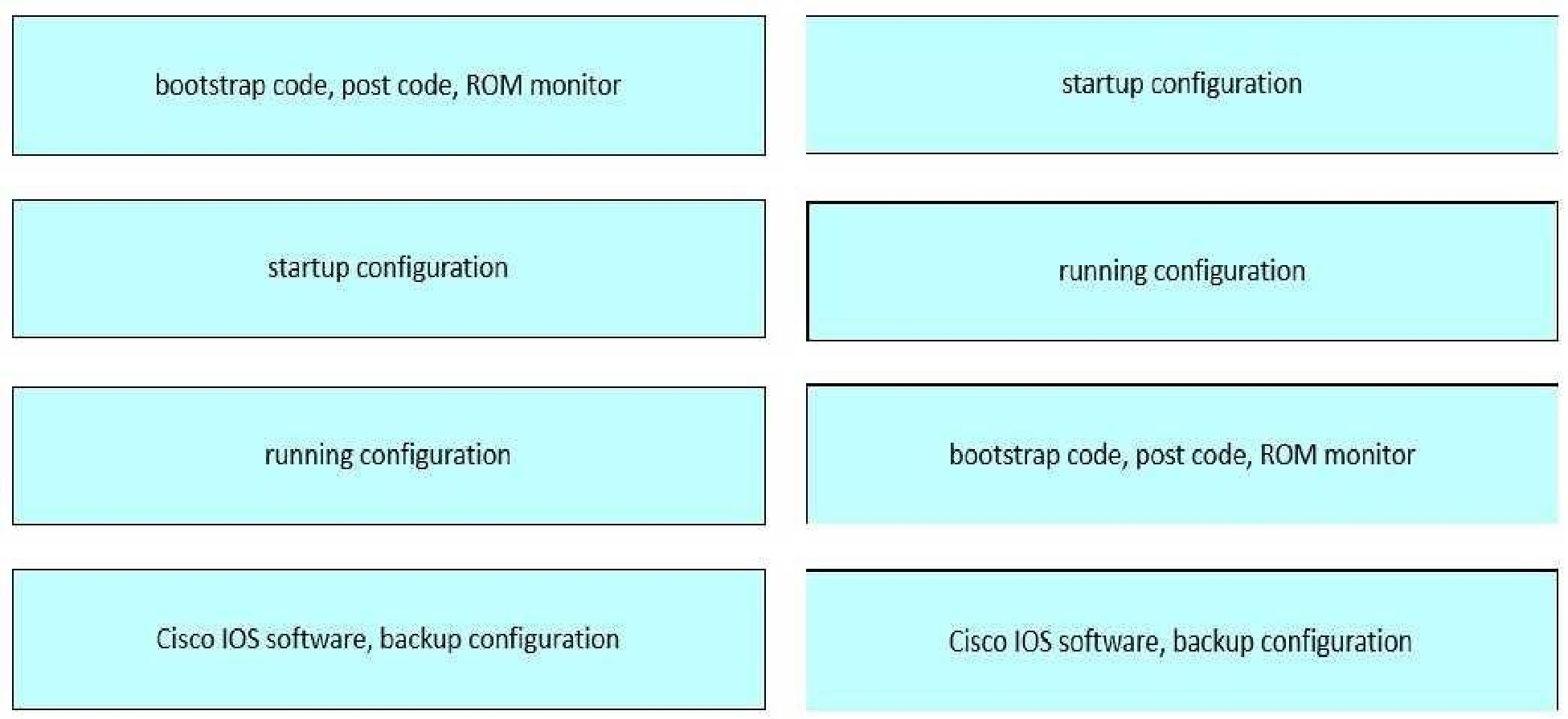
NVRAM → Startup configuration
RAM → Running configuration
ROM → Bootstrap code, POST code, ROM monitor
Flash memory → Cisco IOS software, backup configuration
Each memory type in a Cisco device serves a specific function in the boot process and runtime
operation. NVRAM retains configuration across reboots, RAM is volatile and holds active configs,
ROM handles initial boot tasks, and flash stores the operating system.
This content is covered thoroughly in "Cisco Equipment and Related Hardware" in the FLDTEC
curriculum. Here's the breakdown:
ROM (Read-Only Memory)
Stores bootstrap code, POST (Power-On Self-Test), and ROM Monitor.
These are essential for the device’s initial power-on operations and recovery modes.
NVRAM (Non-Volatile RAM)
Holds the startup configuration file, which is loaded during the boot process.
Content remains intact after a reboot or power cycle.
RAM (Random Access Memory)
Stores the running configuration and current operational state of the router or switch.
Also used for routing tables, ARP cache, and packet buffers.
Data is lost when the device is powered off or rebooted.
Flash Memory
Contains the Cisco IOS image, system files, and can store backup configurations.
It is a non-volatile storage, so it retains data after reboots.
Quiz
Quiz
Quiz
Drag and drop the descriptions from the left onto the corresponding IPv4 addressing modes on the
right.
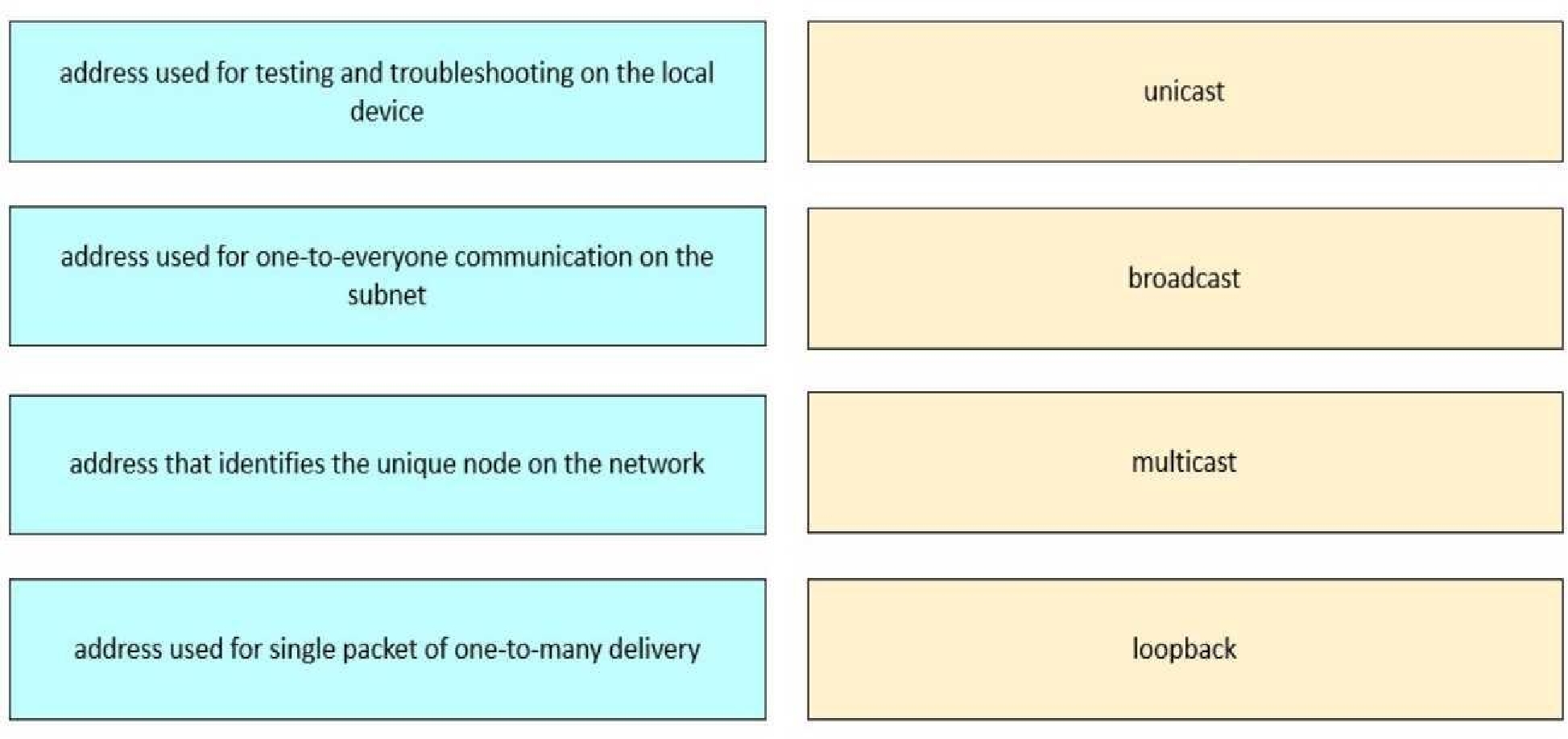
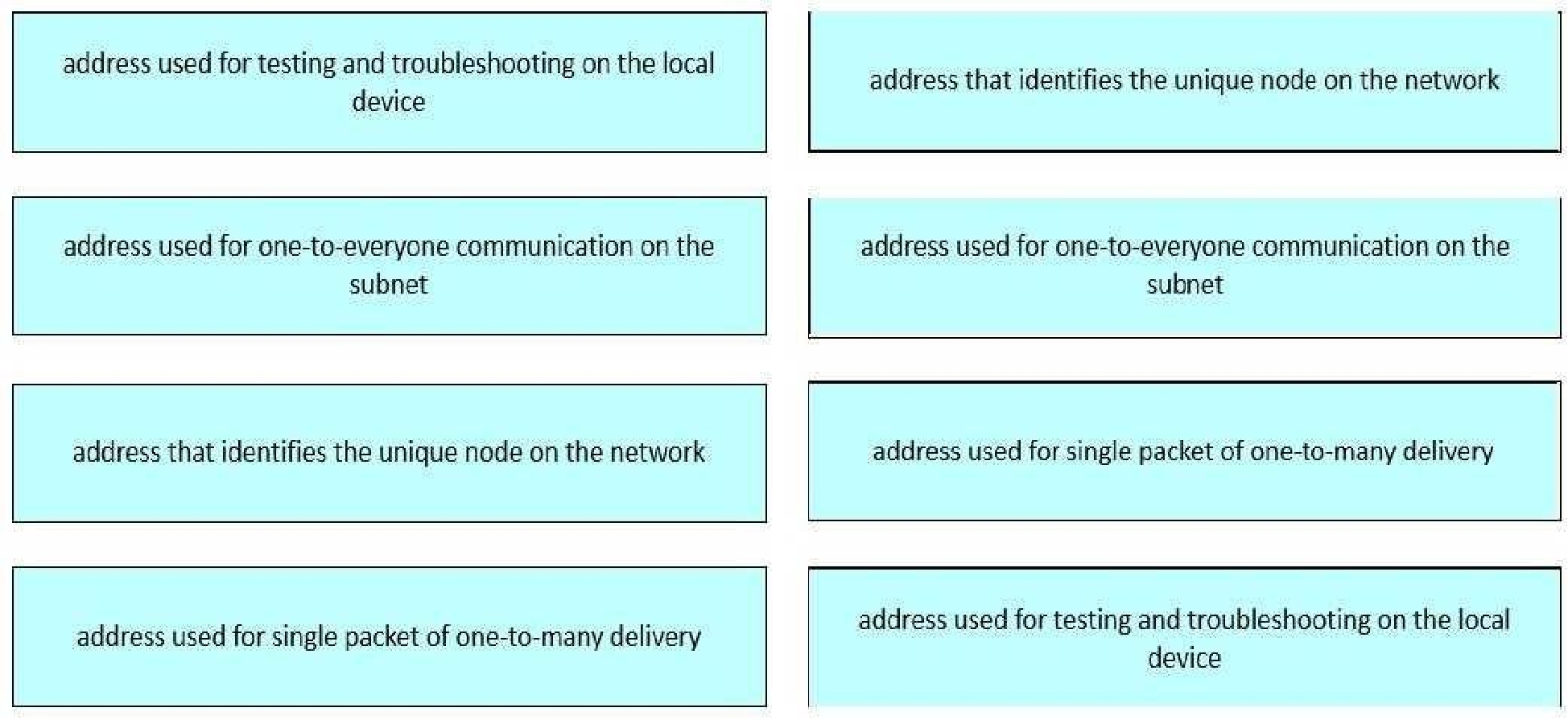
This content is aligned with IPv4 Addressing Fundamentals, detailed in the FLDTEC course under
Device Configuration and Verification:
Unicast: A unicast address uniquely identifies a single host on a network. This is the most common
address type used for standard communication between two devices.
Broadcast: Broadcast addresses (e.g., 255.255.255.255 or subnet-specific broadcast) send traffic to all
hosts in the network segment. Used for ARP requests and DHCP discovery.
Multicast: Used to deliver a packet to a group of hosts interested in the data, without flooding the
network like a broadcast. Multicast uses addresses from the range 224.0.0.0 to 239.255.255.255.
Loopback: The loopback address (127.0.0.1) is reserved for local testing, ensuring that the TCP/IP
stack is working properly without needing to access the network.
Quiz
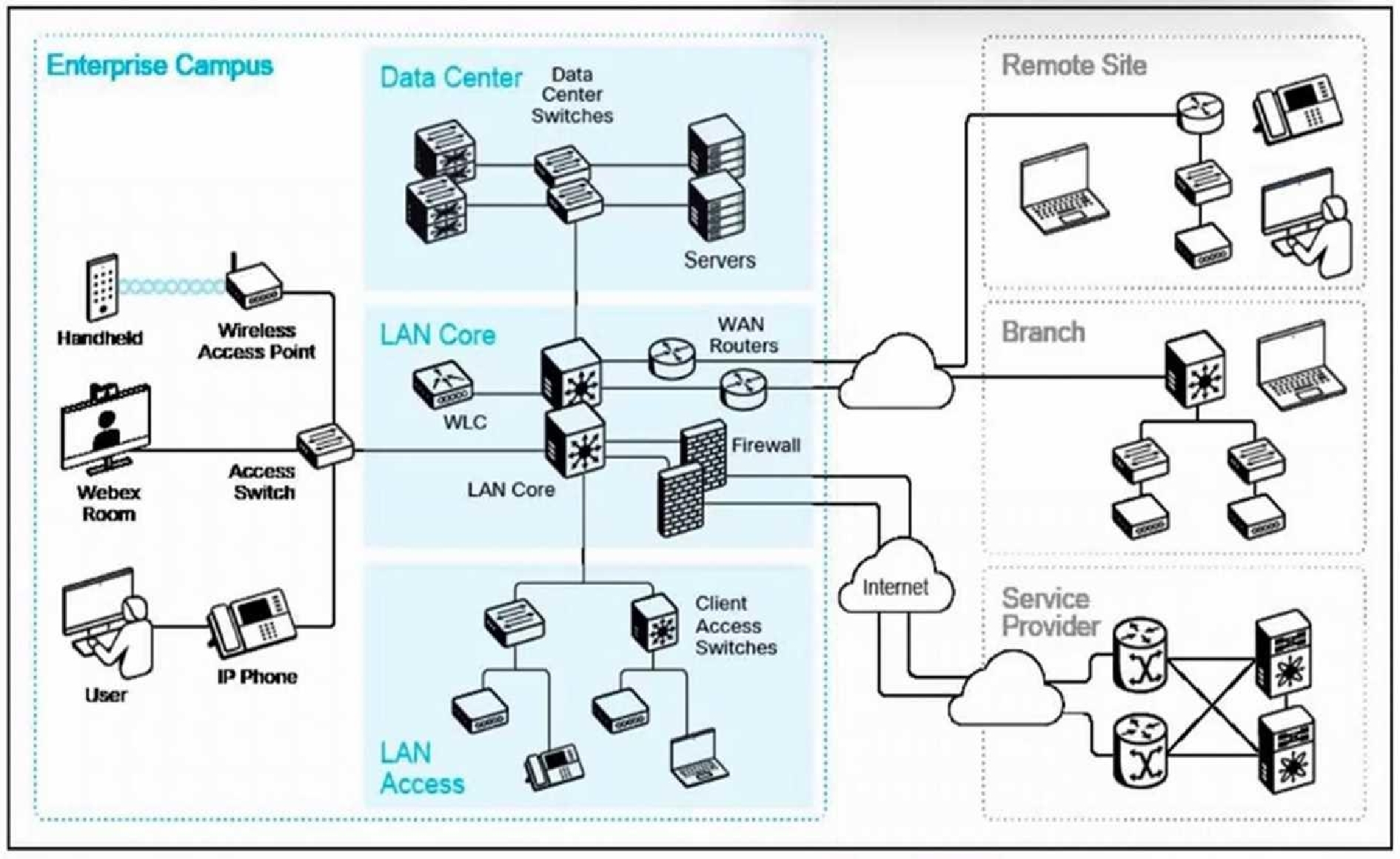
Refer to the exhibit. What are two ways remote sites or branches connect to the enterprise campus
network? (Choose two.)
800-150: Cisco Supporting Cisco Devices for Field Technicians Practice test unlocks all online simulator questions
Thank you for choosing the free version of the 800-150: Cisco Supporting Cisco Devices for Field Technicians practice test! Further deepen your knowledge on Cisco Simulator; by unlocking the full version of our 800-150: Cisco Supporting Cisco Devices for Field Technicians Simulator you will be able to take tests with over 100 constantly updated questions and easily pass your exam. 98% of people pass the exam in the first attempt after preparing with our 100 questions.
BUY NOWWhat to expect from our 800-150: Cisco Supporting Cisco Devices for Field Technicians practice tests and how to prepare for any exam?
The 800-150: Cisco Supporting Cisco Devices for Field Technicians Simulator Practice Tests are part of the Cisco Database and are the best way to prepare for any 800-150: Cisco Supporting Cisco Devices for Field Technicians exam. The 800-150: Cisco Supporting Cisco Devices for Field Technicians practice tests consist of 100 questions and are written by experts to help you and prepare you to pass the exam on the first attempt. The 800-150: Cisco Supporting Cisco Devices for Field Technicians database includes questions from previous and other exams, which means you will be able to practice simulating past and future questions. Preparation with 800-150: Cisco Supporting Cisco Devices for Field Technicians Simulator will also give you an idea of the time it will take to complete each section of the 800-150: Cisco Supporting Cisco Devices for Field Technicians practice test . It is important to note that the 800-150: Cisco Supporting Cisco Devices for Field Technicians Simulator does not replace the classic 800-150: Cisco Supporting Cisco Devices for Field Technicians study guides; however, the Simulator provides valuable insights into what to expect and how much work needs to be done to prepare for the 800-150: Cisco Supporting Cisco Devices for Field Technicians exam.
BUY NOW800-150: Cisco Supporting Cisco Devices for Field Technicians Practice test therefore represents an excellent tool to prepare for the actual exam together with our Cisco practice test . Our 800-150: Cisco Supporting Cisco Devices for Field Technicians Simulator will help you assess your level of preparation and understand your strengths and weaknesses. Below you can read all the quizzes you will find in our 800-150: Cisco Supporting Cisco Devices for Field Technicians Simulator and how our unique 800-150: Cisco Supporting Cisco Devices for Field Technicians Database made up of real questions:
Info quiz:
- Quiz name:800-150: Cisco Supporting Cisco Devices for Field Technicians
- Total number of questions:100
- Number of questions for the test:50
- Pass score:80%
You can prepare for the 800-150: Cisco Supporting Cisco Devices for Field Technicians exams with our mobile app. It is very easy to use and even works offline in case of network failure, with all the functions you need to study and practice with our 800-150: Cisco Supporting Cisco Devices for Field Technicians Simulator.
Use our Mobile App, available for both Android and iOS devices, with our 800-150: Cisco Supporting Cisco Devices for Field Technicians Simulator . You can use it anywhere and always remember that our mobile app is free and available on all stores.
Our Mobile App contains all 800-150: Cisco Supporting Cisco Devices for Field Technicians practice tests which consist of 100 questions and also provide study material to pass the final 800-150: Cisco Supporting Cisco Devices for Field Technicians exam with guaranteed success. Our 800-150: Cisco Supporting Cisco Devices for Field Technicians database contain hundreds of questions and Cisco Tests related to 800-150: Cisco Supporting Cisco Devices for Field Technicians Exam. This way you can practice anywhere you want, even offline without the internet.
BUY NOW