Quiz CKA: Linux Foundation Certified Kubernetes Administrator
Quiz
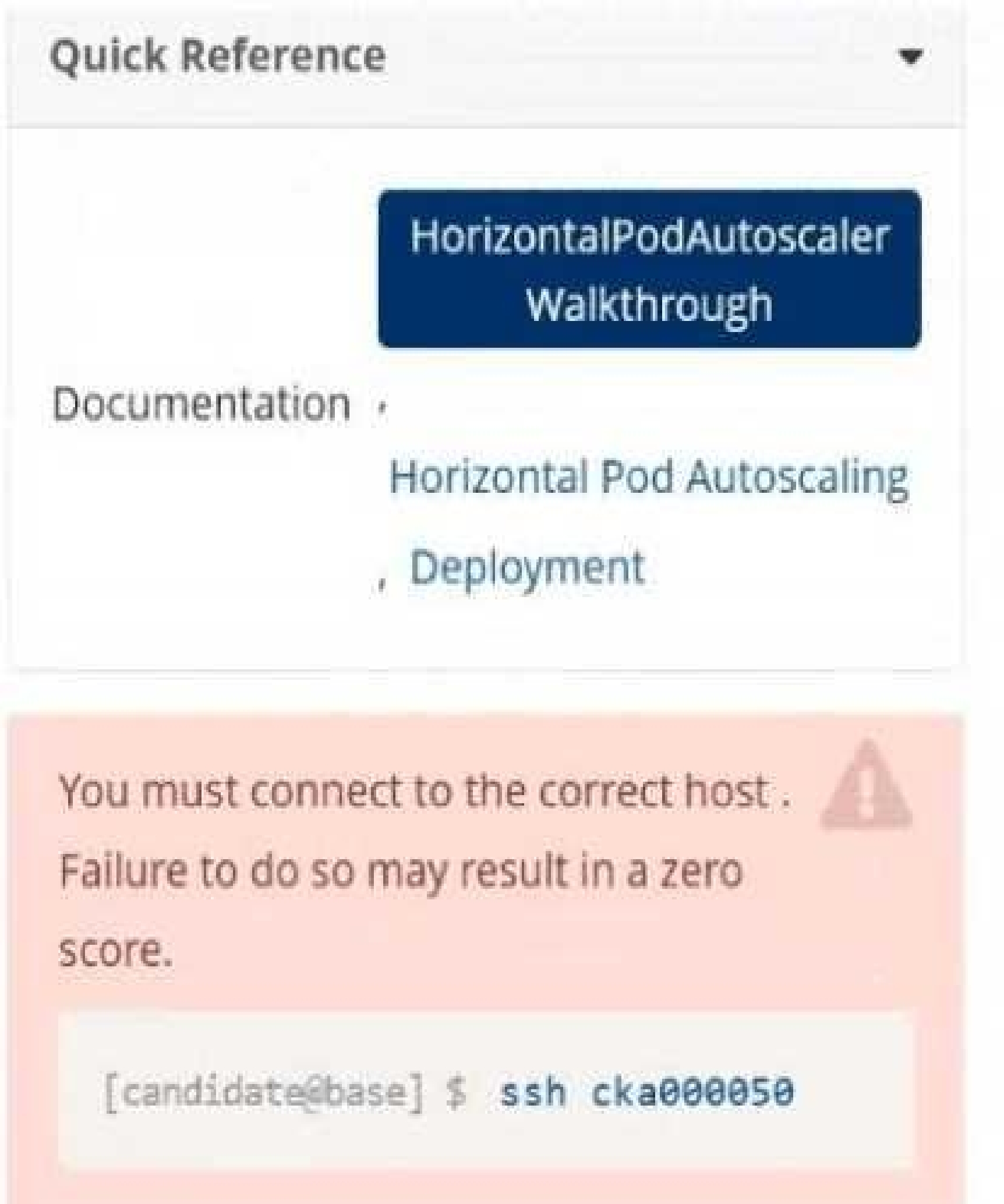
Task
Create a new HorizontalPodAutoscaler (HPA ) named apache-server in the autoscale
namespace. This HPA must target the existing Deployment called apache-server in the
autoscale namespace.
Set the HPA to aim for 50% CPU usage per Pod . Configure it to have at least 1 Pod and no more than
4 Pods . Also, set the downscale stabilization window to 30 seconds.
Quiz
Monitor the logs of pod foo and:
Extract log lines corresponding to error
unable-to-access-website
Write them to/opt/KULM00201/foo
F:\Work\Data Entry Work\Data Entry\20200827\CKA\1 B.JPG
F:\Work\Data Entry Work\Data Entry\20200827\CKA\1 C.JPG
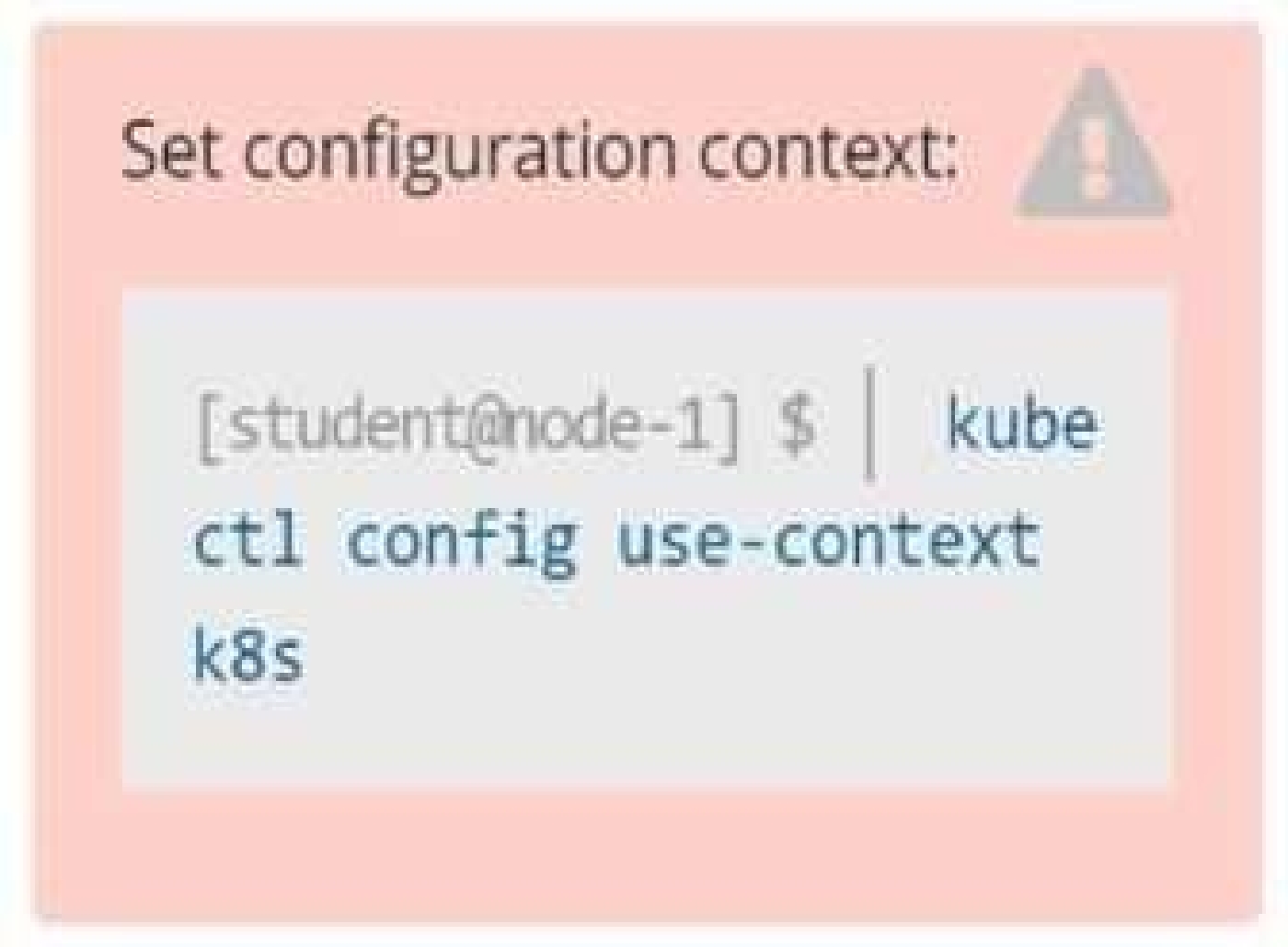
Step 0: Set the correct Kubernetes context
If you're given a specific context (k8s in this case), you must switch to it:
kubectl config use-context k8s
Skipping this can cause you to work in the wrong cluster/namespace and cost you marks.
Step 1: Identify the namespace of the pod foo
First, check if foo is running in a specific namespace or in the default namespace.
kubectl get pods --all-namespaces | grep foo
Assume the pod is in the default namespace if no namespace is mentioned.
Step 2: Confirm pod foo exists and is running
kubectl get pod foo
You should get output similar to:
NAME READY STATUS RESTARTS AGE
foo 1/1 Running 0 1h
If the pod is not running, logs may not be available.
Step 3: View logs and filter specific error lines
We’re looking for log lines that contain:
unable-to-access-website
Command:
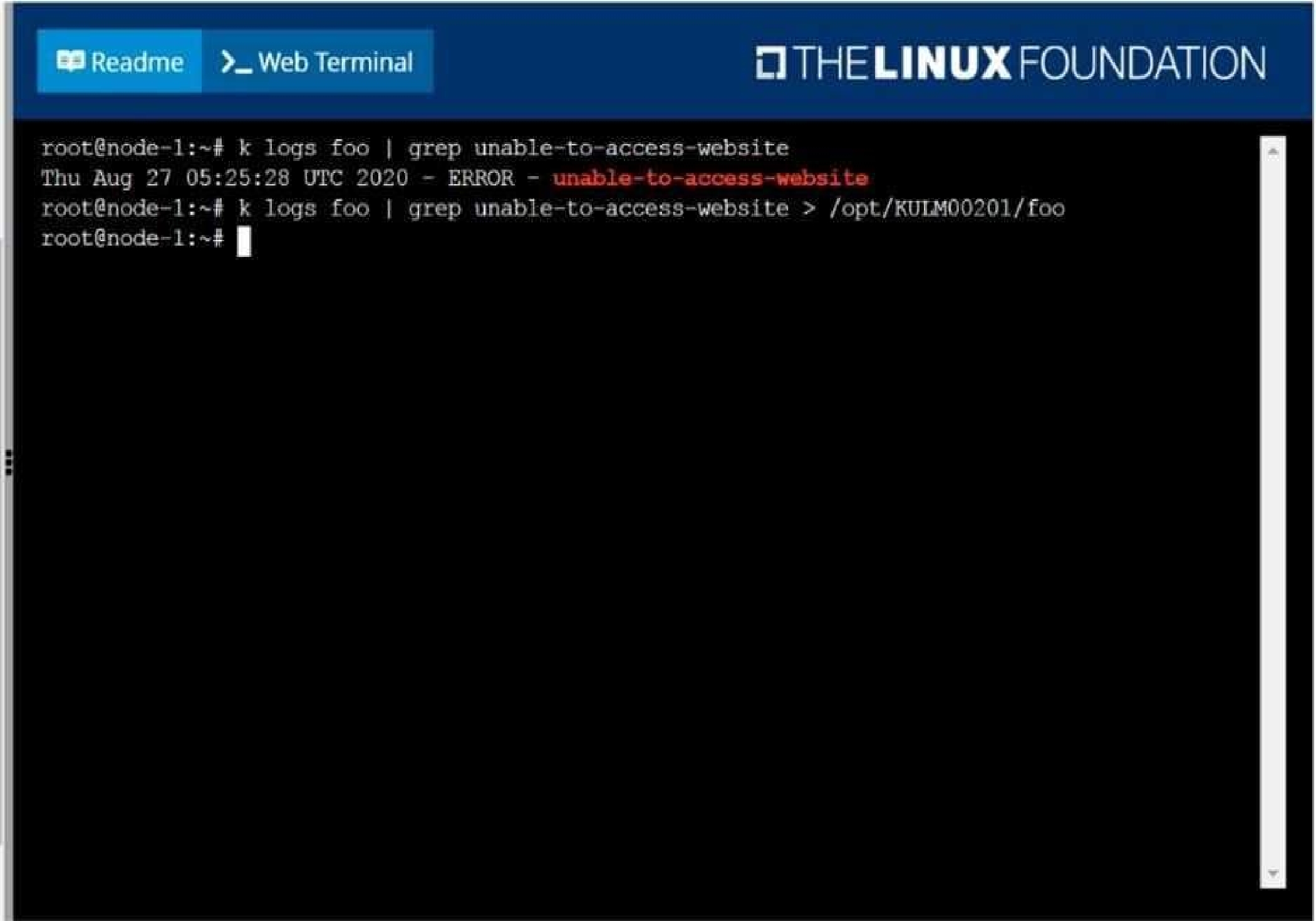
kubectl logs foo | grep "unable-to-access-website"
Step 4: Write the filtered log lines to a file
Redirect the output to the required path:
kubectl logs foo | grep "unable-to-access-website" > /opt/KULM00201/foo
This creates or overwrites the file /opt/KULM00201/foo with the filtered logs.
You may need sudo if /opt requires elevated permissions. But in most exam environments, you're
already the root or privileged user.
Step 5: Verify the output file (optional but smart)
Check that the file was created and has the correct content:
cat /opt/KULM00201/foo
Final Answer Summary:
kubectl config use-context k8s
kubectl logs foo | grep "unable-to-access-website" > /opt/KULM00201/foo
Quiz
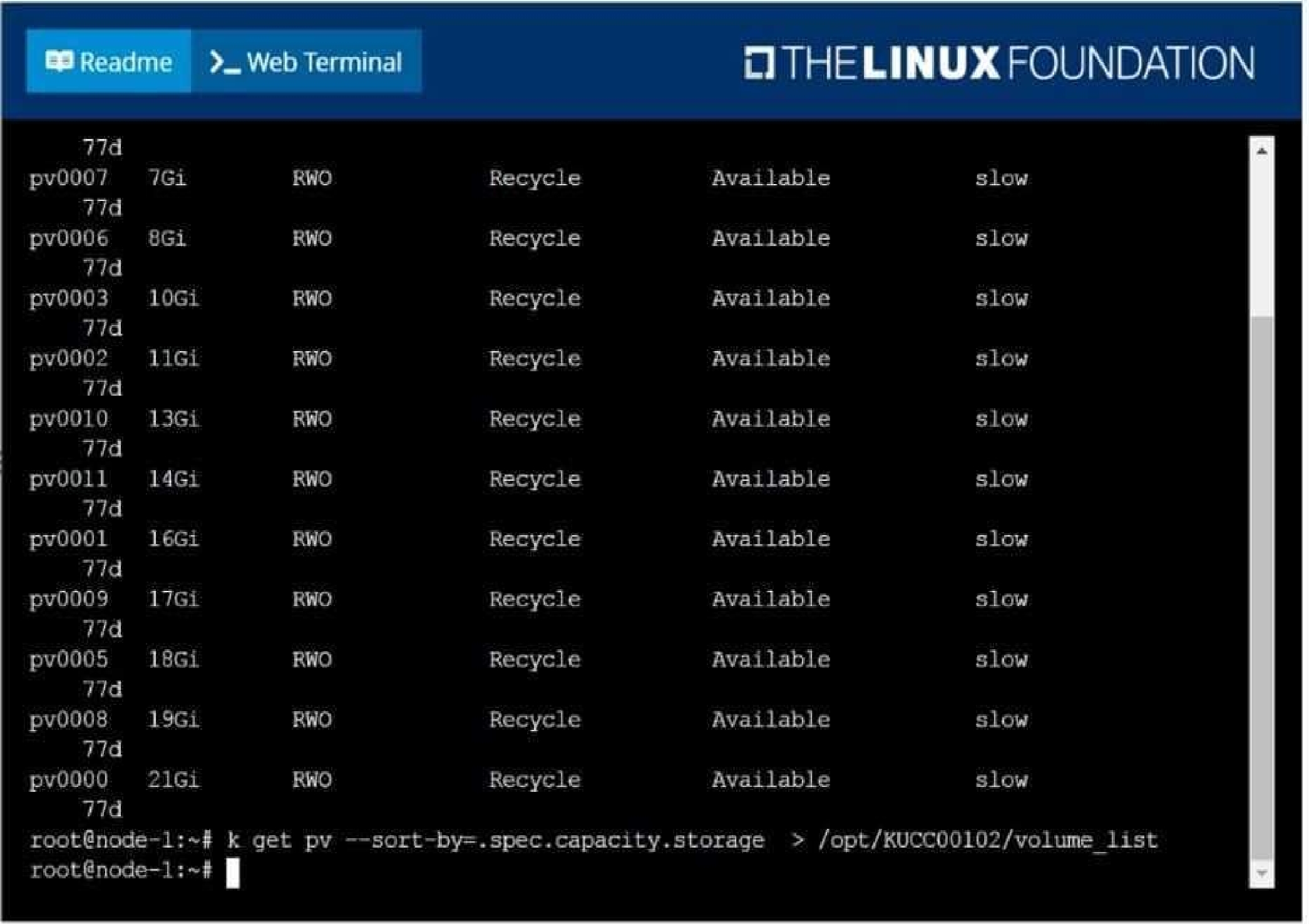
List all persistent volumes sorted by capacity, saving the full kubectl output to
/opt/KUCC00102/volume_list. Use kubectl 's own functionality for sorting the output, and do not
manipulate it any further.
F:\Work\Data Entry Work\Data Entry\20200827\CKA\2 C.JPG
Quiz
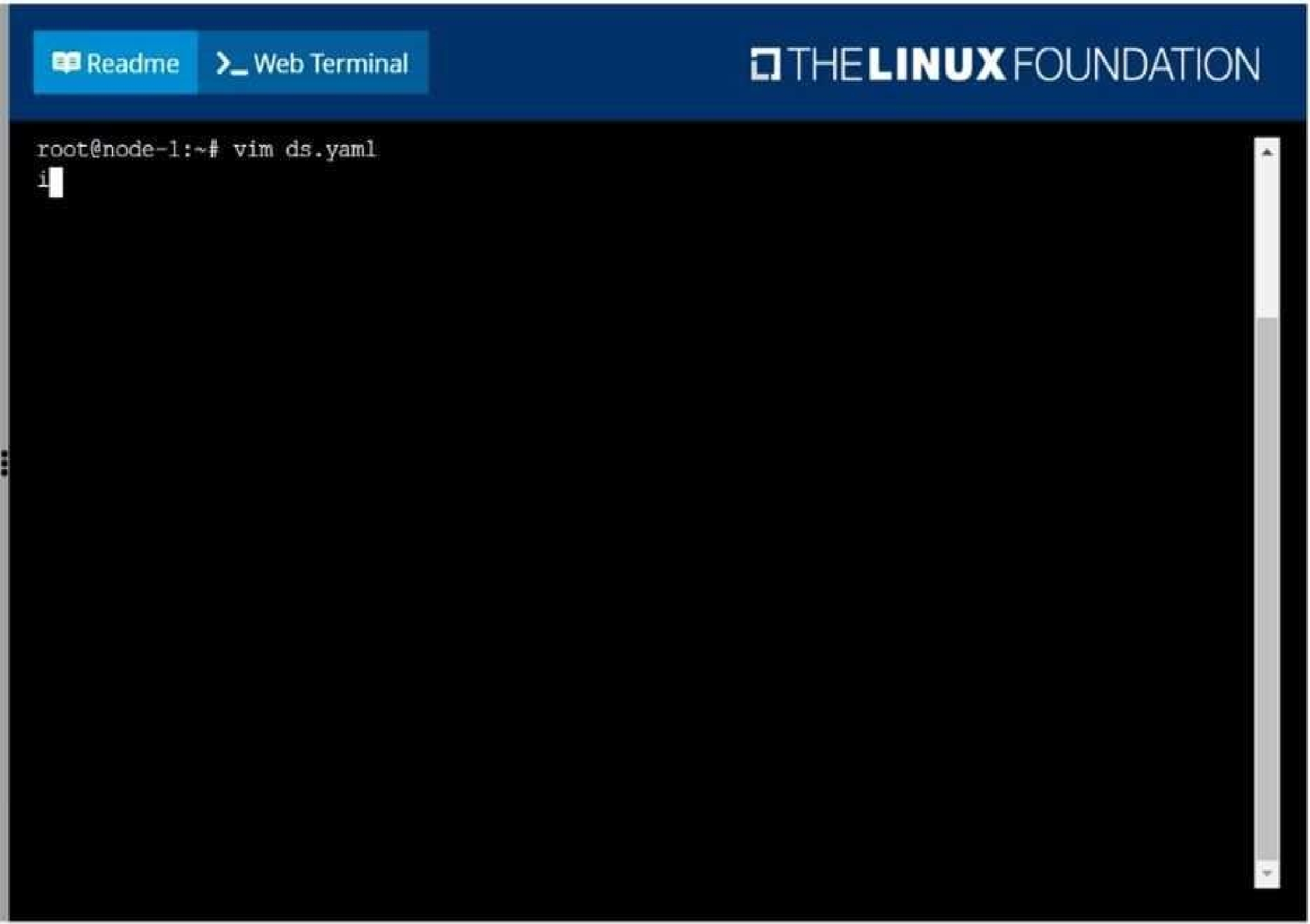
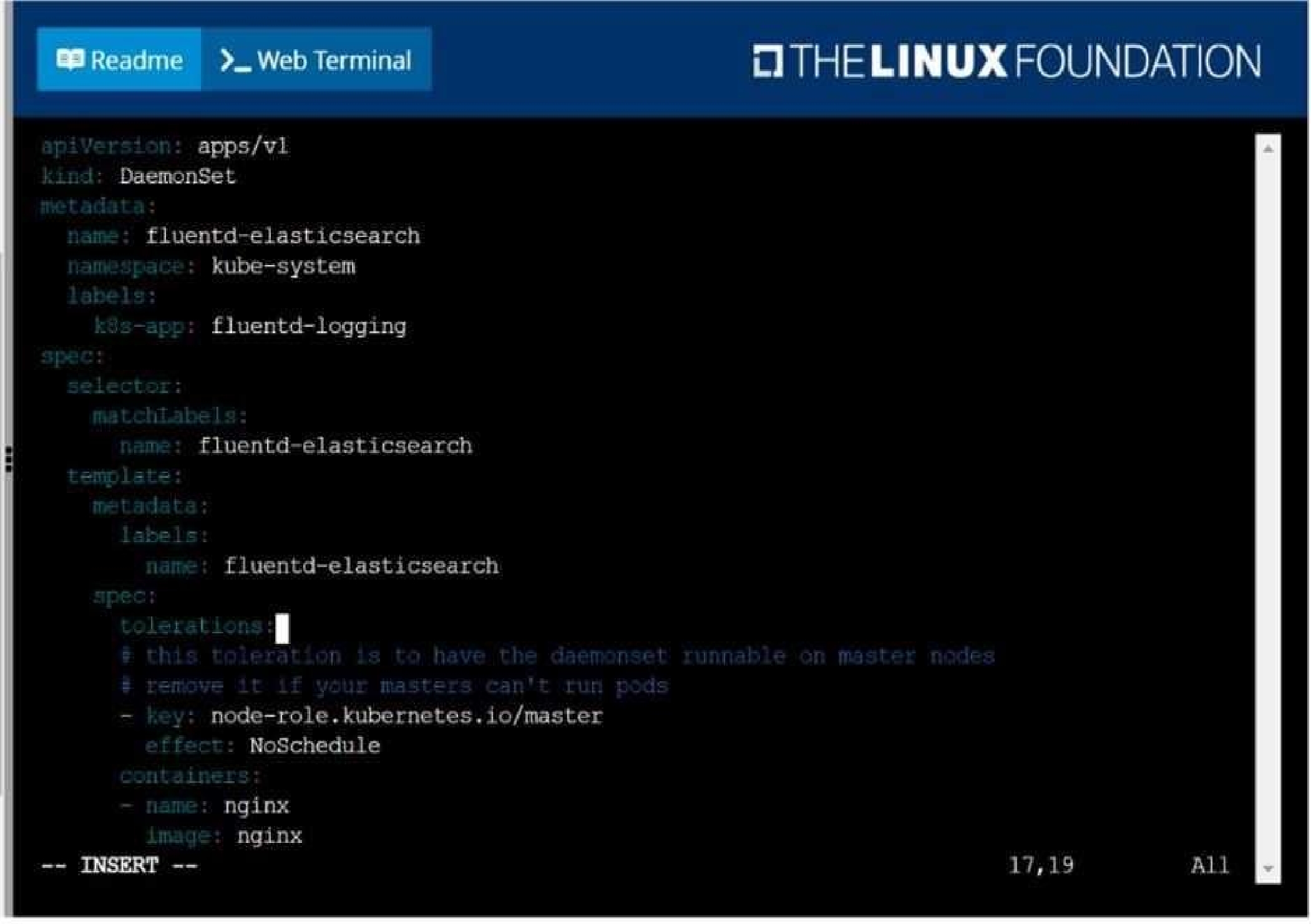
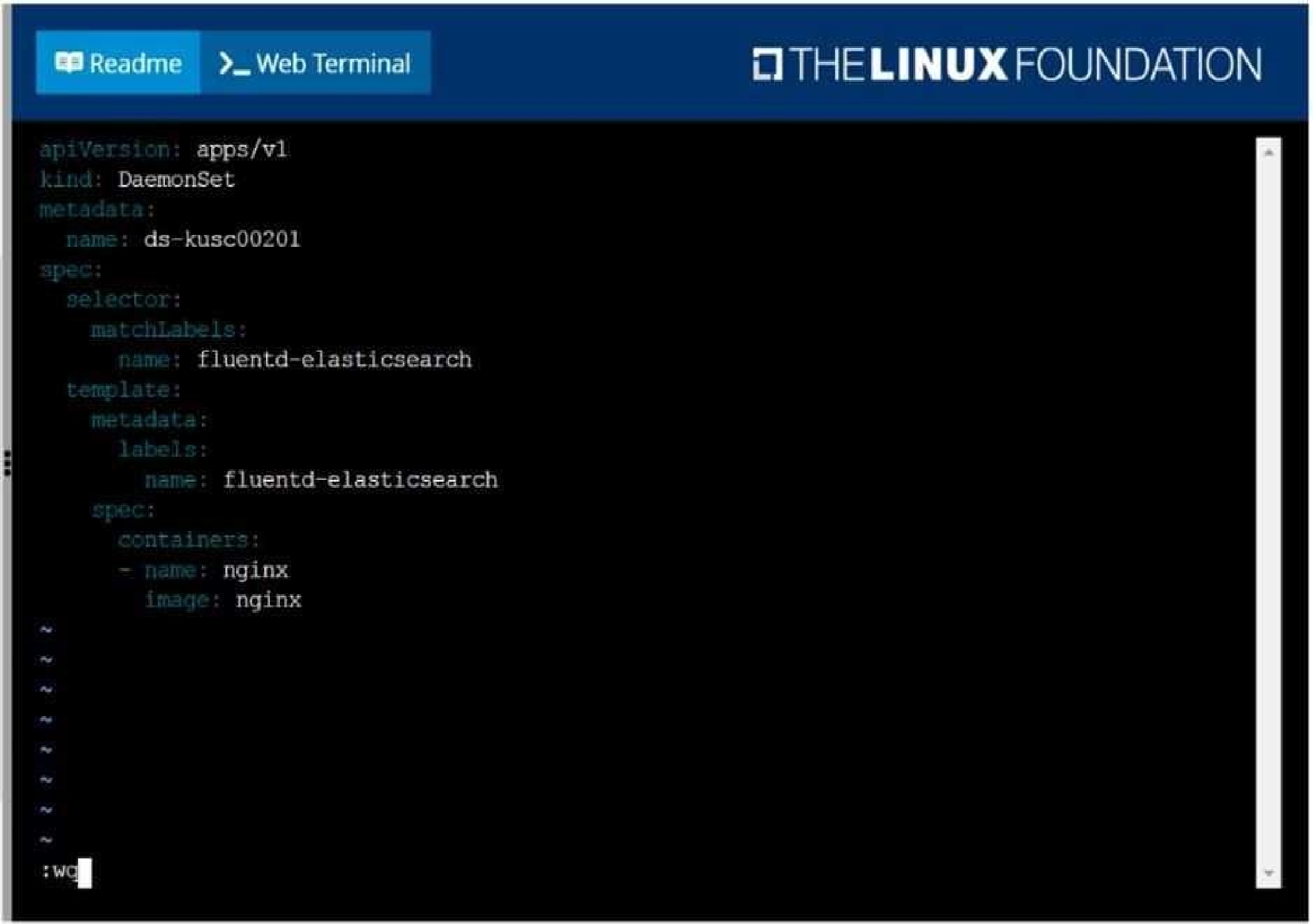
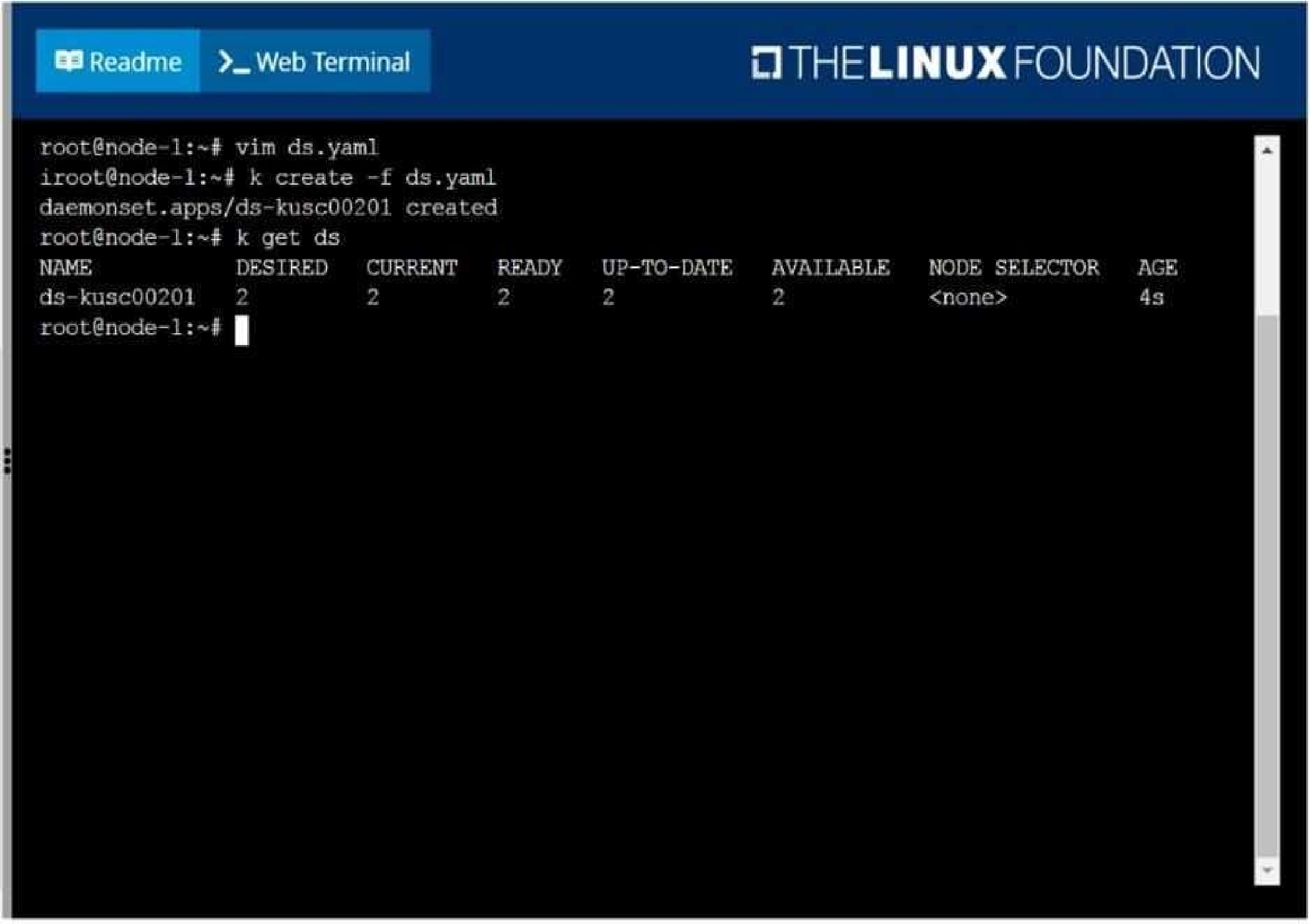
Ensure a single instance of pod nginx is running on each node of the Kubernetes cluster where nginx
also represents the Image name which has to be used. Do not override any taints currently in place.
Use DaemonSet to complete this task and use ds-kusc00201 as DaemonSet name.
F:\Work\Data Entry Work\Data Entry\20200827\CKA\3 B.JPG
F:\Work\Data Entry Work\Data Entry\20200827\CKA\3 C.JPG
F:\Work\Data Entry Work\Data Entry\20200827\CKA\3 D.JPG
F:\Work\Data Entry Work\Data Entry\20200827\CKA\3 E.JPG
Quiz
Perform the following tasks:
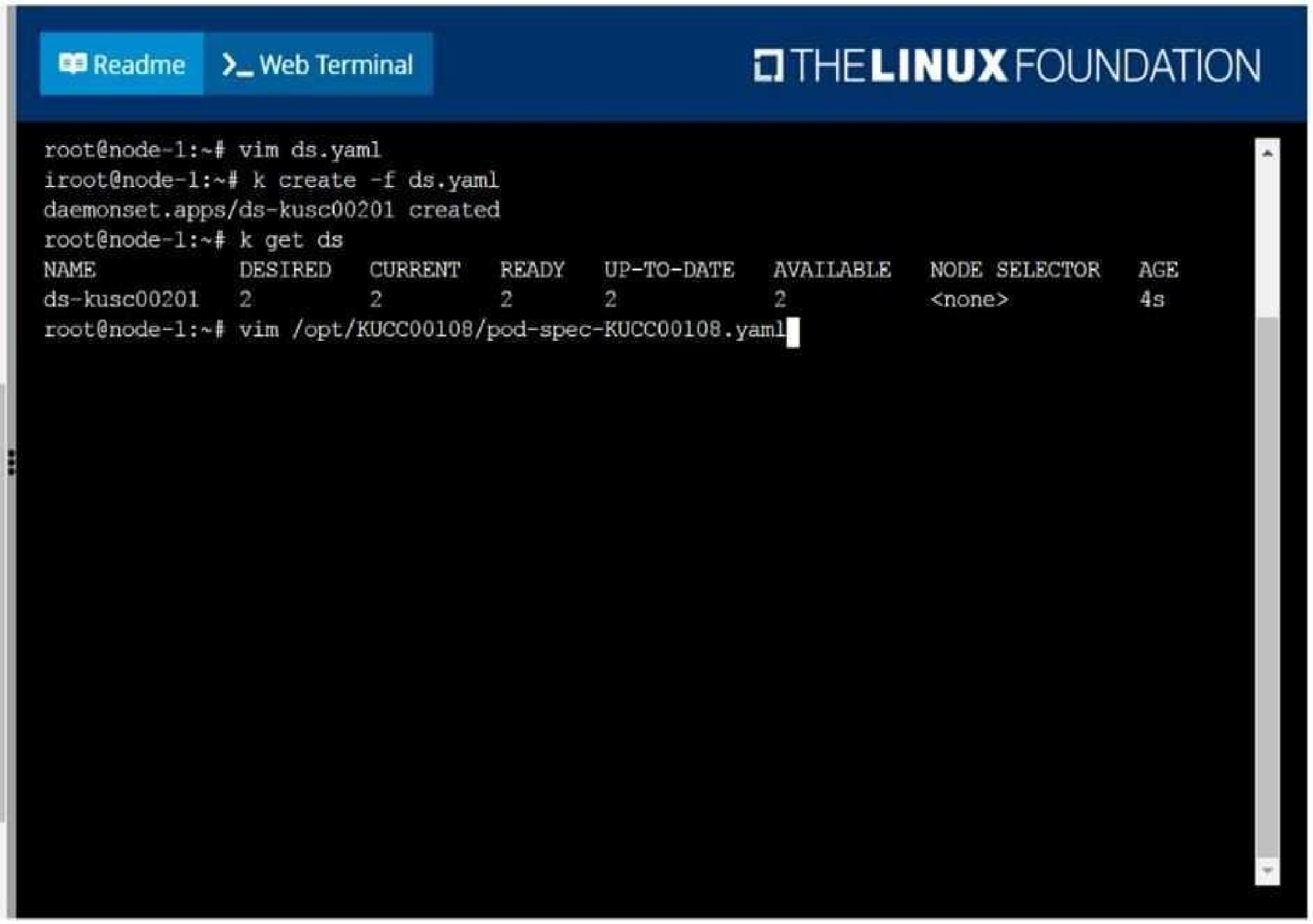
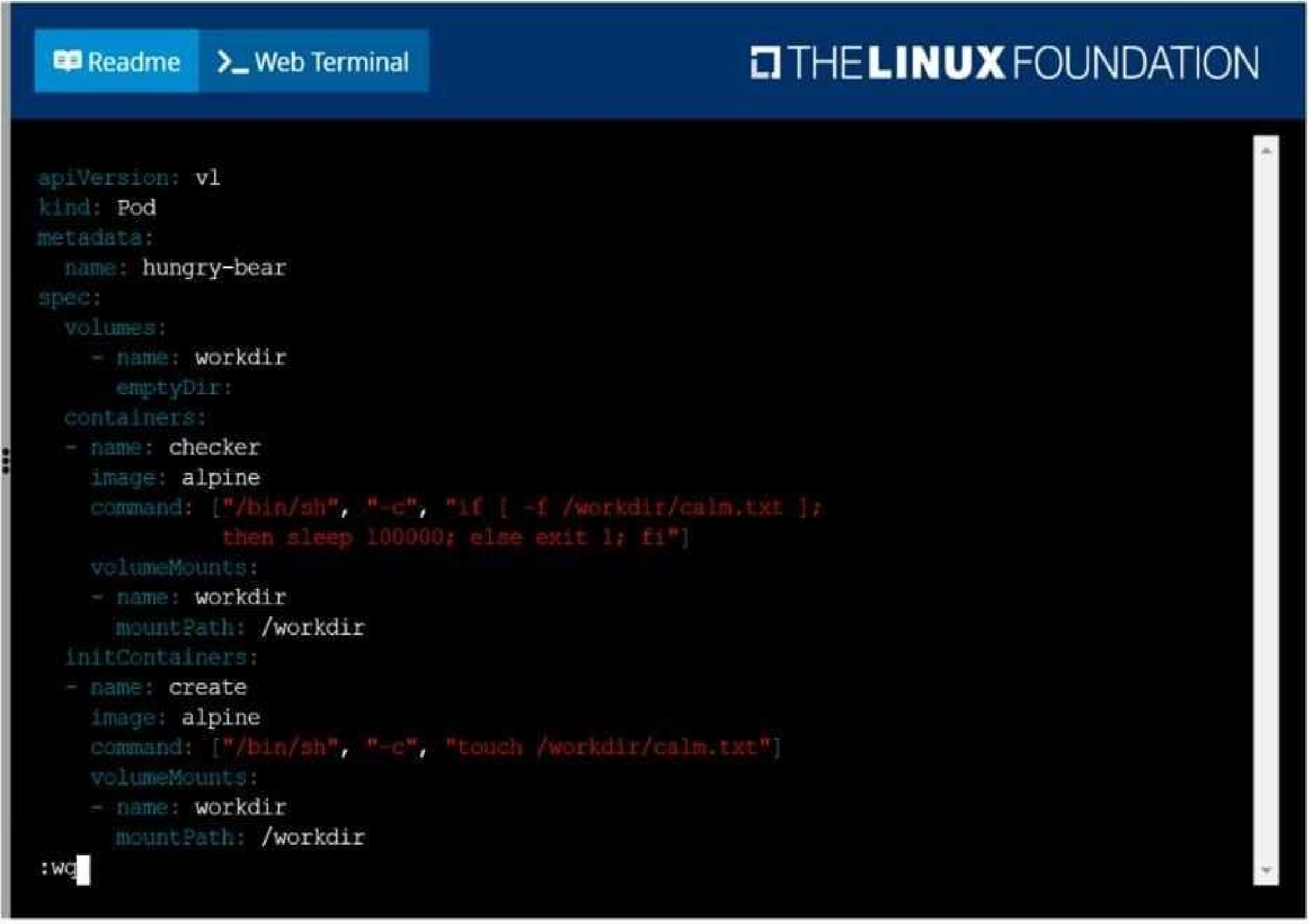
Add an init container to hungry-bear (which has been defined in spec file /opt/KUCC00108/pod-spec-
KUCC00108.yaml)
The init container should create an empty file named/workdir/calm.txt
If /workdir/calm.txt is not detected, the pod should exit
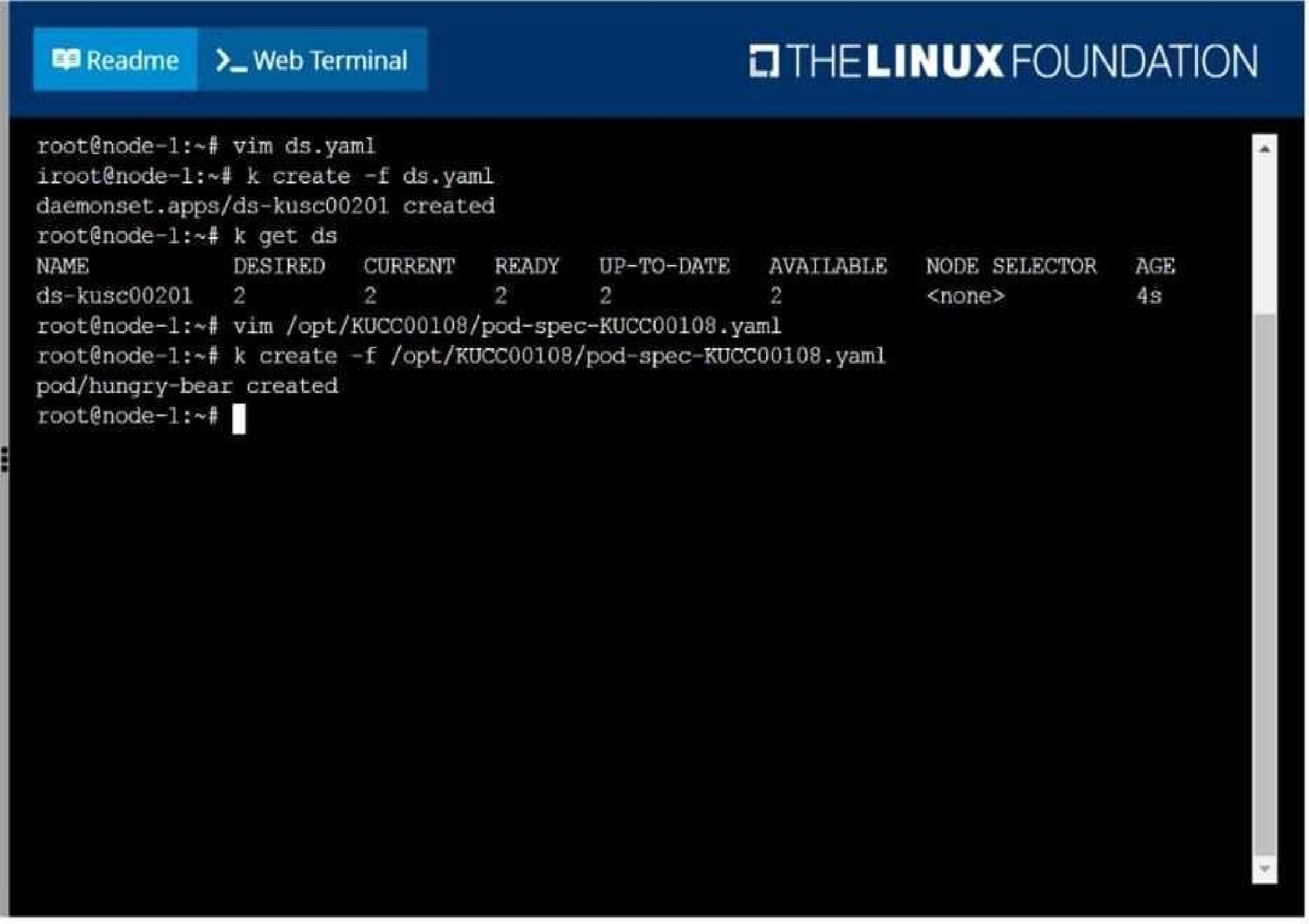
Once the spec file has been updated with the init container definition, the pod should be created
F:\Work\Data Entry Work\Data Entry\20200827\CKA\4 B.JPG
F:\Work\Data Entry Work\Data Entry\20200827\CKA\4 C.JPG
F:\Work\Data Entry Work\Data Entry\20200827\CKA\4 D.JPG
Quiz
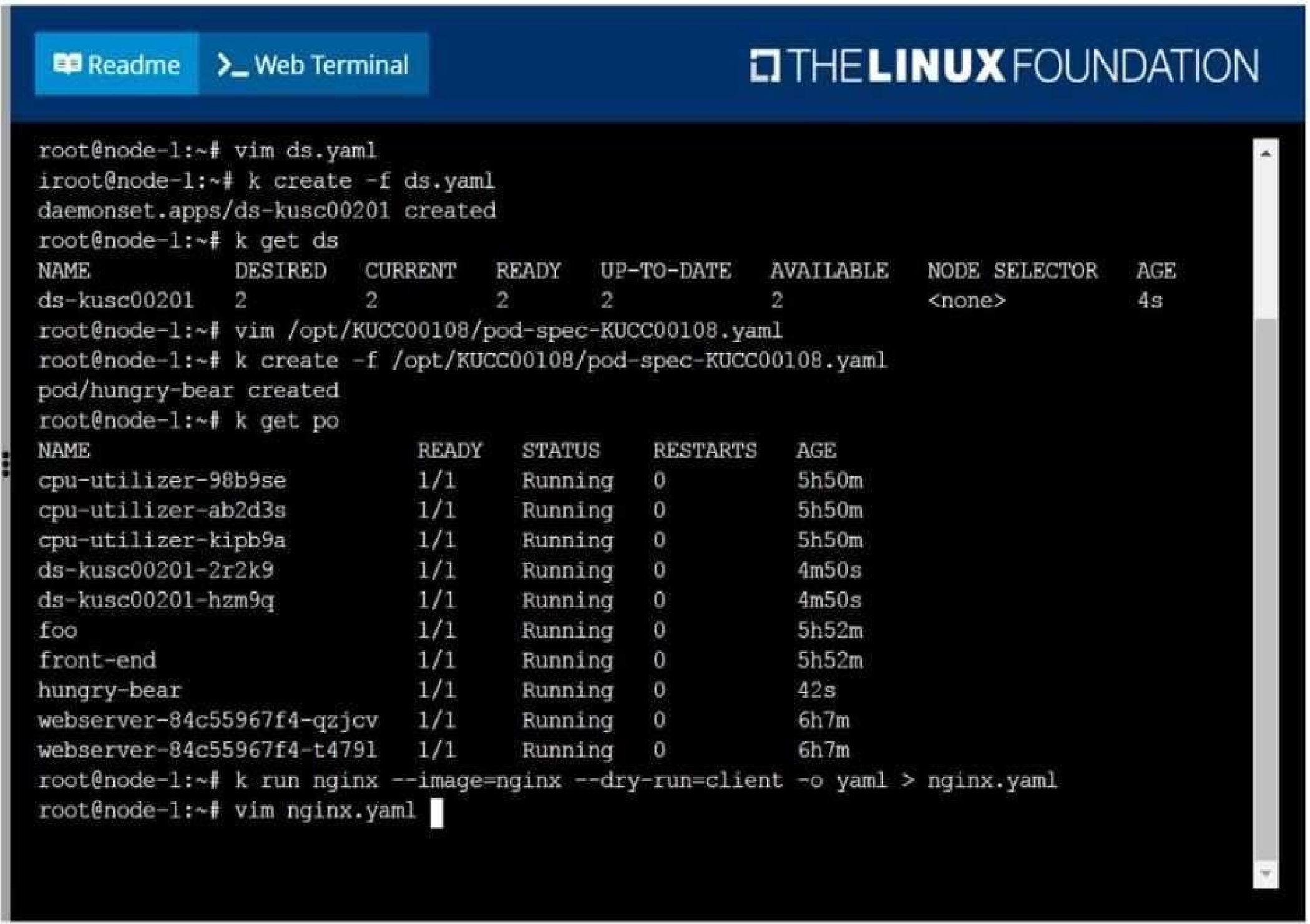
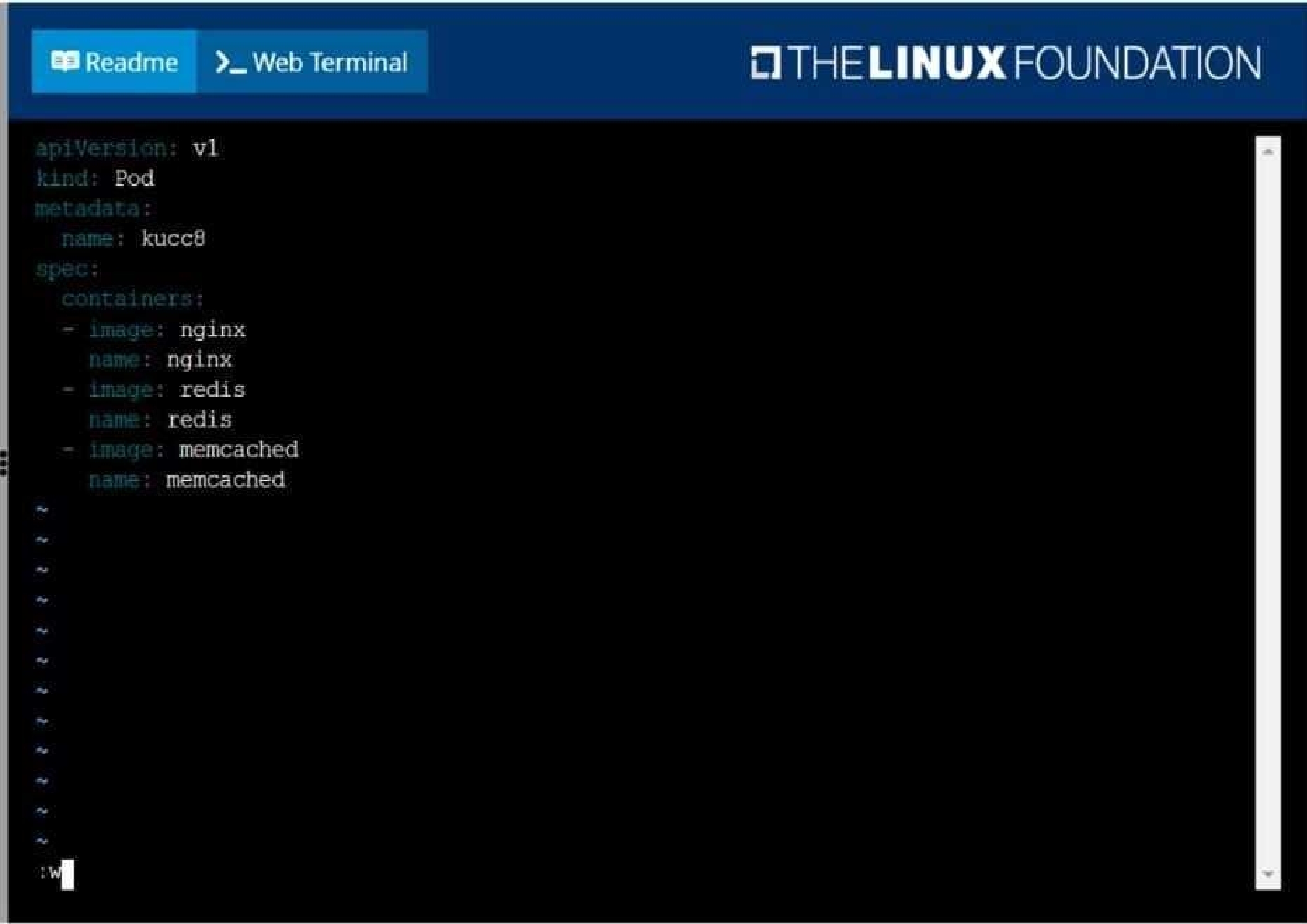
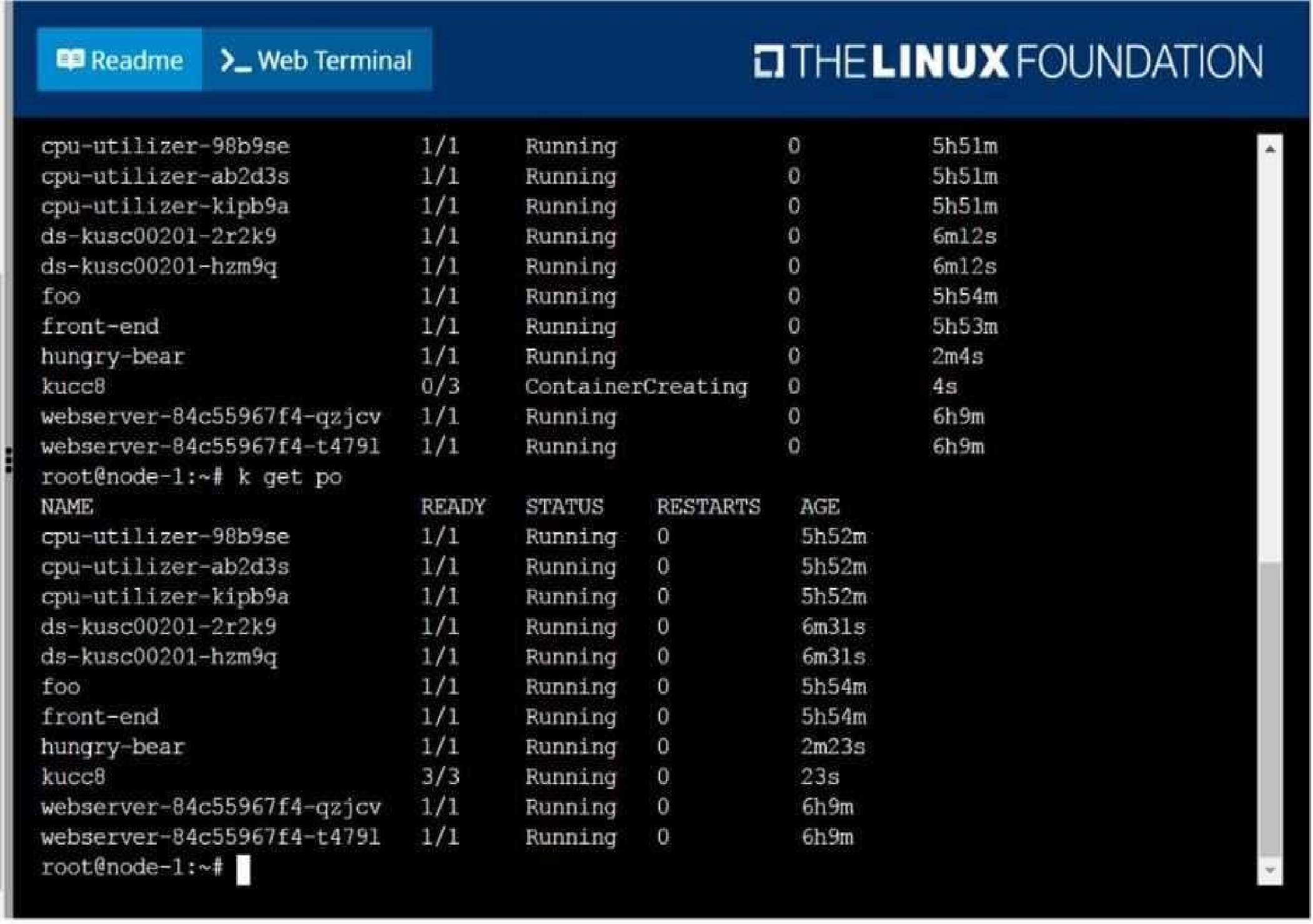
Create a pod named kucc8 with a single app container for each of the
following images running inside (there may be between 1 and 4 images specified):
nginx + redis + memcached.
F:\Work\Data Entry Work\Data Entry\20200827\CKA\5 B.JPG
F:\Work\Data Entry Work\Data Entry\20200827\CKA\5 C.JPG
F:\Work\Data Entry Work\Data Entry\20200827\CKA\5 D.JPG
Quiz
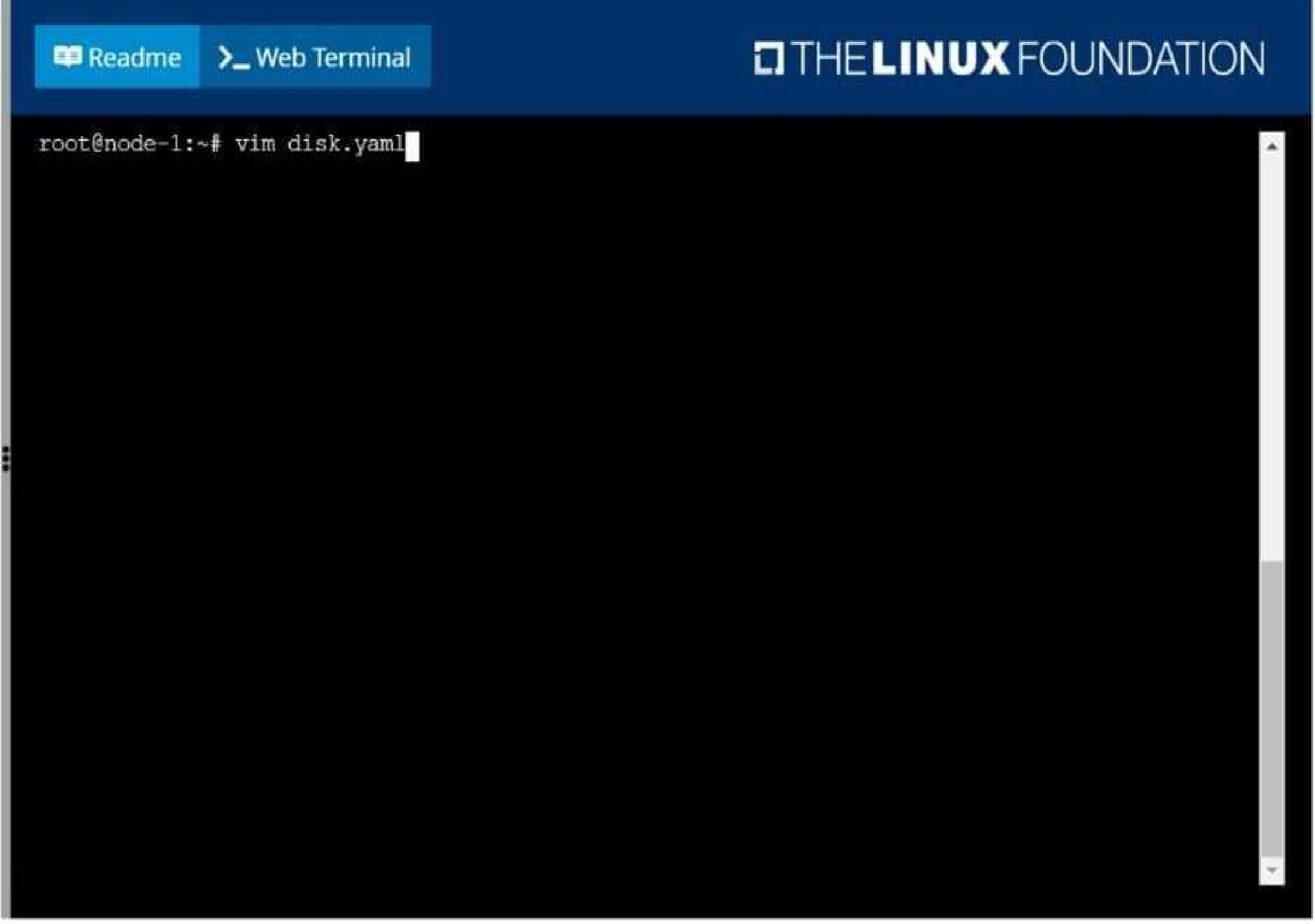
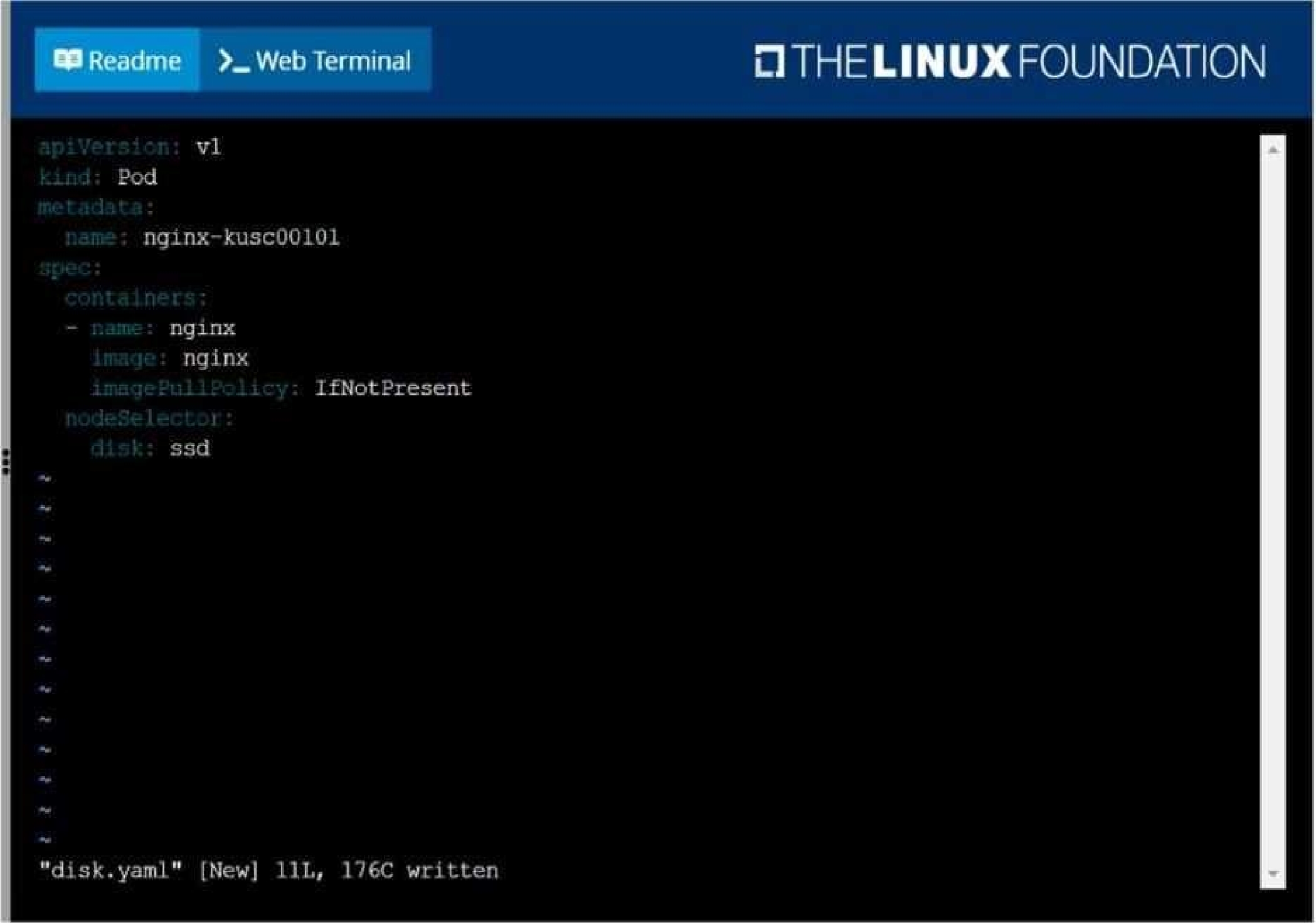
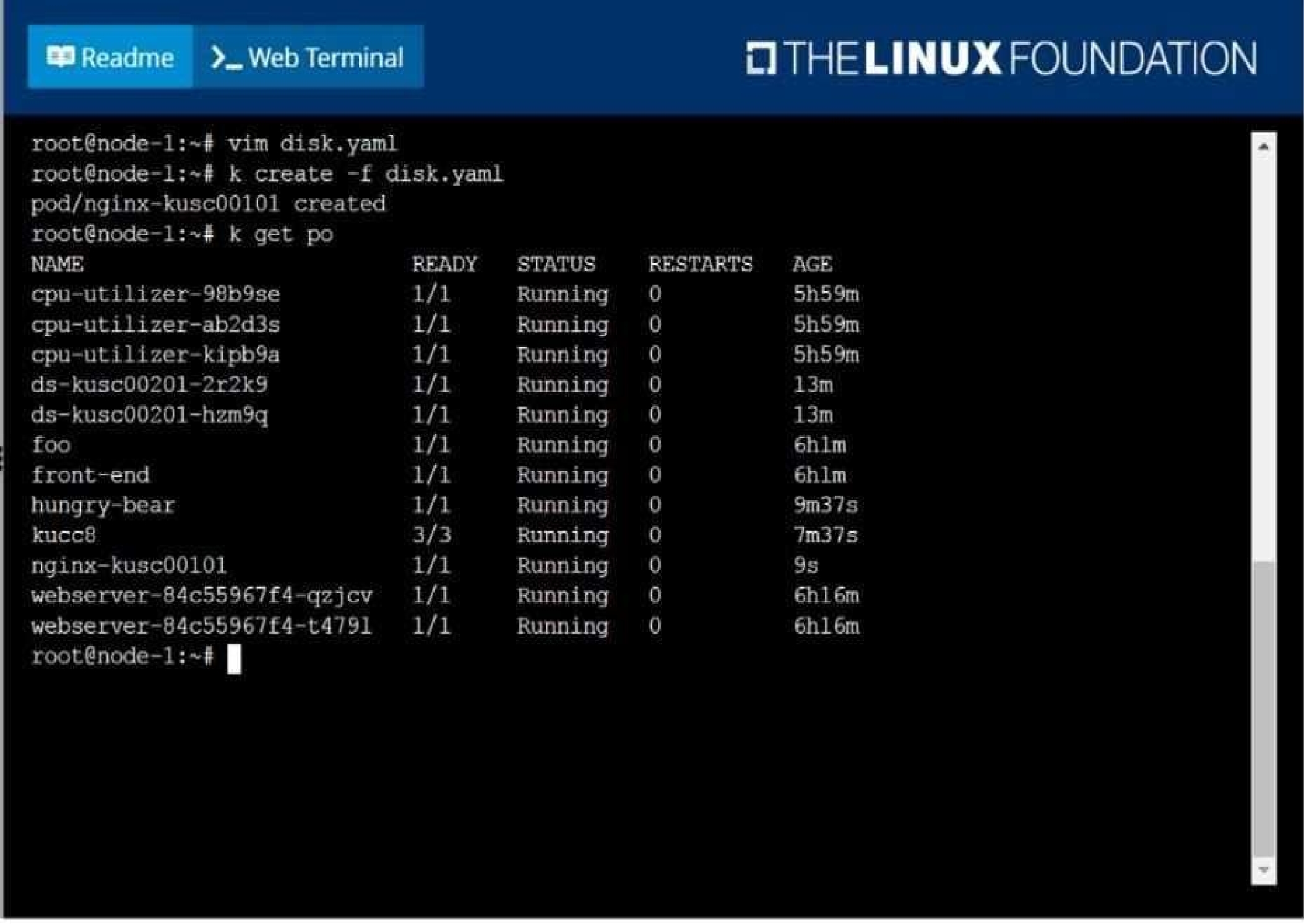
Schedule a pod as follows:
Name: nginx-kusc00101
Image: nginx
Node selector: disk=ssd
F:\Work\Data Entry Work\Data Entry\20200827\CKA\6 B.JPG
F:\Work\Data Entry Work\Data Entry\20200827\CKA\6 C.JPG
F:\Work\Data Entry Work\Data Entry\20200827\CKA\6 D.JPG
Quiz
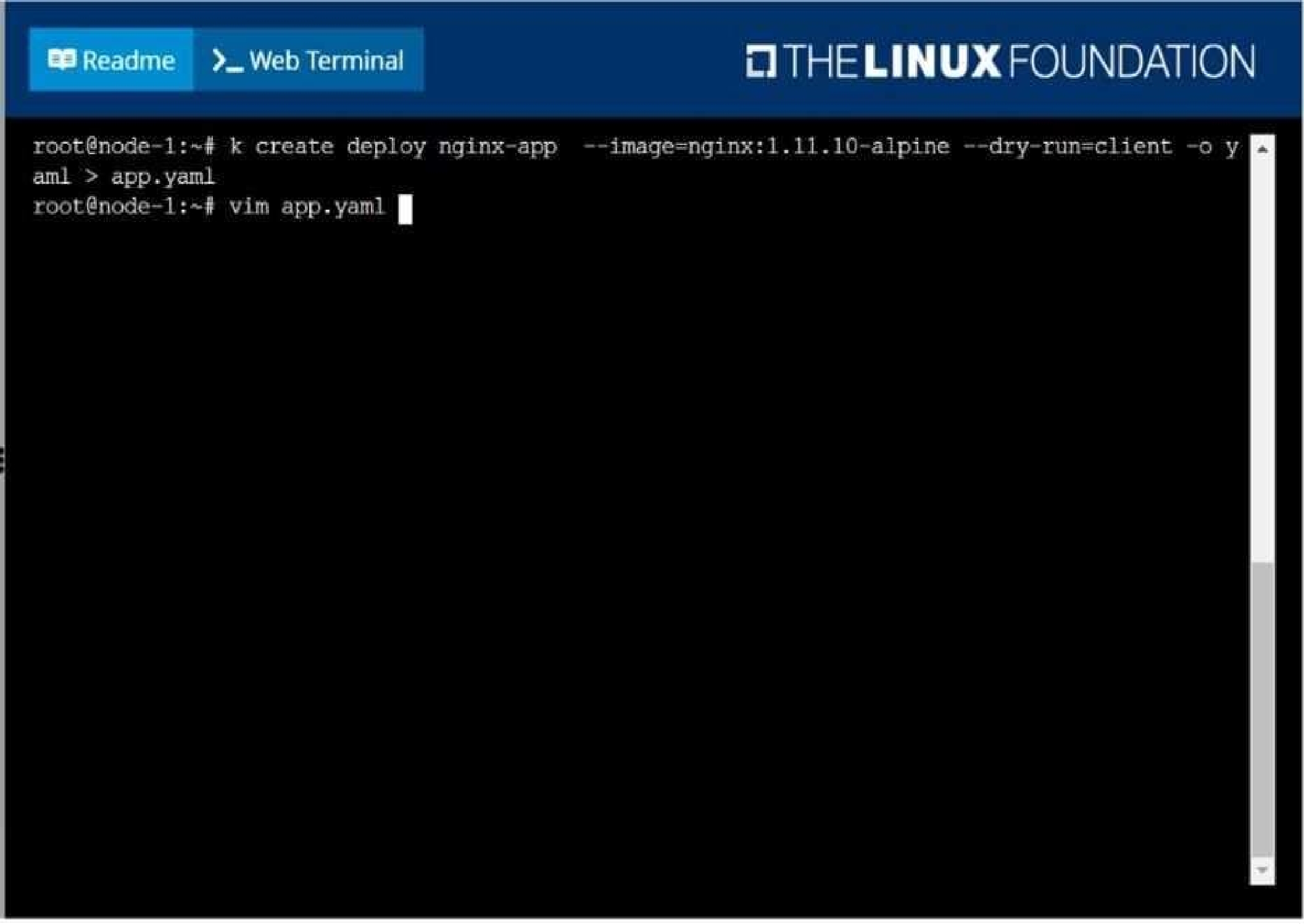
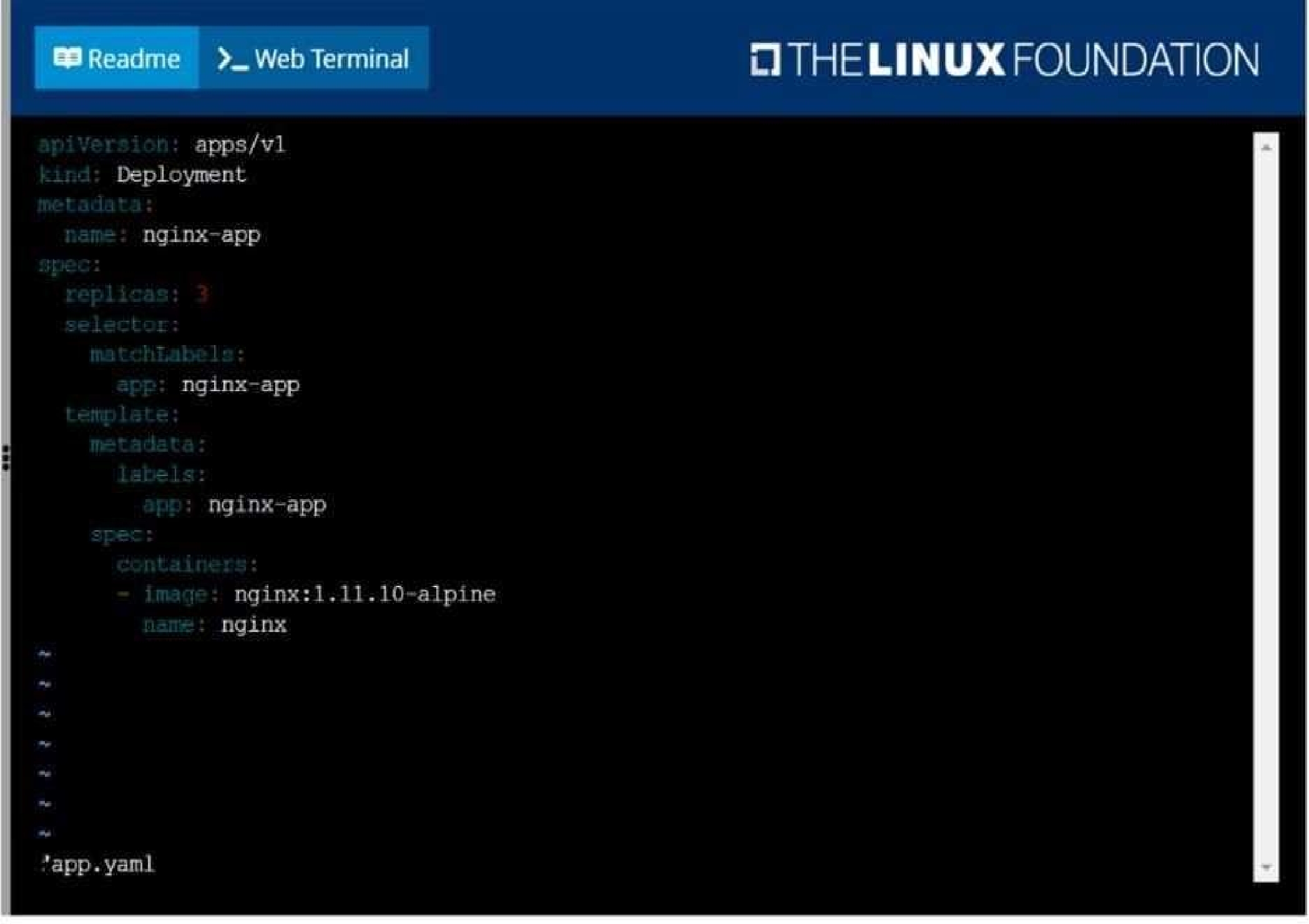
Create a deployment as follows:
Name: nginx-app
Using container nginx with version 1.11.10-alpine
The deployment should contain 3 replicas
Next, deploy the application with new version 1.11.13-alpine, by performing a rolling update.
Finally, rollback that update to the previous version 1.11.10-alpine.
F:\Work\Data Entry Work\Data Entry\20200827\CKA\7 B.JPG
F:\Work\Data Entry Work\Data Entry\20200827\CKA\7 C.JPG
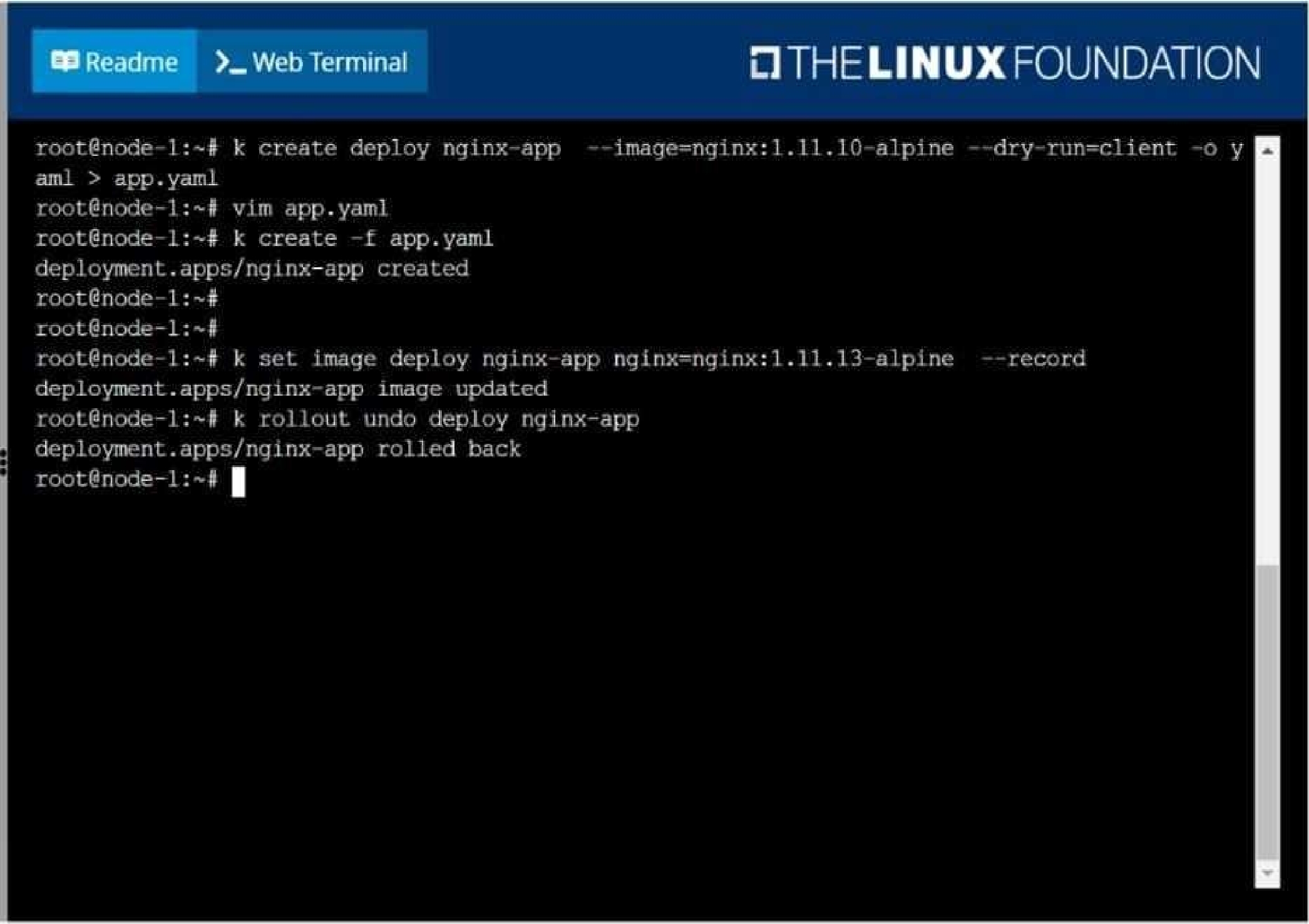
F:\Work\Data Entry Work\Data Entry\20200827\CKA\7 D.JPG
Quiz
Create and configure the service front-end-service so it's accessible through NodePort and routes to
the existing pod named front-end.
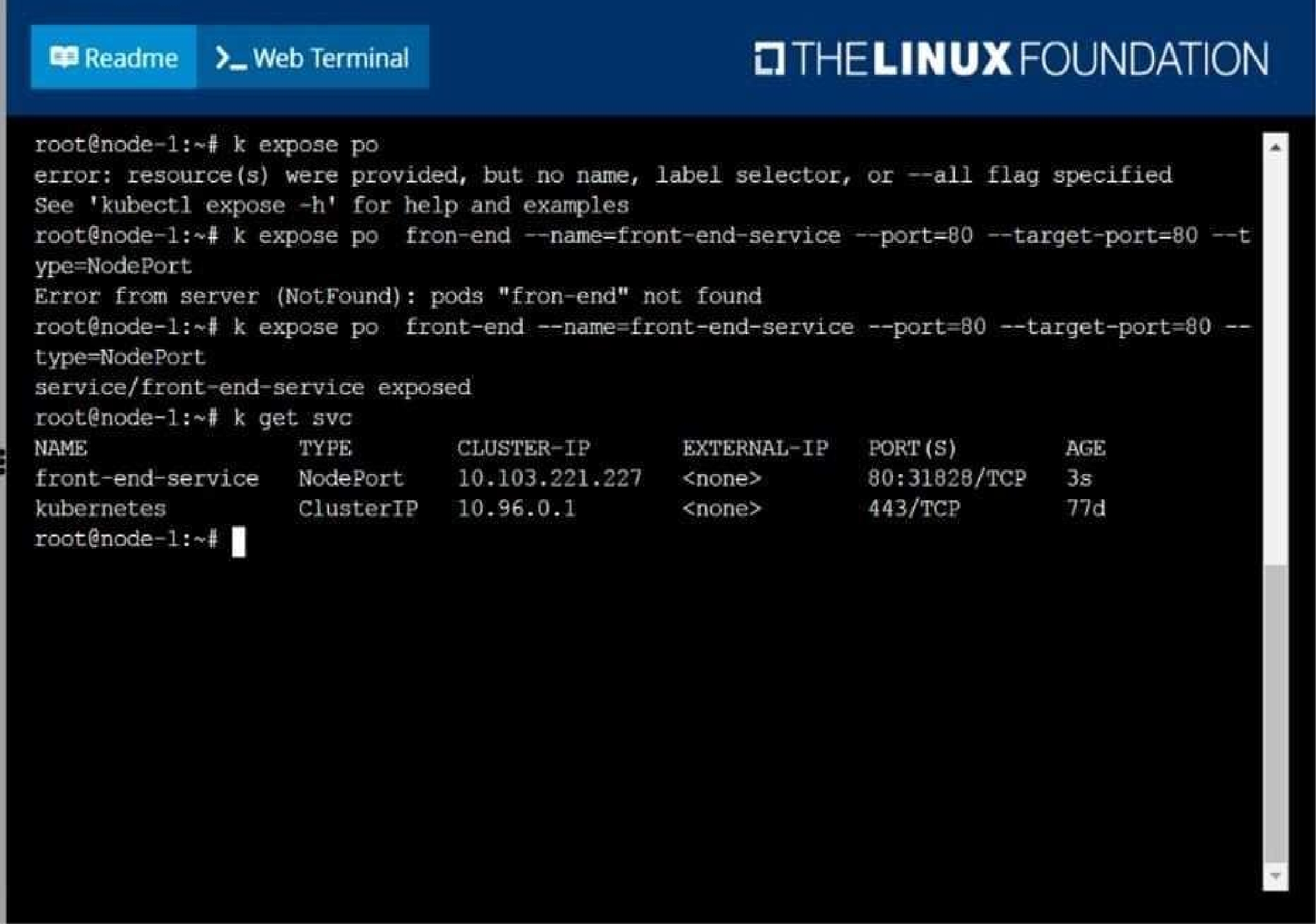
F:\Work\Data Entry Work\Data Entry\20200827\CKA\8 B.JPG
Quiz
Create a pod as follows:
Name: mongo
Using Image: mongo
In a new Kubernetes namespace named: my-website
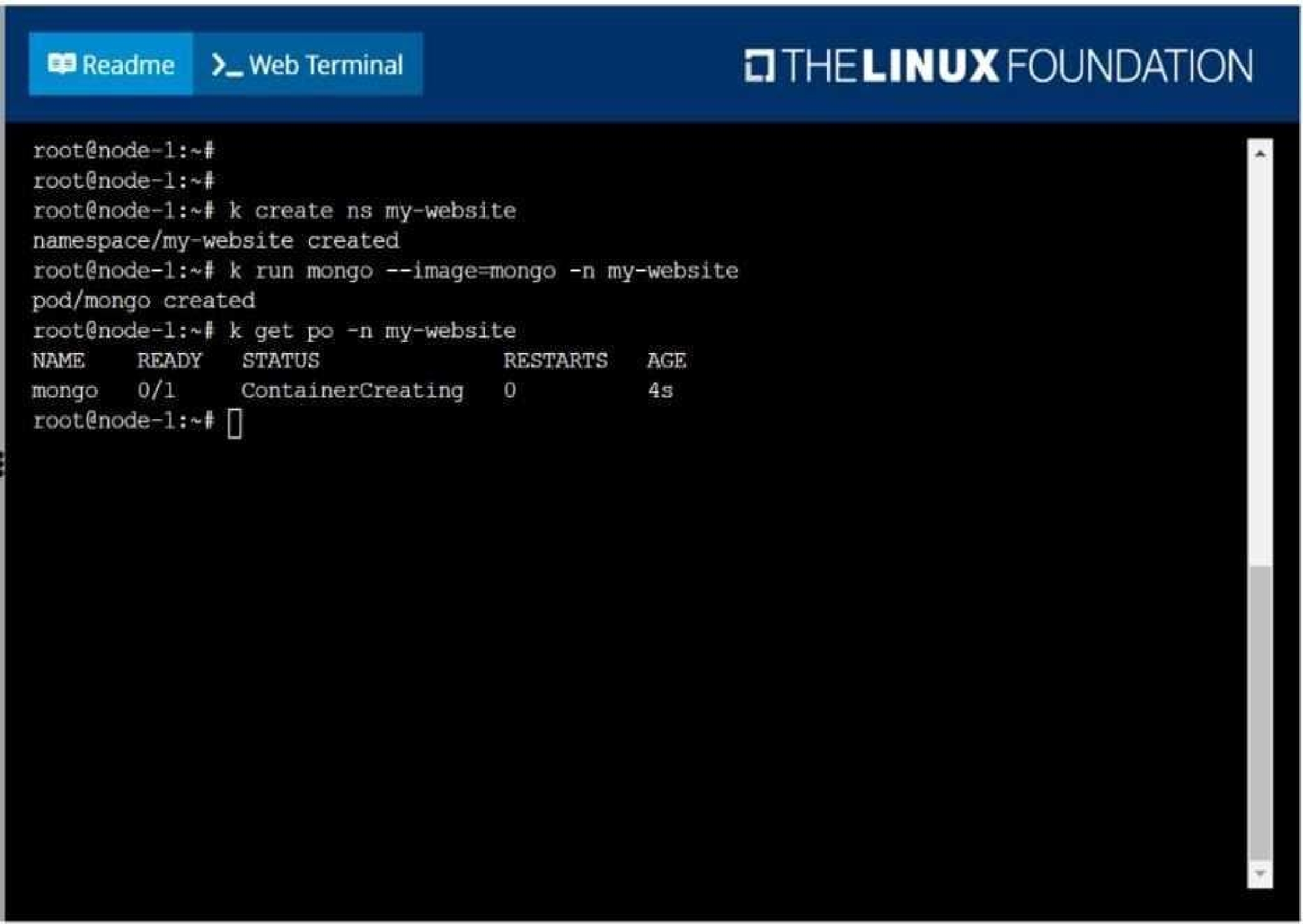
F:\Work\Data Entry Work\Data Entry\20200827\CKA\9 B.JPG
CKA: Linux Foundation Certified Kubernetes Administrator Practice test unlocks all online simulator questions
Thank you for choosing the free version of the CKA: Linux Foundation Certified Kubernetes Administrator practice test! Further deepen your knowledge on Linux Foundation Simulator; by unlocking the full version of our CKA: Linux Foundation Certified Kubernetes Administrator Simulator you will be able to take tests with over 83 constantly updated questions and easily pass your exam. 98% of people pass the exam in the first attempt after preparing with our 83 questions.
BUY NOWWhat to expect from our CKA: Linux Foundation Certified Kubernetes Administrator practice tests and how to prepare for any exam?
The CKA: Linux Foundation Certified Kubernetes Administrator Simulator Practice Tests are part of the Linux Foundation Database and are the best way to prepare for any CKA: Linux Foundation Certified Kubernetes Administrator exam. The CKA: Linux Foundation Certified Kubernetes Administrator practice tests consist of 83 questions and are written by experts to help you and prepare you to pass the exam on the first attempt. The CKA: Linux Foundation Certified Kubernetes Administrator database includes questions from previous and other exams, which means you will be able to practice simulating past and future questions. Preparation with CKA: Linux Foundation Certified Kubernetes Administrator Simulator will also give you an idea of the time it will take to complete each section of the CKA: Linux Foundation Certified Kubernetes Administrator practice test . It is important to note that the CKA: Linux Foundation Certified Kubernetes Administrator Simulator does not replace the classic CKA: Linux Foundation Certified Kubernetes Administrator study guides; however, the Simulator provides valuable insights into what to expect and how much work needs to be done to prepare for the CKA: Linux Foundation Certified Kubernetes Administrator exam.
BUY NOWCKA: Linux Foundation Certified Kubernetes Administrator Practice test therefore represents an excellent tool to prepare for the actual exam together with our Linux Foundation practice test . Our CKA: Linux Foundation Certified Kubernetes Administrator Simulator will help you assess your level of preparation and understand your strengths and weaknesses. Below you can read all the quizzes you will find in our CKA: Linux Foundation Certified Kubernetes Administrator Simulator and how our unique CKA: Linux Foundation Certified Kubernetes Administrator Database made up of real questions:
Info quiz:
- Quiz name:CKA: Linux Foundation Certified Kubernetes Administrator
- Total number of questions:83
- Number of questions for the test:50
- Pass score:80%
You can prepare for the CKA: Linux Foundation Certified Kubernetes Administrator exams with our mobile app. It is very easy to use and even works offline in case of network failure, with all the functions you need to study and practice with our CKA: Linux Foundation Certified Kubernetes Administrator Simulator.
Use our Mobile App, available for both Android and iOS devices, with our CKA: Linux Foundation Certified Kubernetes Administrator Simulator . You can use it anywhere and always remember that our mobile app is free and available on all stores.
Our Mobile App contains all CKA: Linux Foundation Certified Kubernetes Administrator practice tests which consist of 83 questions and also provide study material to pass the final CKA: Linux Foundation Certified Kubernetes Administrator exam with guaranteed success. Our CKA: Linux Foundation Certified Kubernetes Administrator database contain hundreds of questions and Linux Foundation Tests related to CKA: Linux Foundation Certified Kubernetes Administrator Exam. This way you can practice anywhere you want, even offline without the internet.
BUY NOW