Quiz CKAD: Certified Kubernetes Application Developer (CKAD) Program
Quiz
Quiz
Set Configuration Context:
[student@node-1] $ | kubectl
Config use-context k8s
Context
A web application requires a specific version of redis to be used as a cache.
Task
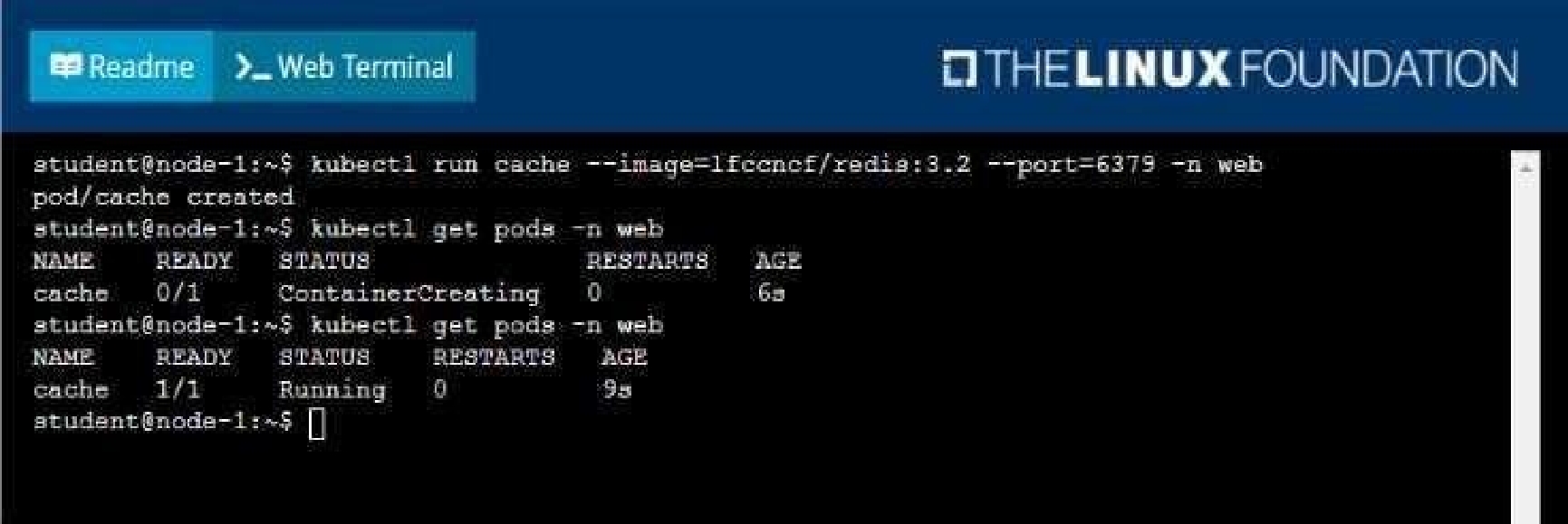
Create a pod with the following characteristics, and leave it running when complete:
• The pod must run in the web namespace.
The namespace has already been created
• The name of the pod should be cache
• Use the Ifccncf/redis image with the 3.2 tag
• Expose port 6379
Quiz
Context
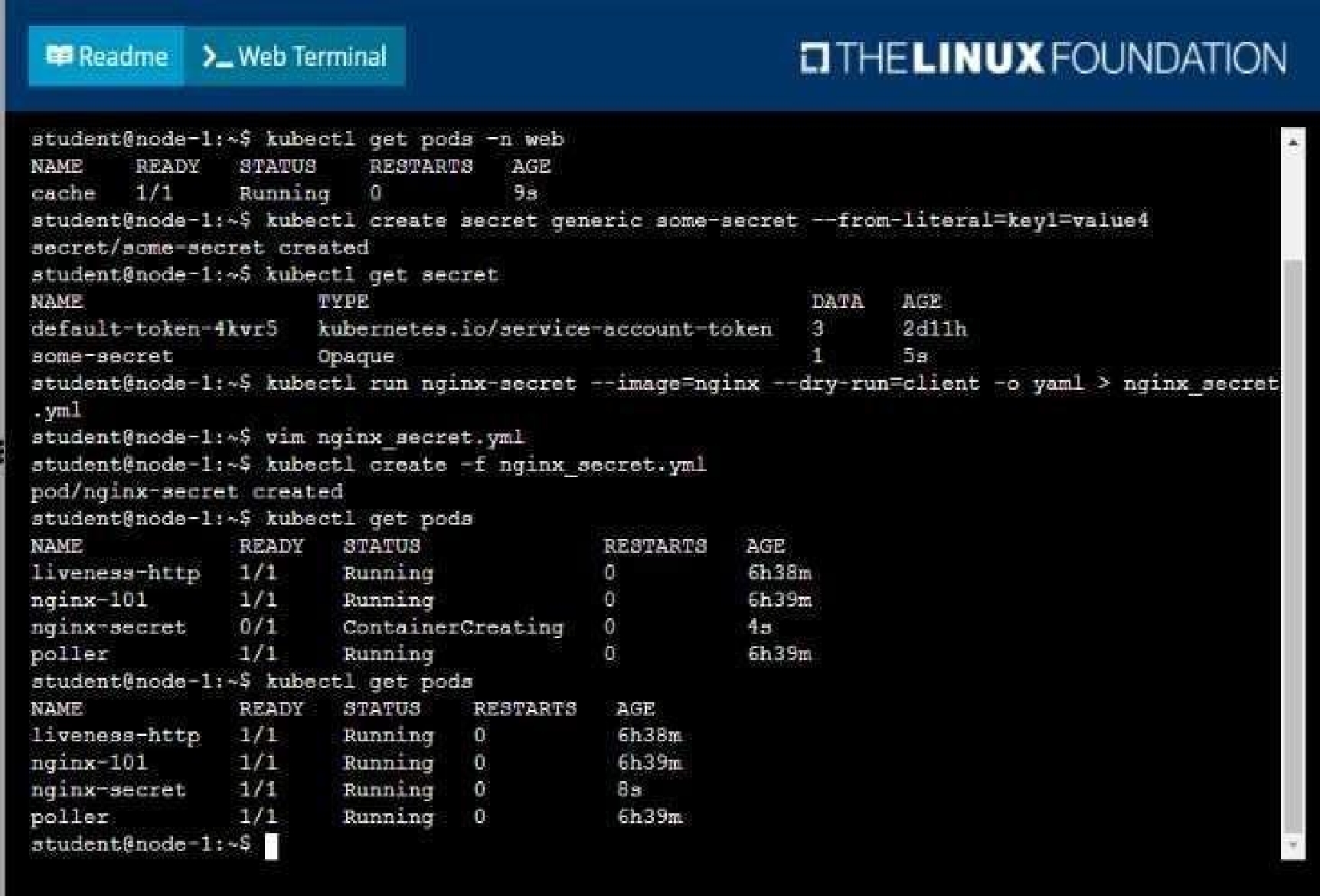
You are tasked to create a secret and consume the secret in a pod using environment variables as
follow:
Task
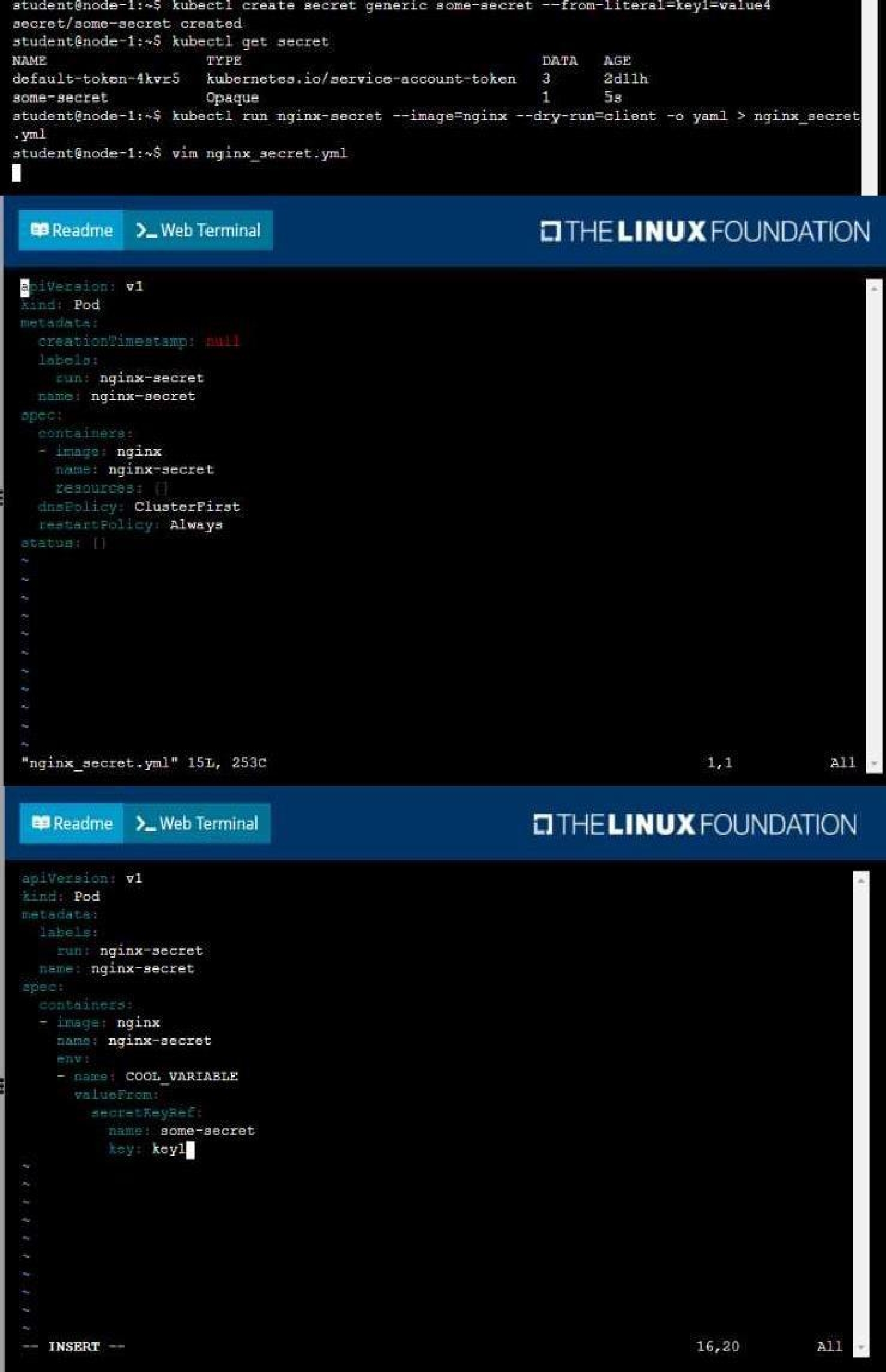
• Create a secret named another-secret with a key/value pair; key1/value4
• Start an nginx pod named nginx-secret using container image nginx, and add an environment
variable exposing the value of the secret key key 1, using COOL_VARIABLE as the name for the
environment variable inside the pod
Quiz
Task
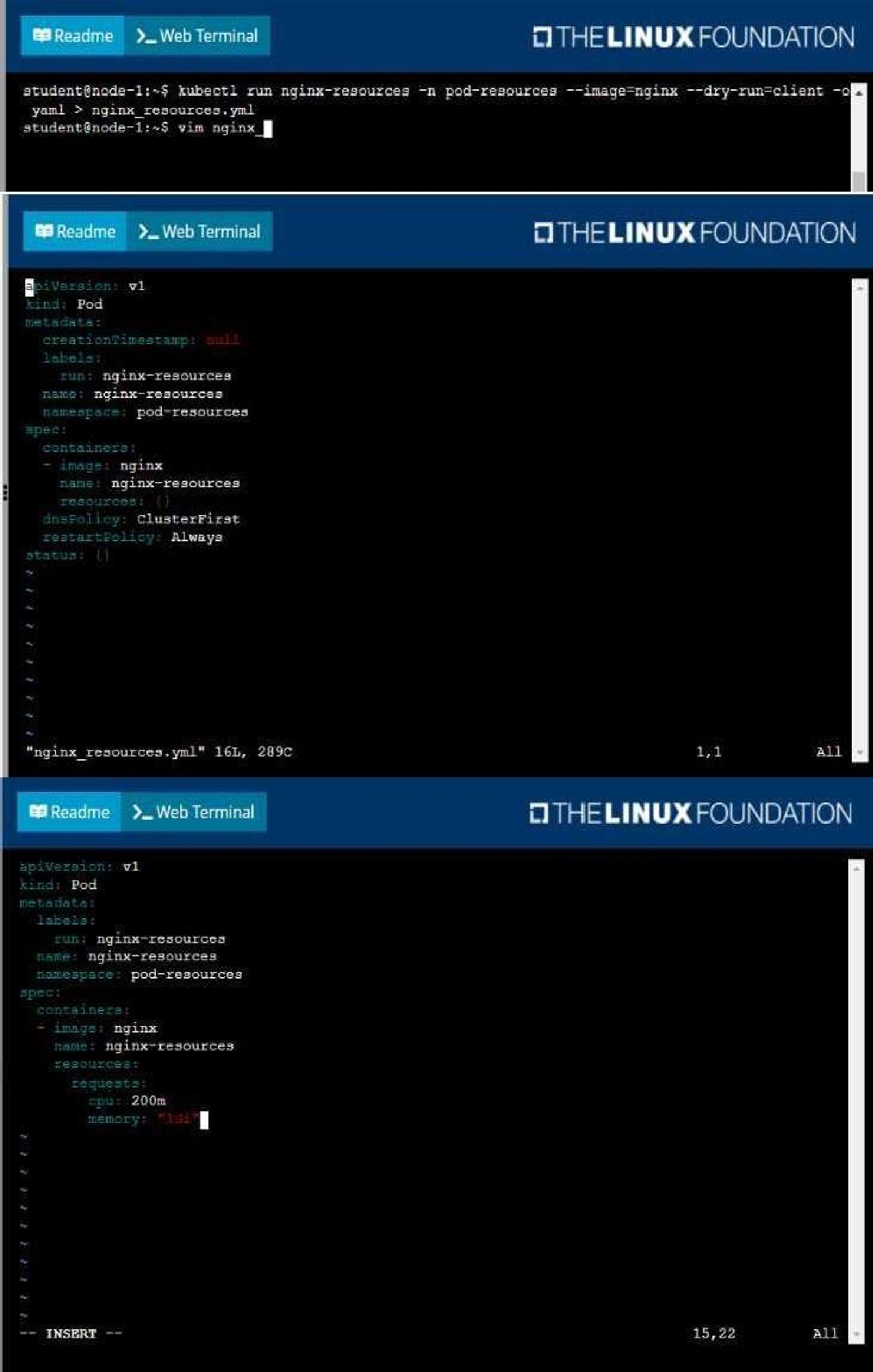
You are required to create a pod that requests a certain amount of CPU and memory, so it gets
scheduled to-a node that has those resources available.
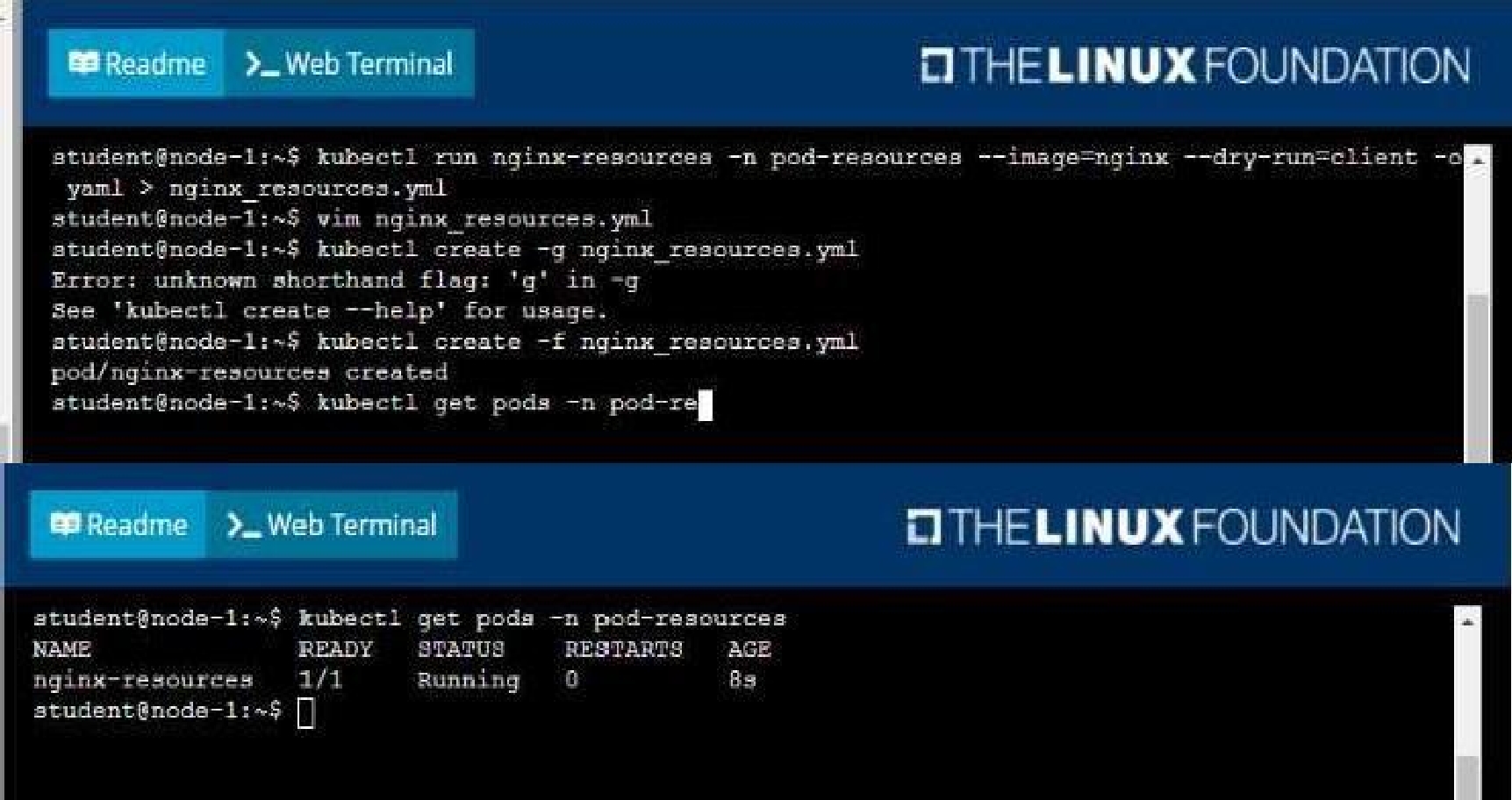
• Create a pod named nginx-resources in the pod-resources namespace that requests a minimum of
200m CPU and 1Gi memory for its container
• The pod should use the nginx image
• The pod-resources namespace has already been created
Quiz
Context
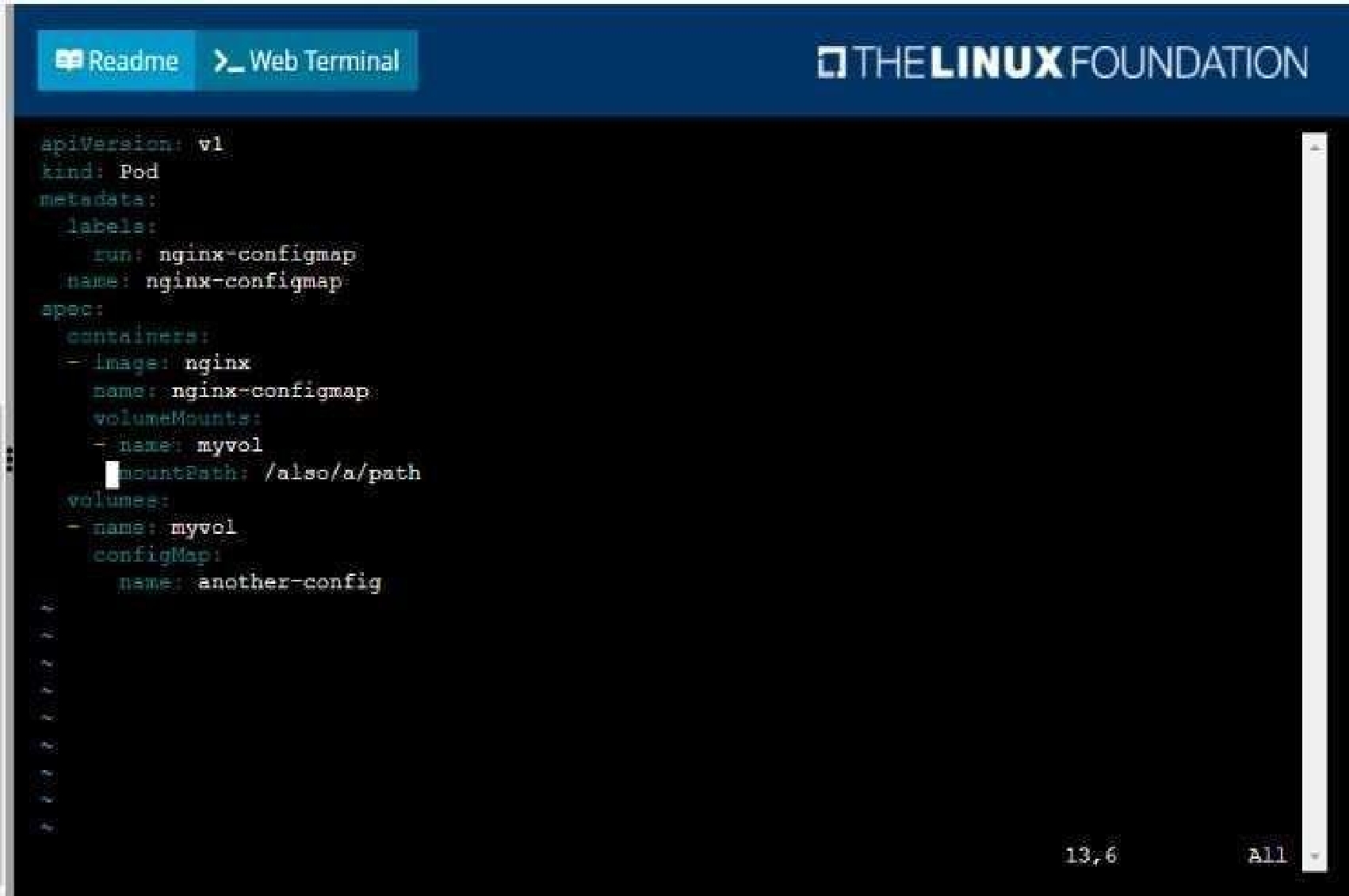
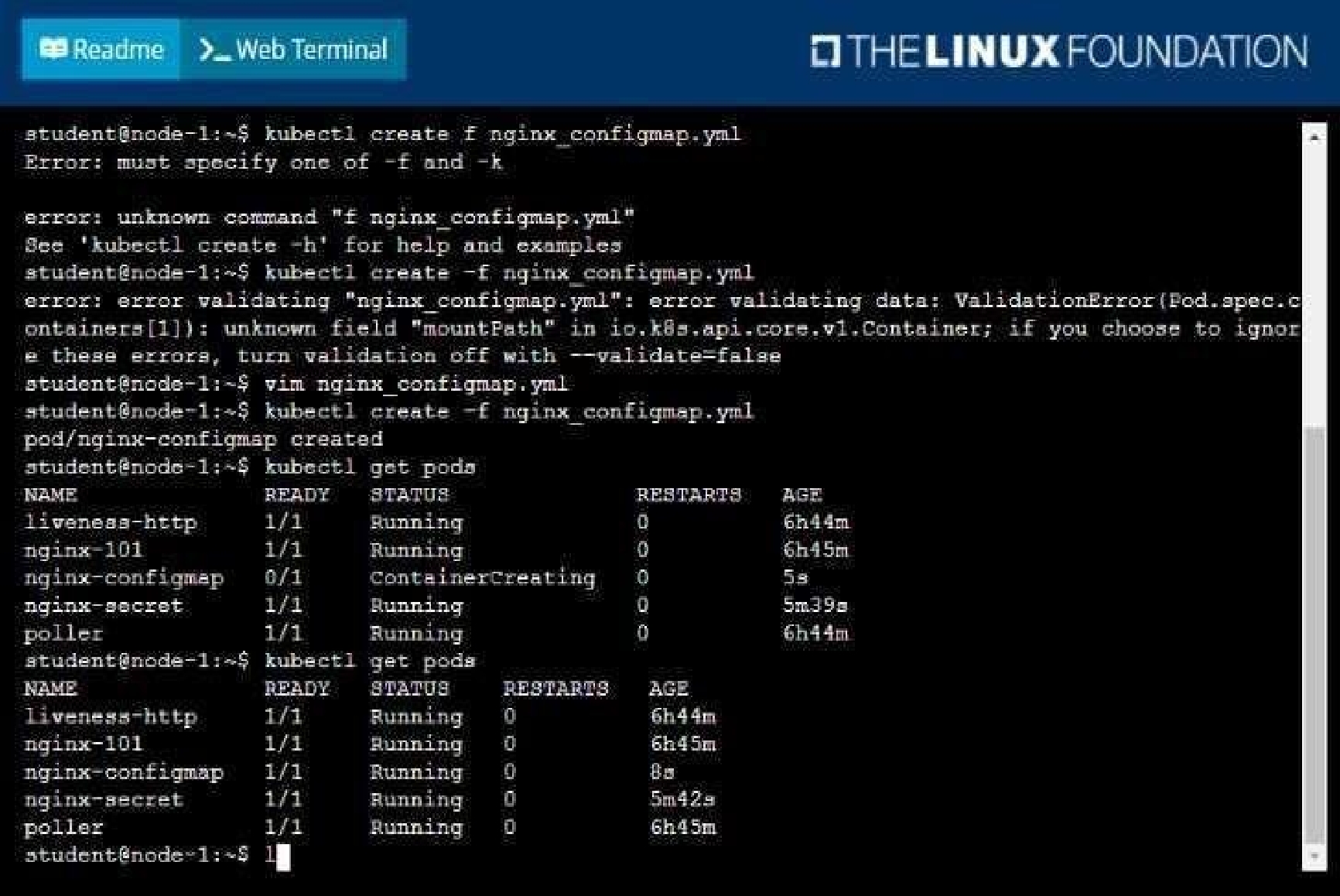
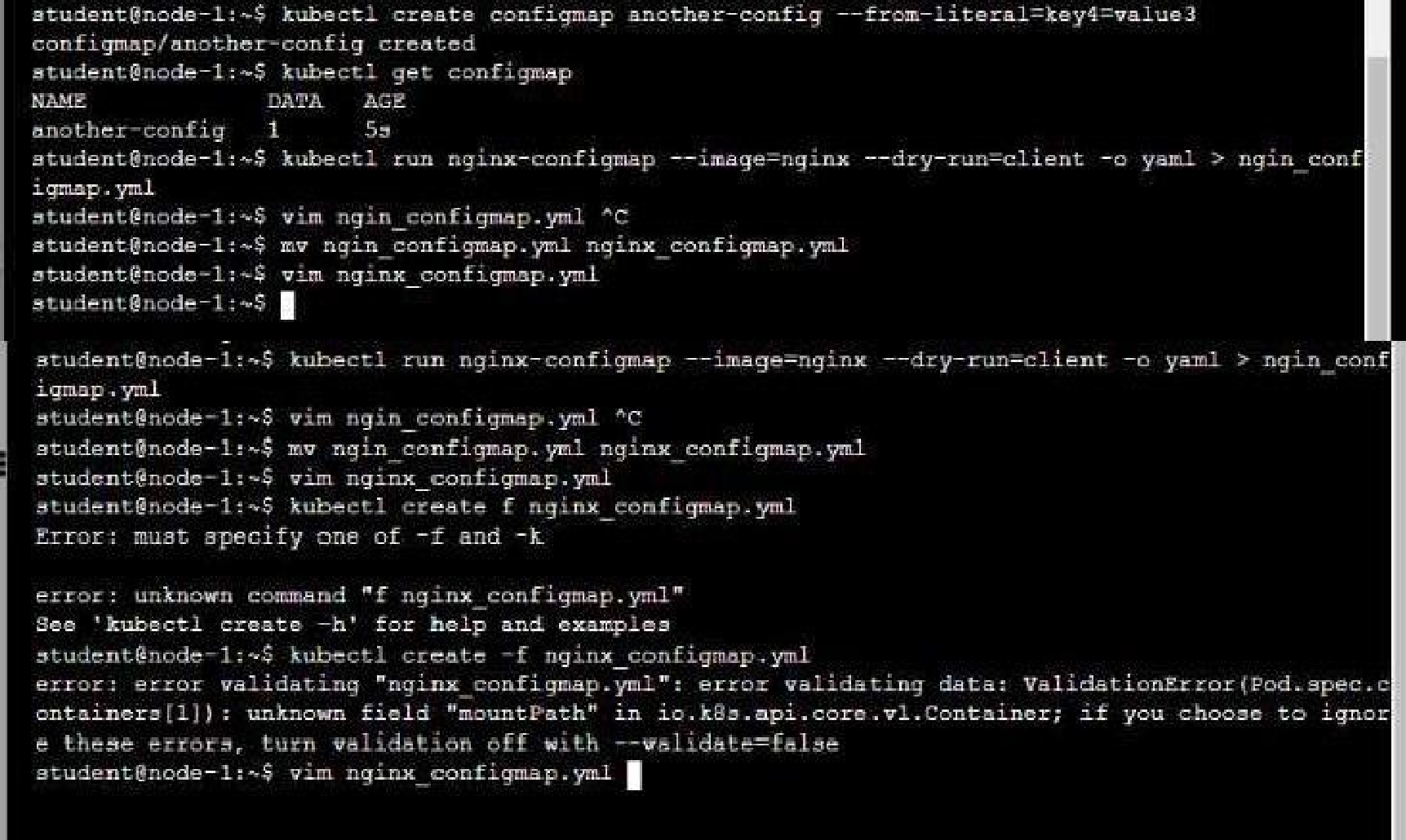
You are tasked to create a ConfigMap and consume the ConfigMap in a pod using a volume mount.
Task
Please complete the following:
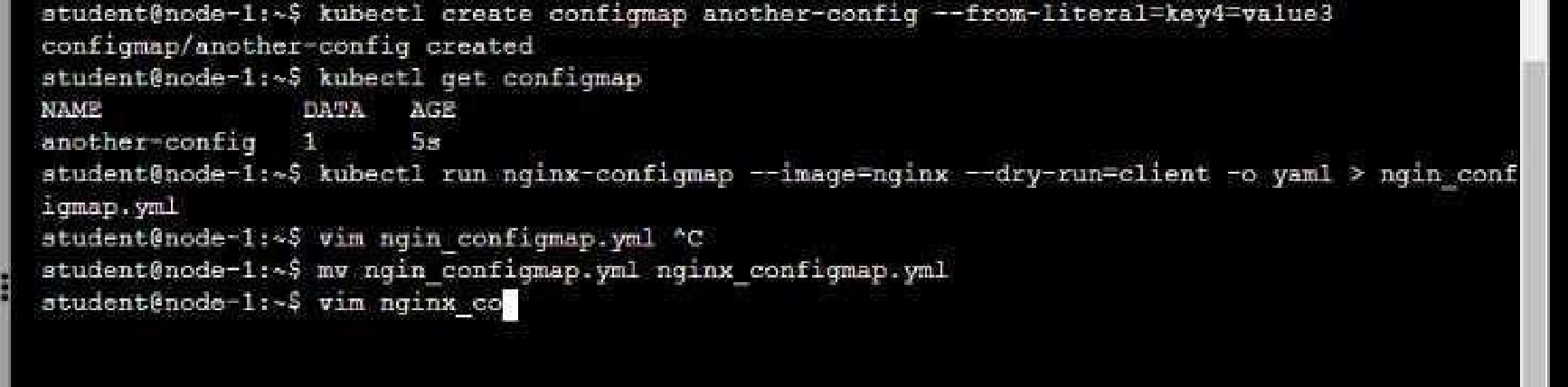
• Create a ConfigMap named another-config containing the key/value pair: key4/value3
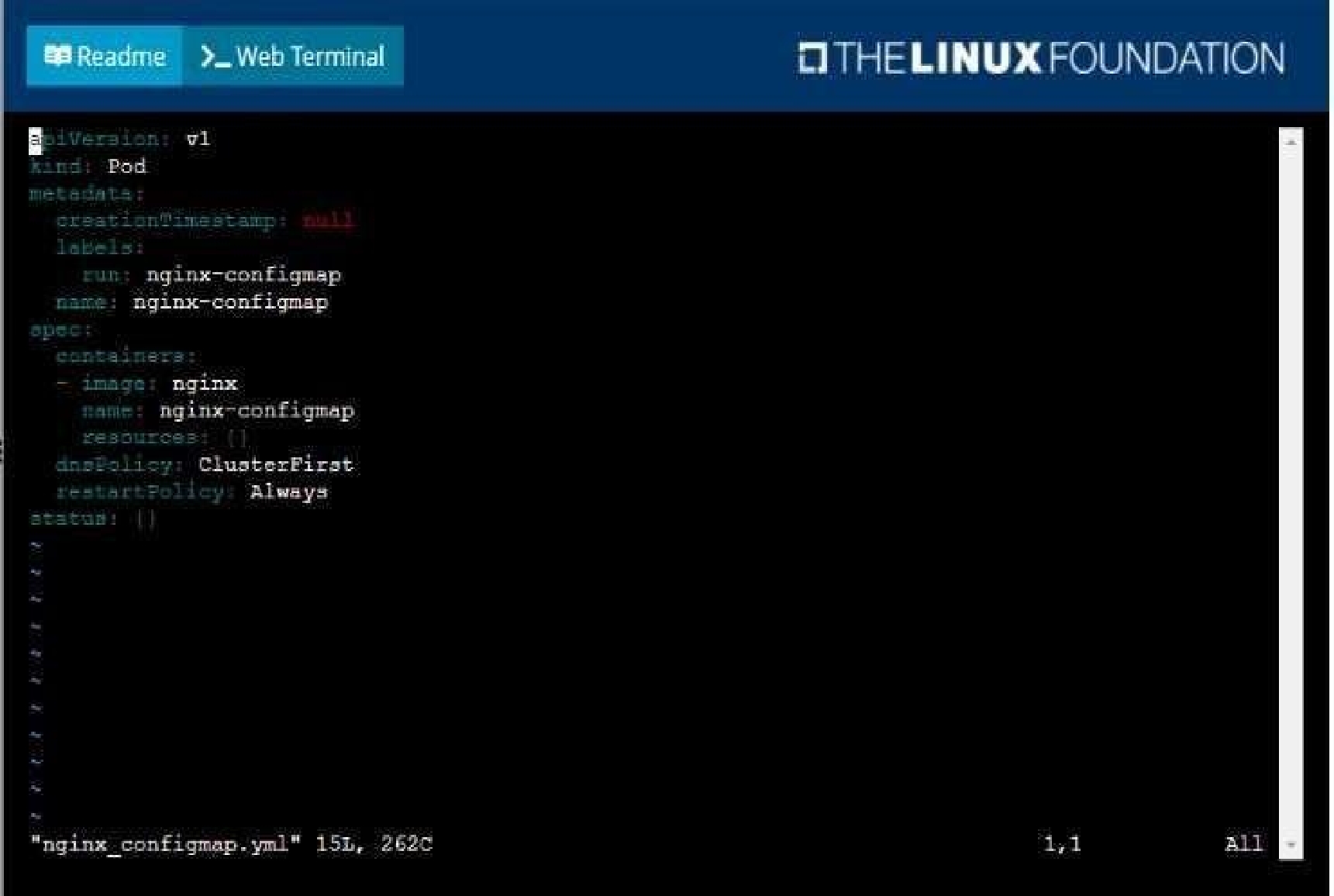
• start a pod named nginx-configmap containing a single container using the
nginx image, and mount the key you just created into the pod under directory /also/a/path
Quiz
Context
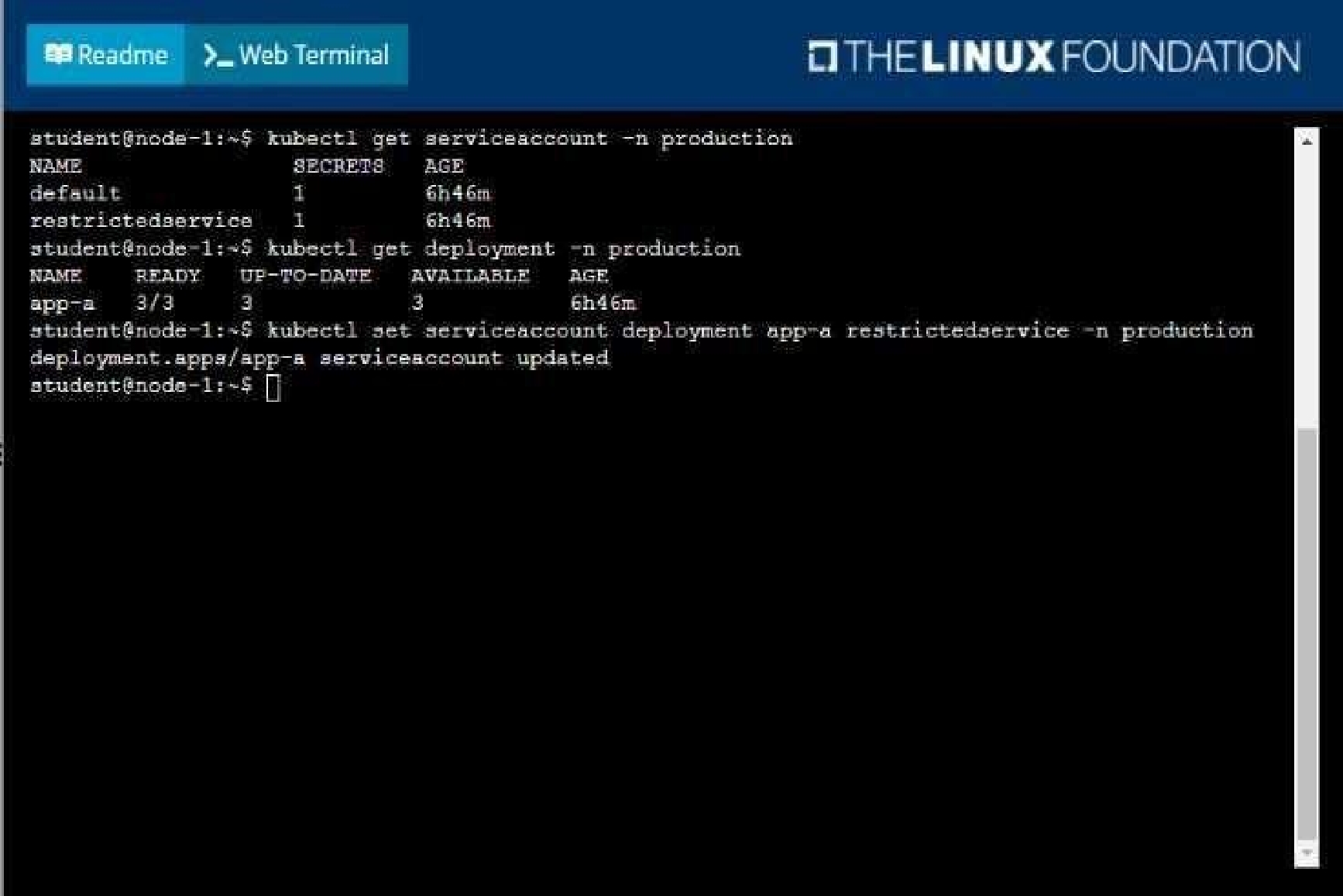
Your application’s namespace requires a specific service account to be used.
Task
Update the app-a deployment in the production namespace to run as the restrictedservice service
account. The service account has already been created.
Quiz
Set Configuration Context:
[student@node-1] $ | kubectl
Config use-context k8s
Context
A pod is running on the cluster but it is not responding.
Task
The desired behavior is to have Kubemetes restart the pod when an endpoint returns an HTTP 500 on
the /healthz endpoint. The service, probe-pod, should never send traffic to the pod while it is failing.
Please complete the following:
• The application has an endpoint, /started, that will indicate if it can accept traffic by returning an
HTTP 200. If the endpoint returns an HTTP 500, the application has not yet finished initialization.
• The application has another endpoint /healthz that will indicate if the application is still working as
expected by returning an HTTP 200. If the endpoint returns an HTTP 500 the application is no longer
responsive.
• Configure the probe-pod pod provided to use these endpoints
• The probes should use port 8080
To have Kubernetes automatically restart a pod when an endpoint returns an HTTP 500 on the
/healthz endpoint, you will need to configure liveness and readiness probes on the pod.
First, you will need to create a livenessProbe and a readinessProbe in the pod's definition yaml file.
The livenessProbe will check the /healthz endpoint, and if it returns an HTTP 500, the pod will be
restarted. The readinessProbe will check the /started endpoint, and if it returns an HTTP 500, the pod
will not receive traffic.
Here's an example of how you can configure the liveness and readiness probes in the pod definition
yaml file:
apiVersion: v1
kind: Pod
metadata:
name: probe-pod
spec:
containers:
- name: probe-pod
image: <image-name>
ports:
- containerPort: 8080
livenessProbe:
httpGet:
path: /healthz
port: 8080
initialDelaySeconds: 15
periodSeconds: 10
failureThreshold: 3
readinessProbe:
httpGet:
path: /started
port: 8080
initialDelaySeconds: 15
periodSeconds: 10
failureThreshold: 3
The httpGet specifies the endpoint to check and the port to use. The initialDelaySeconds is the
amount of time the pod will wait before starting the probe. periodSeconds is the amount of time
between each probe check, and the failureThreshold is the number of failed probes before the pod is
considered unresponsive.
You can use kubectl to create the pod by running the following command:
kubectl apply -f <filename>.yaml
Once the pod is created, Kubernetes will start monitoring it using the configured liveness and
readiness probes. If the /healthz endpoint returns an HTTP 500, the pod will be restarted. If the
/started endpoint returns an HTTP 500, the pod will not receive traffic.
Please note that if the failure threshold is set to 3, it means that if the probe fails 3 times
consecutively it will be considered as a failure.
The above configuration assumes that the application is running on port 8080 and the endpoints are
available on the same port.
Quiz
Set Configuration Context:
[student@node-1] $ | kubectl
Config use-context k8s
Context
You sometimes need to observe a pod's logs, and write those logs to a file for further analysis.
Task
Please complete the following;
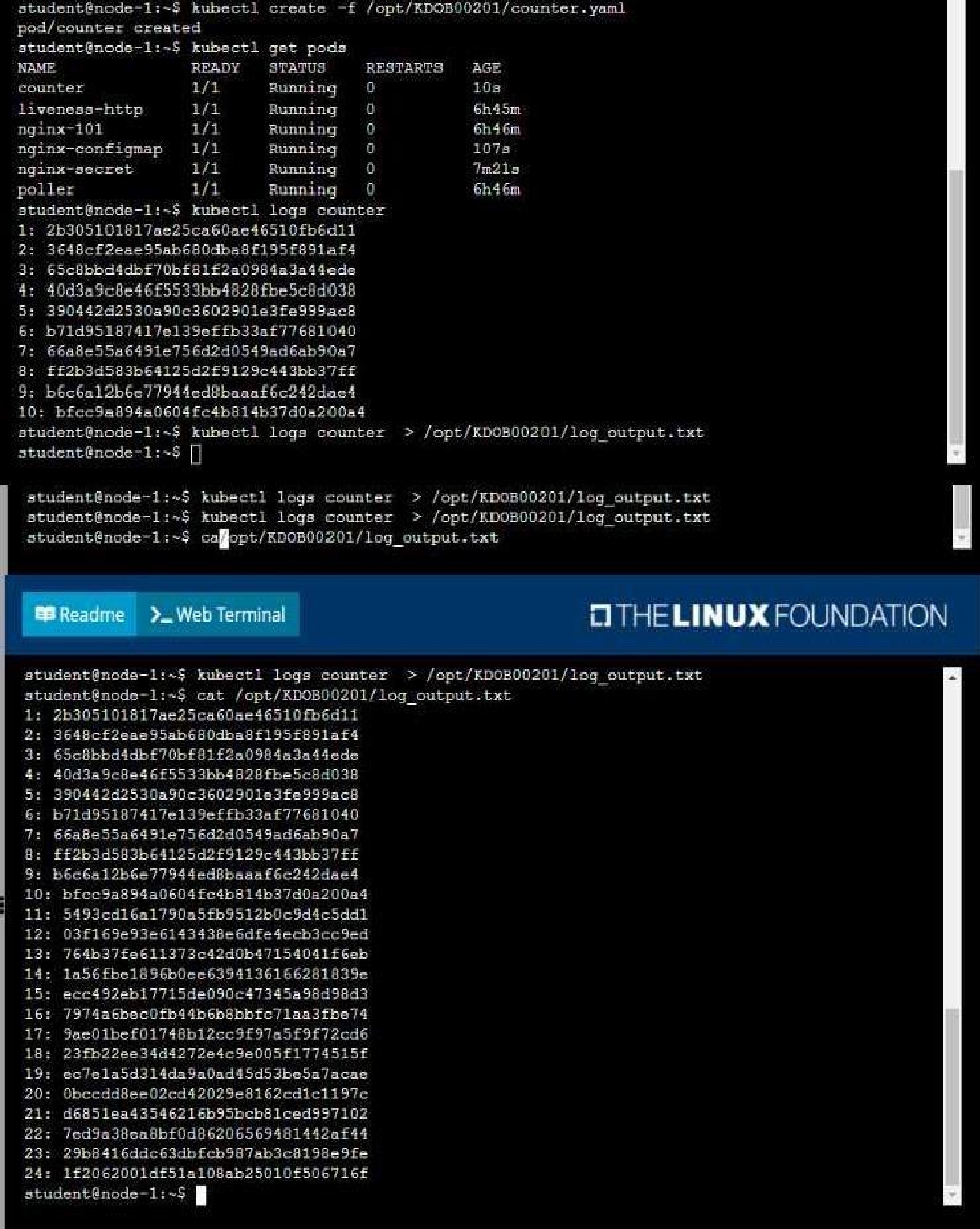
• Deploy the counter pod to the cluster using the provided YAMLspec file at
/opt/KDOB00201/counter.yaml
• Retrieve all currently available application logs from the running pod and store them in the file
/opt/KDOB0020l/log_Output.txt, which has already been created
To deploy the counter pod to the cluster using the provided YAML spec file, you can use the kubectl
apply command. The apply command creates and updates resources in a cluster.
kubectl apply -f /opt/KDOB00201/counter.yaml
This command will create the pod in the cluster. You can use the kubectl get pods command to check
the status of the pod and ensure that it is running.
kubectl get pods
To retrieve all currently available application logs from the running pod and store them in the file
/opt/KDOB0020l/log_Output.txt, you can use the kubectl logs command. The logs command
retrieves logs from a container in a pod.
kubectl logs -f <pod-name> > /opt/KDOB0020l/log_Output.txt
Replace <pod-name> with the name of the pod.
You can also use -f option to stream the logs.
kubectl logs -f <pod-name> > /opt/KDOB0020l/log_Output.txt &
This command will retrieve the logs from the pod and write them to the
/opt/KDOB0020l/log_Output.txt file.
Please note that the above command will retrieve all logs from the pod, including previous logs. If
you want to retrieve only the new logs that are generated after running the command, you can add
the --since flag to the kubectl logs command and specify a duration, for example --since=24h for logs
generated in the last 24 hours.
Also, please note that, if the pod has multiple containers, you need to specify the container name
using -c option.
kubectl logs -f <pod-name> -c <container-name> > /opt/KDOB0020l/log_Output.txt
The above command will redirect the logs of the specified container to the file.
Quiz
Context
It is always useful to look at the resources your applications are consuming in a cluster.
Task
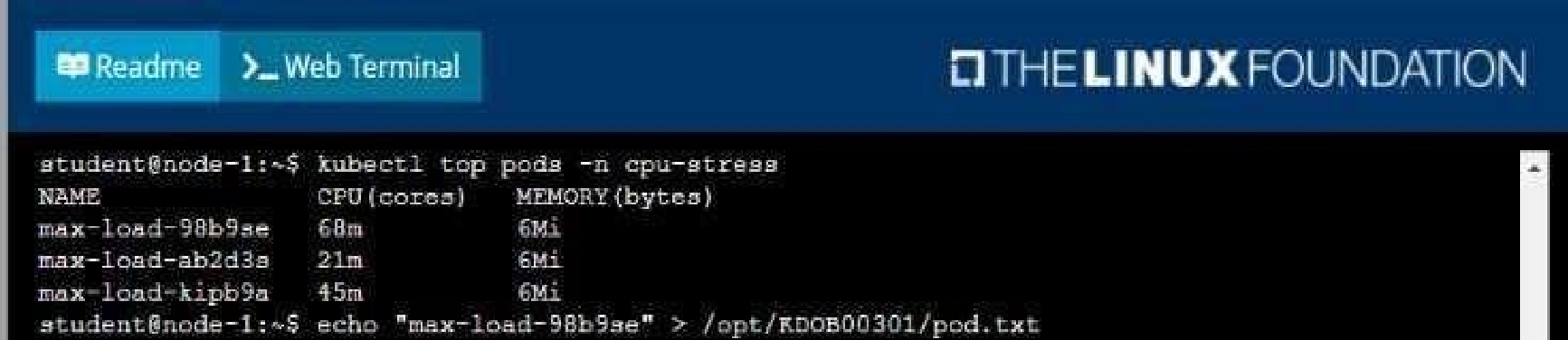
• From the pods running in namespace cpu-stress , write the name only of the pod that is
consuming the most CPU to file /opt/KDOBG030l/pod.txt, which has already been created.
Quiz
Anytime a team needs to run a container on Kubernetes they will need to define a pod within which
to run the container.
Task
Please complete the following:
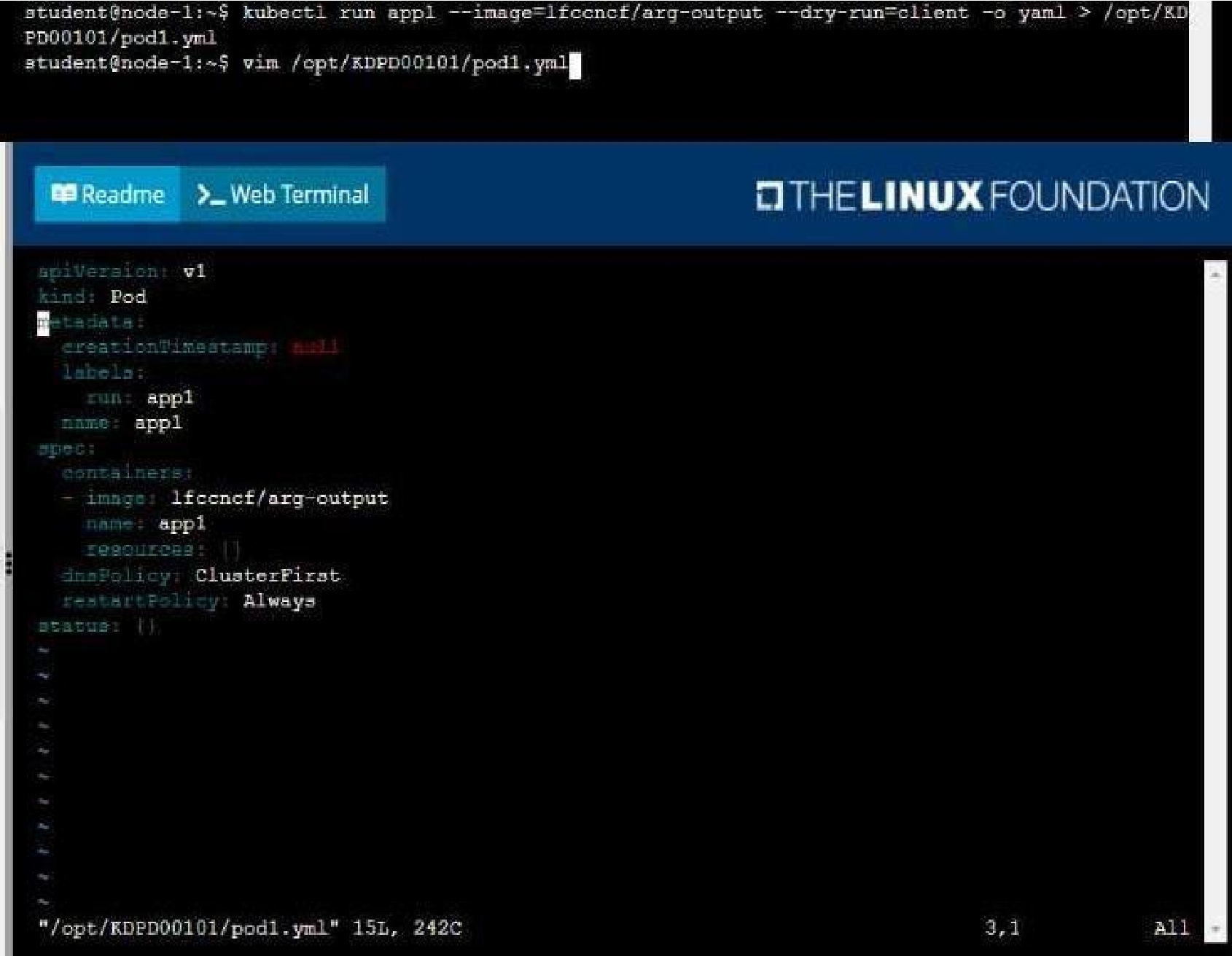
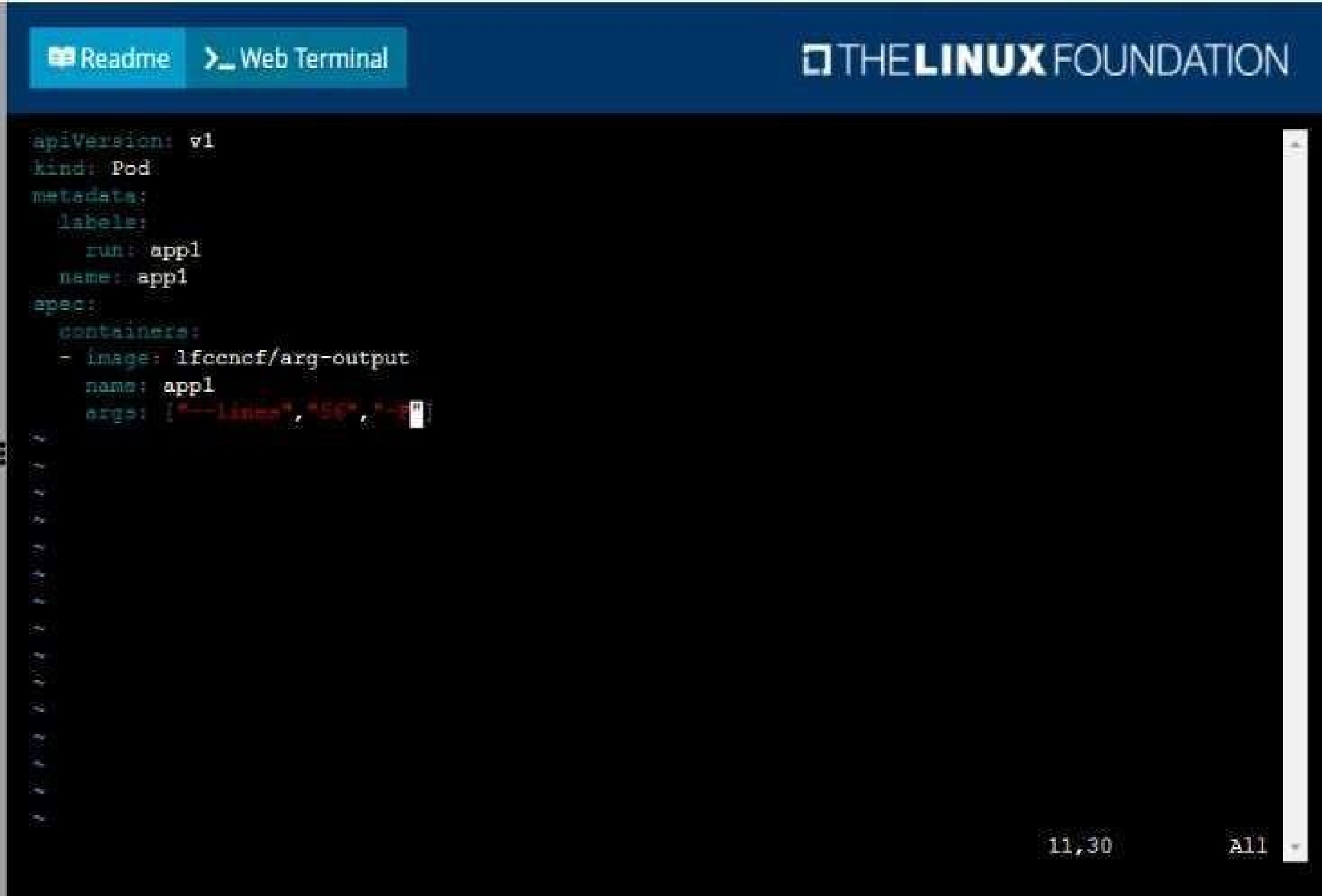
• Create a YAML formatted pod manifest
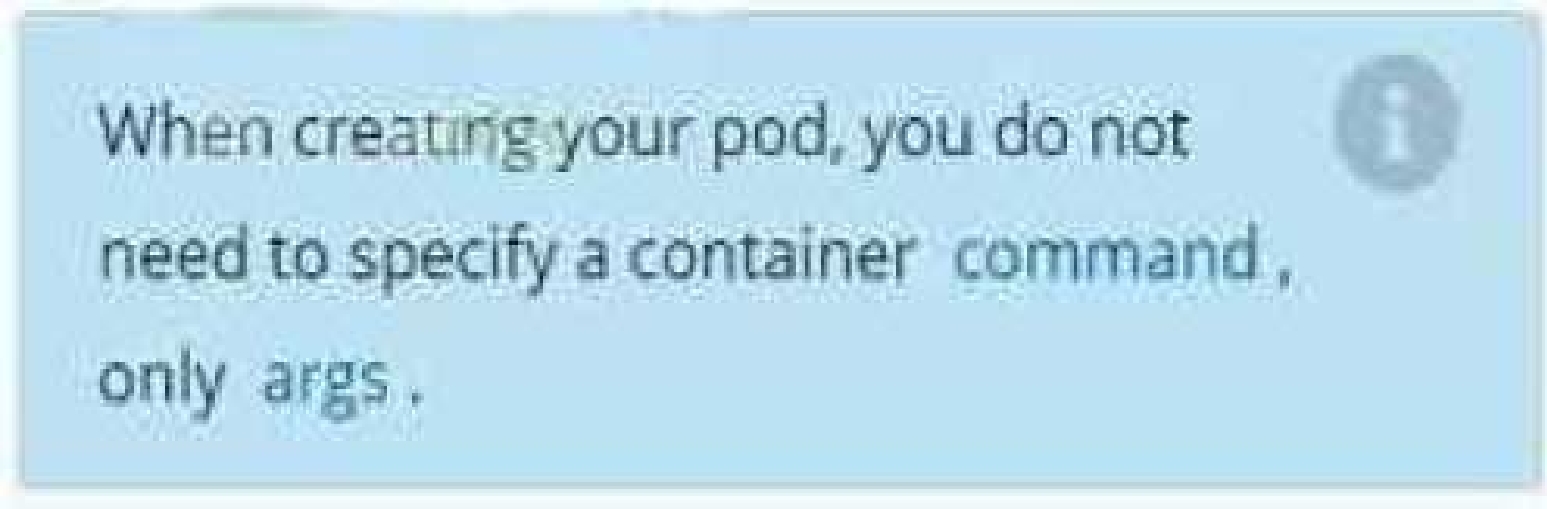
/opt/KDPD00101/podl.yml to create a pod named app1 that runs a container named app1cont using
image Ifccncf/arg-output
with these command line arguments: -lines 56 -F
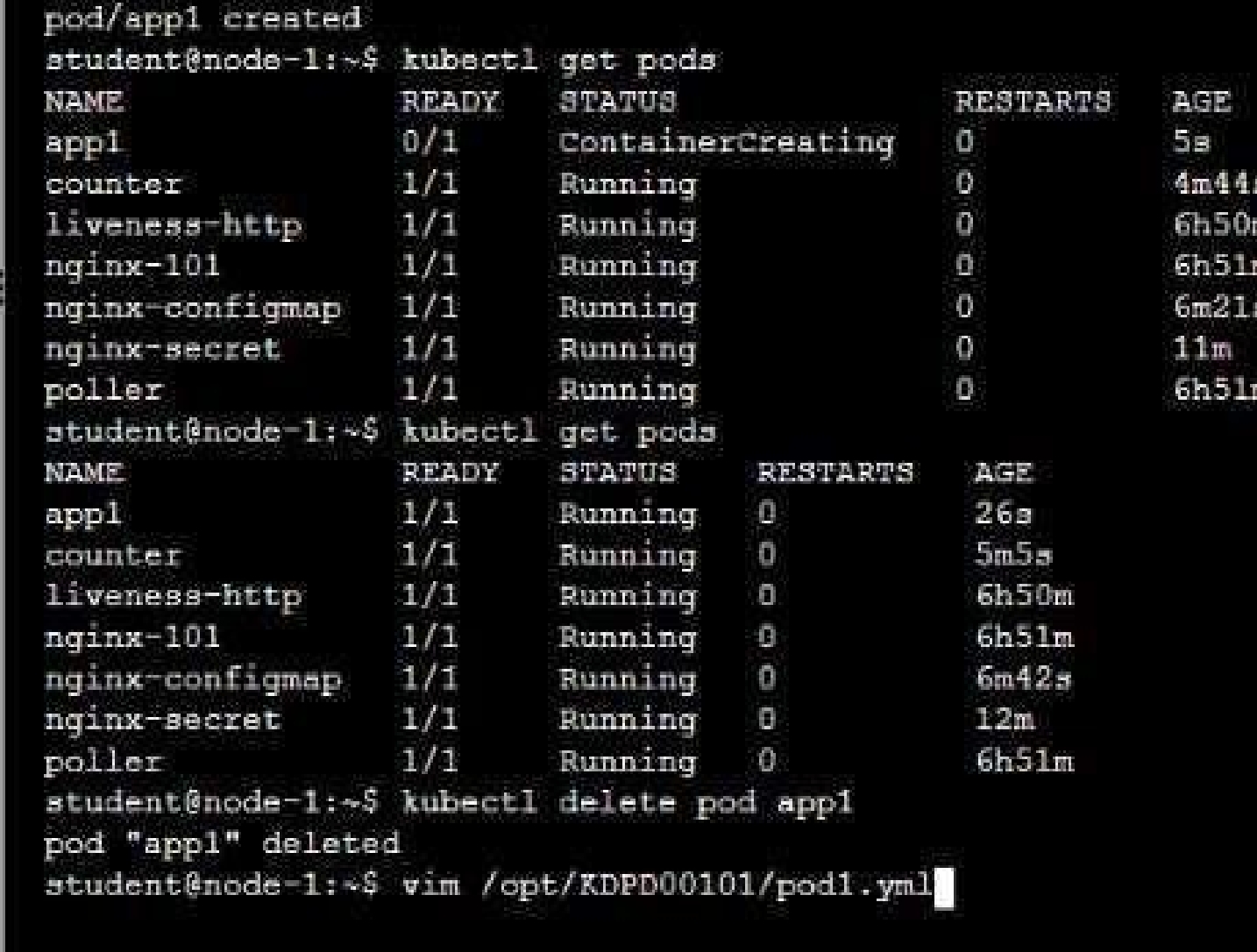
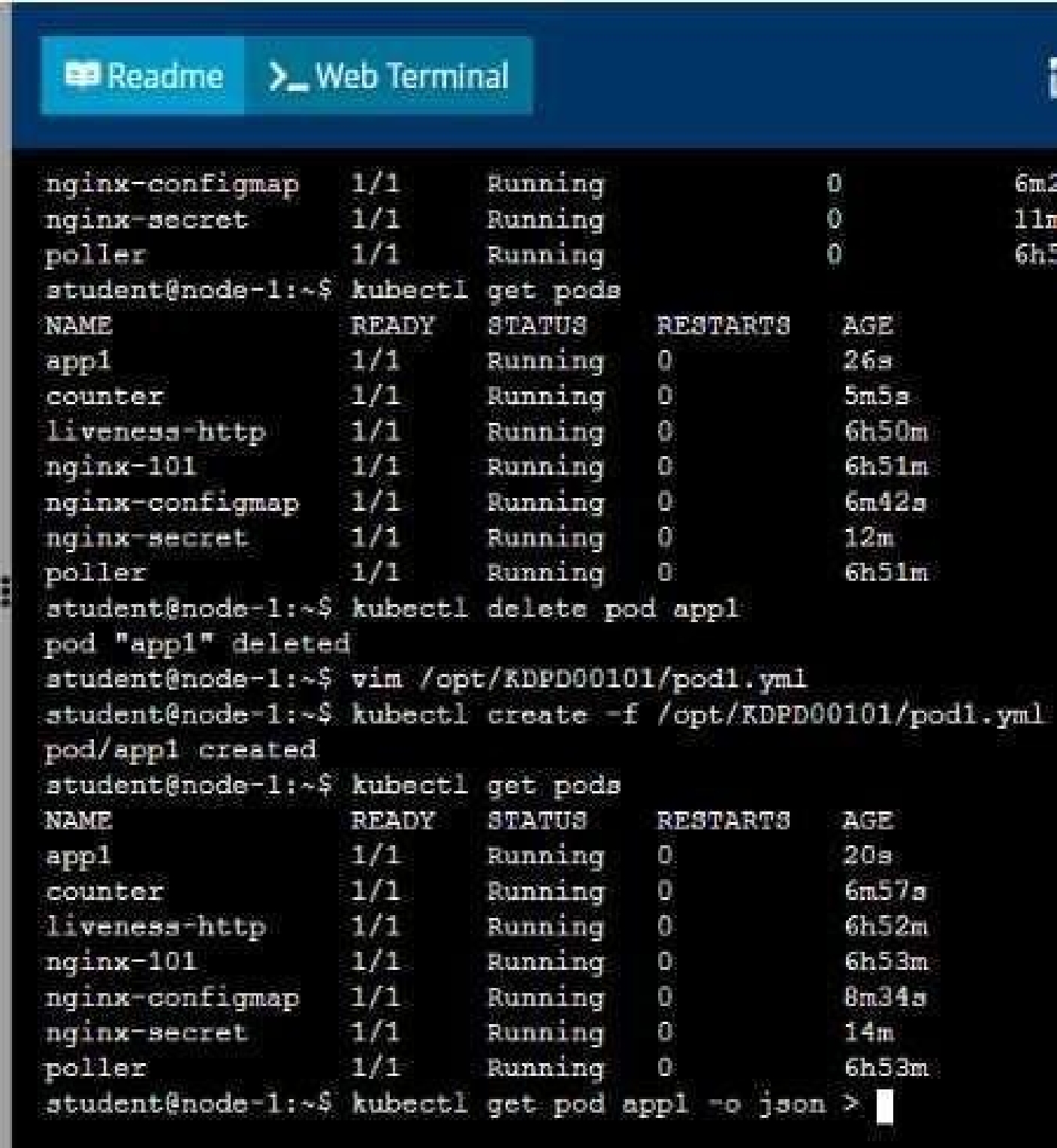
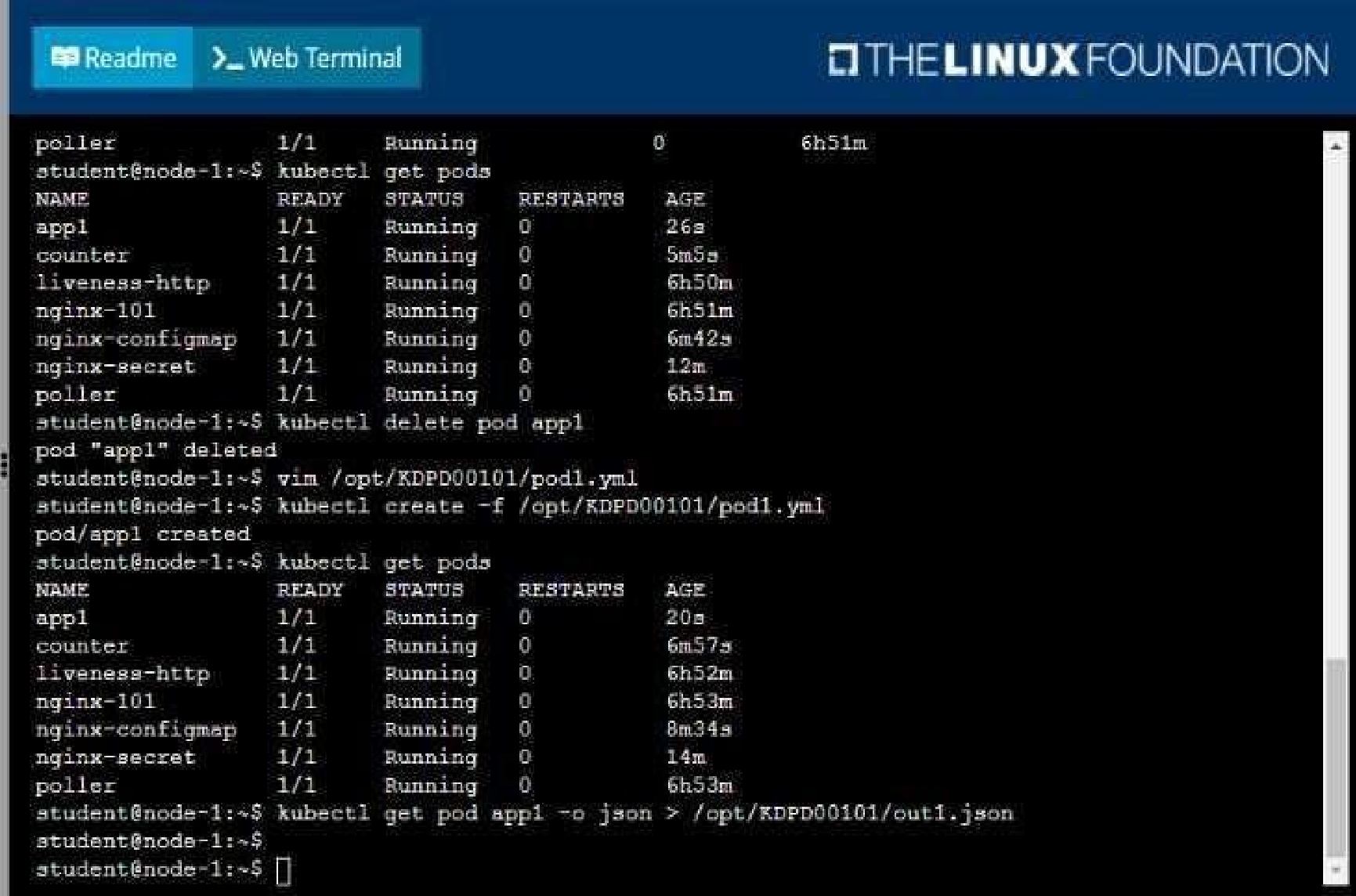
• Create the pod with the kubect1 command using the YAML file created in the previous step
• When the pod is running display summary data about the pod in JSON format using the kubect1
command and redirect the output to a file named /opt/KDPD00101/out1.json
• All of the files you need to work with have been created, empty, for your convenience
CKAD: Certified Kubernetes Application Developer (CKAD) Program Practice test unlocks all online simulator questions
Thank you for choosing the free version of the CKAD: Certified Kubernetes Application Developer (CKAD) Program practice test! Further deepen your knowledge on Linux Foundation Simulator; by unlocking the full version of our CKAD: Certified Kubernetes Application Developer (CKAD) Program Simulator you will be able to take tests with over 417 constantly updated questions and easily pass your exam. 98% of people pass the exam in the first attempt after preparing with our 417 questions.
BUY NOWWhat to expect from our CKAD: Certified Kubernetes Application Developer (CKAD) Program practice tests and how to prepare for any exam?
The CKAD: Certified Kubernetes Application Developer (CKAD) Program Simulator Practice Tests are part of the Linux Foundation Database and are the best way to prepare for any CKAD: Certified Kubernetes Application Developer (CKAD) Program exam. The CKAD: Certified Kubernetes Application Developer (CKAD) Program practice tests consist of 417 questions and are written by experts to help you and prepare you to pass the exam on the first attempt. The CKAD: Certified Kubernetes Application Developer (CKAD) Program database includes questions from previous and other exams, which means you will be able to practice simulating past and future questions. Preparation with CKAD: Certified Kubernetes Application Developer (CKAD) Program Simulator will also give you an idea of the time it will take to complete each section of the CKAD: Certified Kubernetes Application Developer (CKAD) Program practice test . It is important to note that the CKAD: Certified Kubernetes Application Developer (CKAD) Program Simulator does not replace the classic CKAD: Certified Kubernetes Application Developer (CKAD) Program study guides; however, the Simulator provides valuable insights into what to expect and how much work needs to be done to prepare for the CKAD: Certified Kubernetes Application Developer (CKAD) Program exam.
BUY NOWCKAD: Certified Kubernetes Application Developer (CKAD) Program Practice test therefore represents an excellent tool to prepare for the actual exam together with our Linux Foundation practice test . Our CKAD: Certified Kubernetes Application Developer (CKAD) Program Simulator will help you assess your level of preparation and understand your strengths and weaknesses. Below you can read all the quizzes you will find in our CKAD: Certified Kubernetes Application Developer (CKAD) Program Simulator and how our unique CKAD: Certified Kubernetes Application Developer (CKAD) Program Database made up of real questions:
Info quiz:
- Quiz name:CKAD: Certified Kubernetes Application Developer (CKAD) Program
- Total number of questions:417
- Number of questions for the test:50
- Pass score:80%
You can prepare for the CKAD: Certified Kubernetes Application Developer (CKAD) Program exams with our mobile app. It is very easy to use and even works offline in case of network failure, with all the functions you need to study and practice with our CKAD: Certified Kubernetes Application Developer (CKAD) Program Simulator.
Use our Mobile App, available for both Android and iOS devices, with our CKAD: Certified Kubernetes Application Developer (CKAD) Program Simulator . You can use it anywhere and always remember that our mobile app is free and available on all stores.
Our Mobile App contains all CKAD: Certified Kubernetes Application Developer (CKAD) Program practice tests which consist of 417 questions and also provide study material to pass the final CKAD: Certified Kubernetes Application Developer (CKAD) Program exam with guaranteed success. Our CKAD: Certified Kubernetes Application Developer (CKAD) Program database contain hundreds of questions and Linux Foundation Tests related to CKAD: Certified Kubernetes Application Developer (CKAD) Program Exam. This way you can practice anywhere you want, even offline without the internet.
BUY NOW