Quiz AB-730: Microsoft AI Business Professional
Quiz
ensure that the response is grounded in the proposal's information.
What is the best approach to achieve the goal? More than one answer choice may achieve the goal.
Select the BEST answer.
Quiz
NOTE: Each correct selection is worth one point.
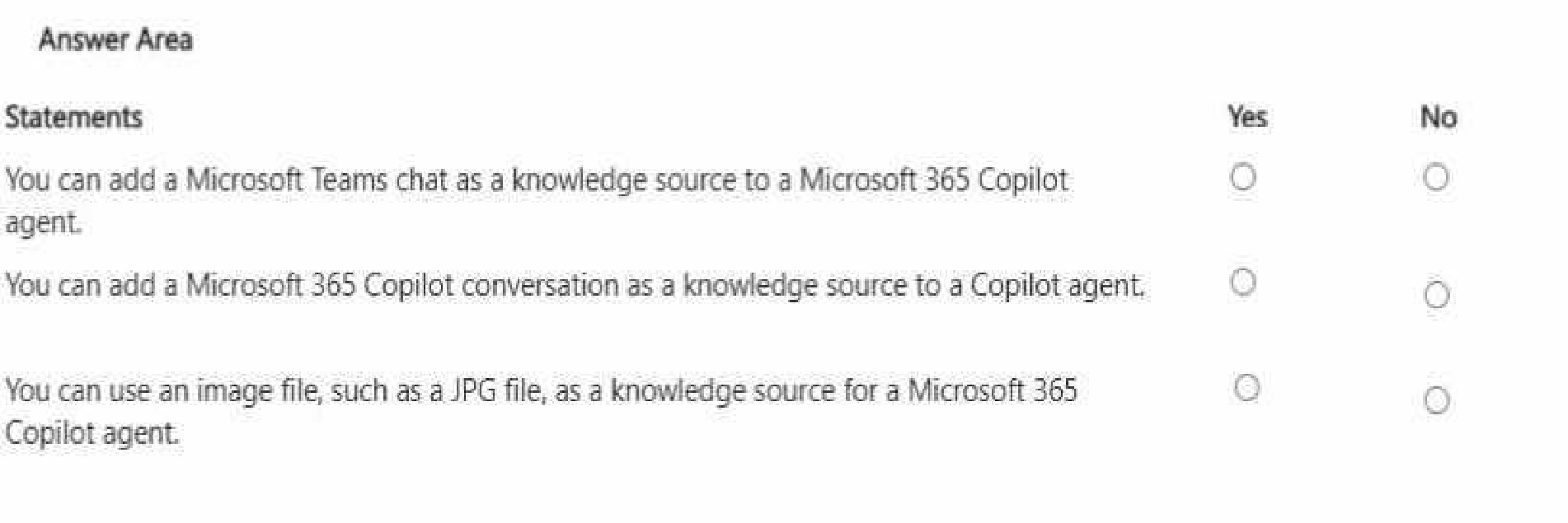
You can add a Microsoft Teams chat as a knowledge source to a Microsoft 365 Copilot agent.
Answe r: Yes
You can add a Microsoft 365 Copilot conversation as a knowledge source to a Copilot agent.
Answe r: No
You can use an image file, such as a JPG file, as a knowledge source for a Microsoft 365 Copilot agent.
Answe r: NO
Microsoft 365 Copilot Agent Builder supports grounding agents in approved knowledge sources so
responses are accurate and permission-trimmed. Teams chats can be used as a knowledge source:
Microsoft Learn confirms you can ground an agent in Teams data, including chat messages (and
optionally scope to specific chats), enabling the agent to reference collaboration context when
answering questions.
A Copilot conversation itself is not a supported “knowledge source” option; knowledge sources are
configured from items like SharePoint content, Teams, email, websites, uploaded files, and
connectors—not prior chat transcripts.
Finally, JPG images are not supported as knowledge-source file types. Microsoft’s supported file
types for agent knowledge include documents like .doc/.docx, .pdf, .ppt/.pptx, .txt, and Excel formats
(.xls/.xlsx), but not image formats. Therefore, you cannot use a JPG as a knowledge source for a
Copilot agent.
Quiz
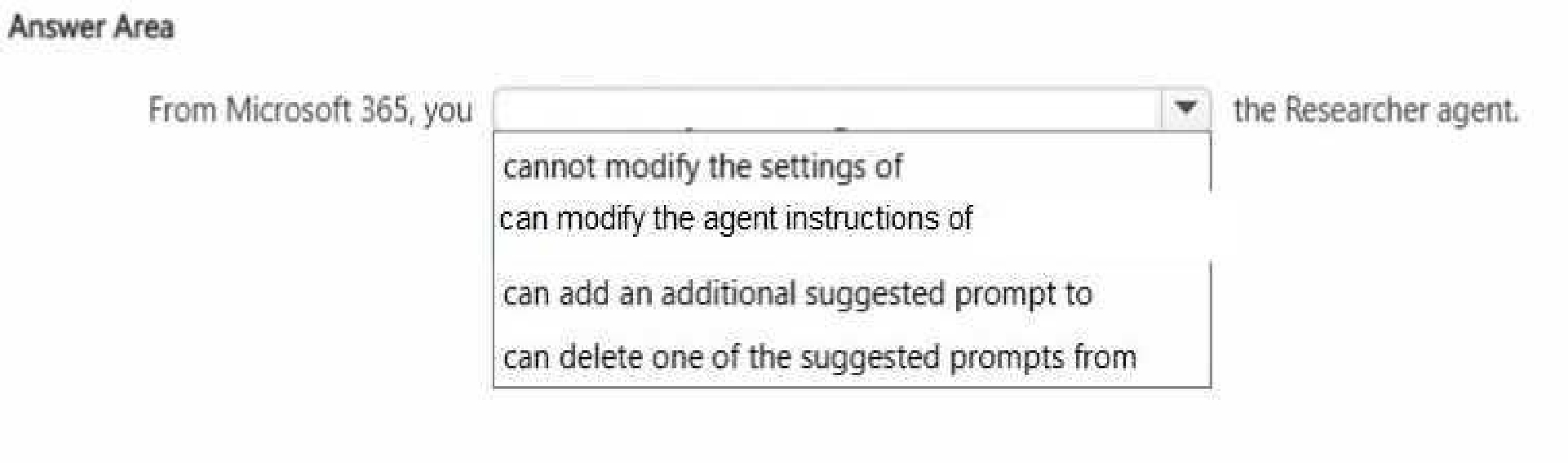
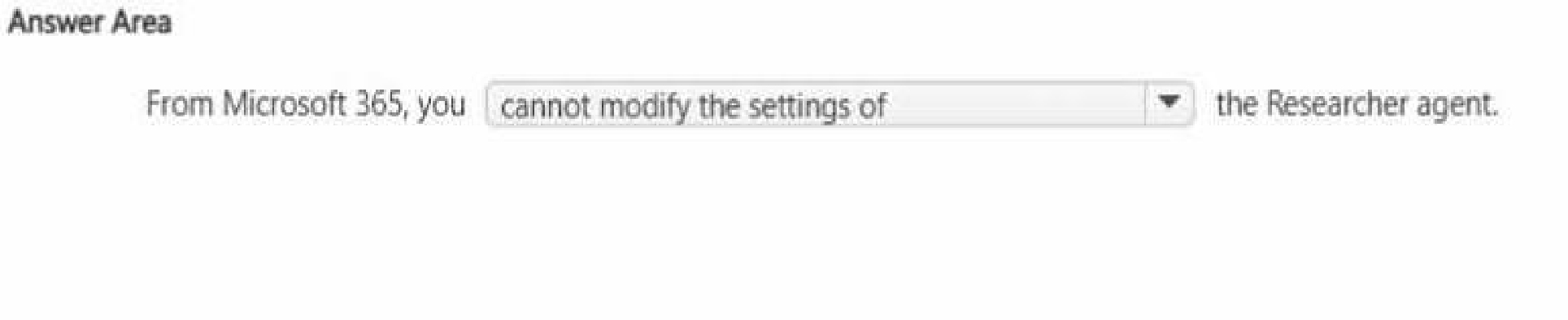
The correct completion is “cannot modify the settings of” because built-in agents such as the
Researcher agent in Microsoft 365 Copilot are system-defined experiences. These agents are
designed and managed by Microsoft to ensure consistent functionality, security, compliance, and
alignment with responsible AI standards.
While users can interact with Researcher, provide prompts, and refine outputs during conversations,
they cannot directly modify the core system settings or configuration of the built-in agent from
Microsoft 365. Administrative configuration and deeper customization are available when creating
custom Copilot agents through approved development tools, but default Microsoft-provided agents
have controlled configurations.
Options such as modifying agent instructions, adding prompts, or deleting suggested prompts imply
direct structural customization of the built-in agent interface, which is not supported in the standard
Microsoft 365 Copilot experience.
This reflects a key generative AI governance principle in enterprise environments: system-level
controls remain centrally managed to maintain data protection, compliance, and responsible AI
implementation across the organization.
Quiz
You discover that you had a conversation that used a knowledge source that contains confidential
information.
You need to delete the conversation data without requiring administrative approval. You must retain
your other conversations, if possible.
What should you use?
Quiz
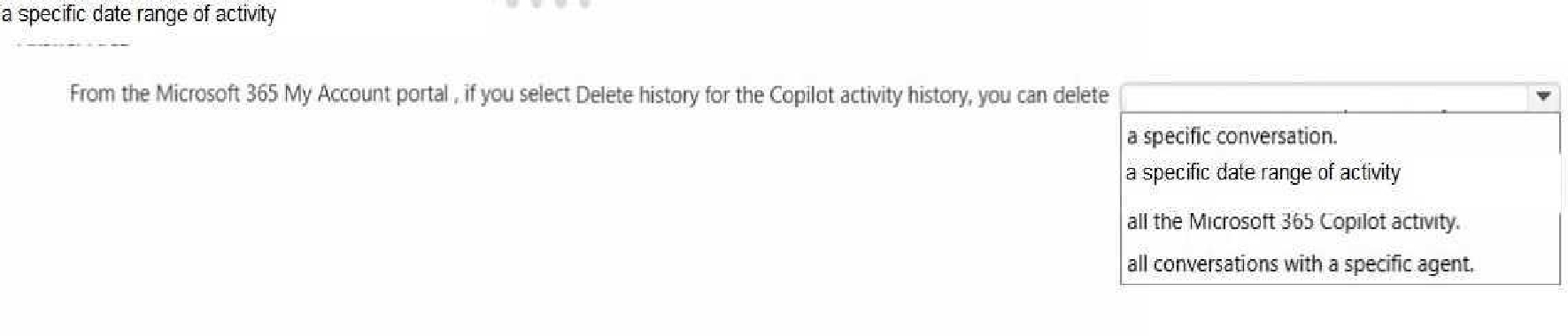
The Microsoft 365 My Account portal provides users with control over their Copilot activity history in
alignment with enterprise privacy and compliance standards. When selecting Delete history, users
can remove Copilot activity based on a defined time range rather than deleting only a single
conversation or all activity universally.
This functionality reflects Microsoft’s commitment to transparency, user control, and responsible AI
governance. Allowing deletion by date range enables organizations and individuals to manage data
retention policies efficiently while maintaining compliance with regulatory frameworks such as GDPR
and internal data governance policies.
The other options are incorrect because deleting a specific conversation or all conversations with a
specific agent is not the primary method offered in the My Account activity deletion setting. Instead,
deletion is structured around activity time periods.
This capability reinforces generative AI best practices: secure data management, lifecycle control of
AI interactions, and user-directed privacy management within enterprise environments.
Quiz


Temporary chat in Microsoft 365 Copilot is designed for privacy-focused, non-persistent interactions.
When a user initiates a temporary chat session, the conversation is not saved to Copilot chat history
and is not retained for future reference within the standard conversation history interface.
Once the session ends or a new chat begins, the prompts and responses from that temporary session
are deleted immediately. They are not moved to OneDrive, stored in a notebook, or retained for a
delayed deletion period.
This feature supports secure and confidential usage scenarios where users may want to explore
ideas, draft sensitive content, or test prompts without creating a stored record in their activity
history.
From a generative AI governance perspective, this reflects Microsoft’s design principle of providing
configurable persistence levels, balancing productivity with enterprise security, compliance, and user
privacy controls.
Quiz
For each of the following statements, select Yes if the statement is true. Otherwise, select No.
NOTE: Each correct selection is worth one point.
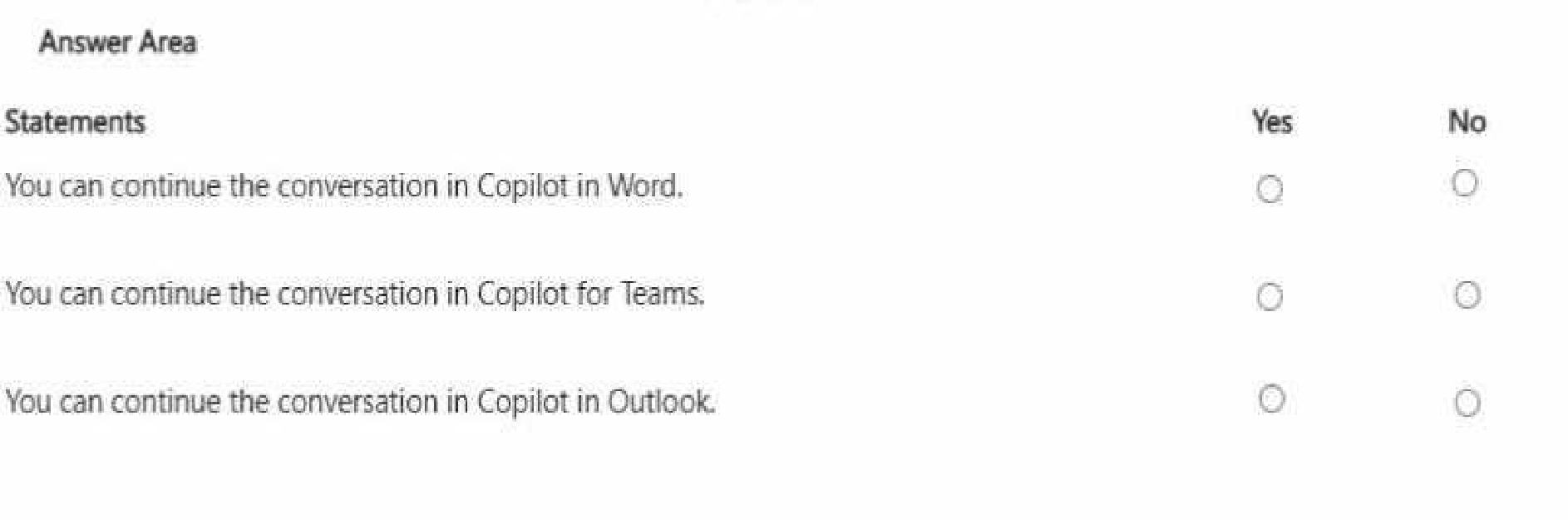
Answe r: Yes
You can continue the conversation in Copilot for Teams.
Answe r: Yes
You can continue the conversation in Copilot in Outlook.
Answe r: Yes
Microsoft 365 Copilot provides cross-application continuity across supported Microsoft 365 apps.
When using the Researcher agent, users can continue or extend their work within applications such
as Word, Teams, and Outlook.
In Word, users can incorporate research results directly into drafted documents, enabling seamless
transition from research to content creation. In Teams, Copilot supports contextual collaboration by
allowing insights from research to inform meetings or chats. In Outlook, findings can be referenced
to compose informed and data-driven communications.
This interoperability is enabled by Microsoft Graph integration, which allows Copilot to securely
access and contextualize enterprise data across applications while respecting organizational
permissions.
These capabilities demonstrate effective management of prompts and conversations by maintaining
workflow continuity, enhancing productivity, and supporting enterprise-grade collaboration powered
by generative AI.
Quiz
Each correct selection is worth one point.
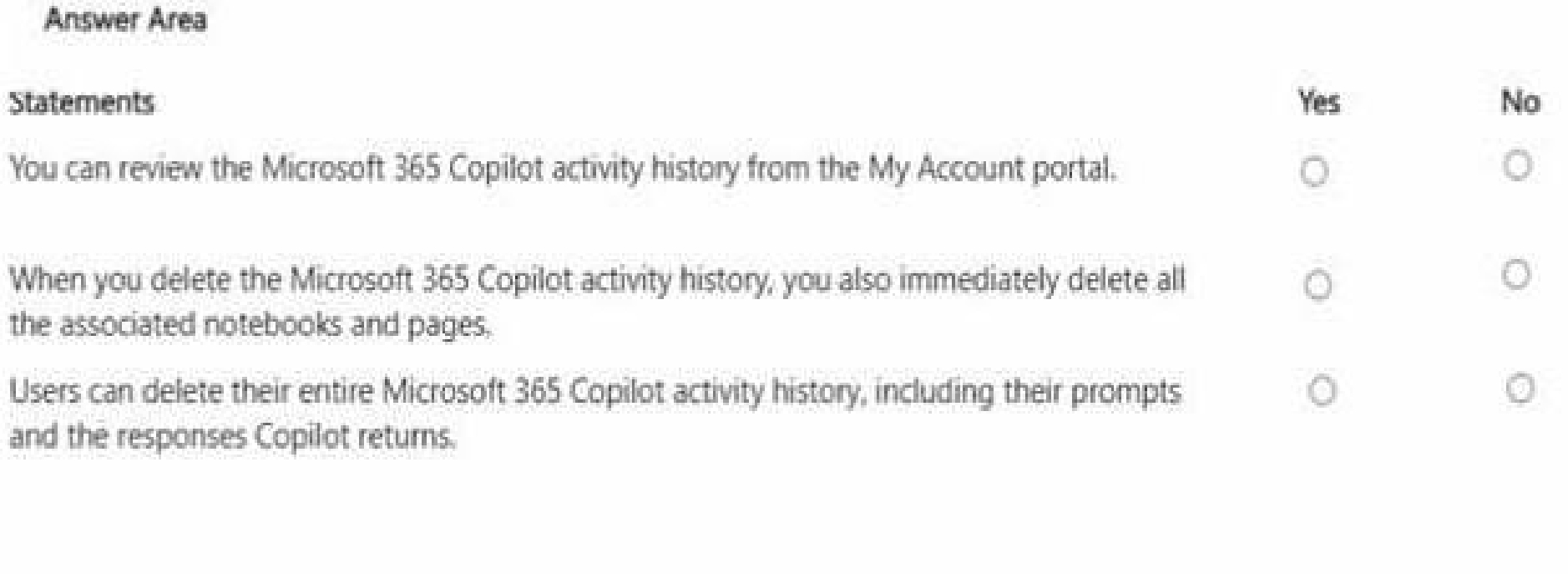
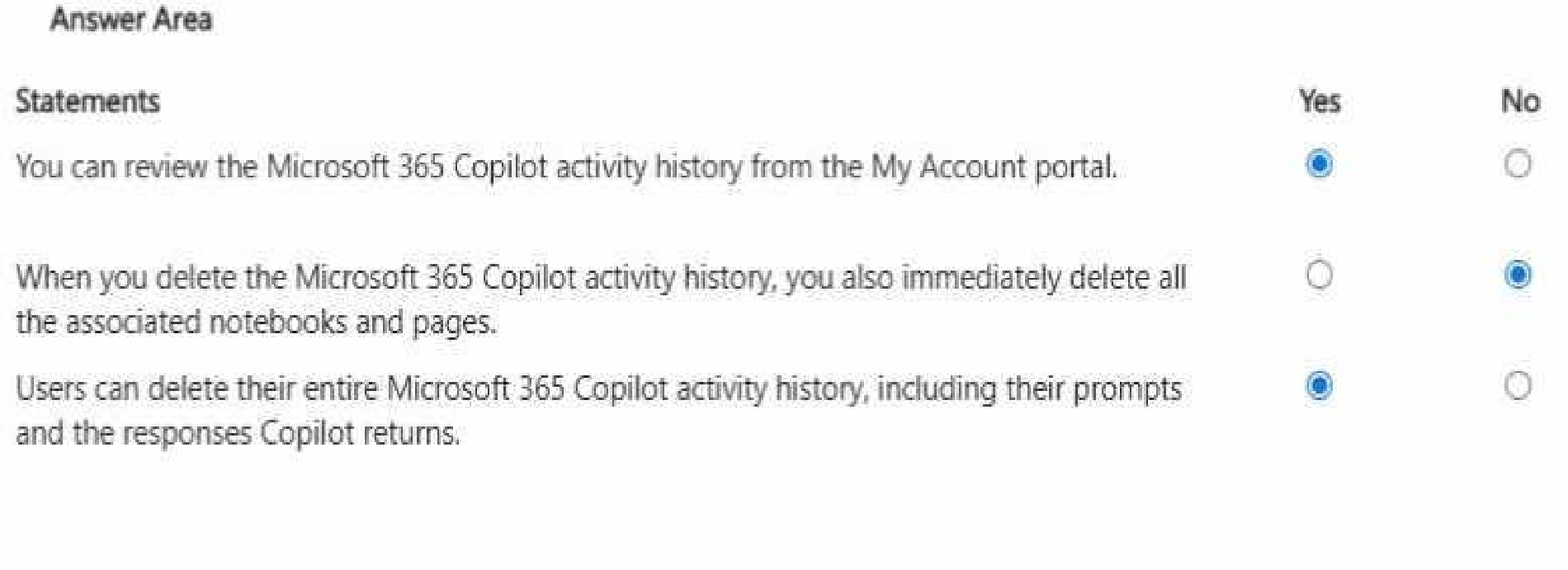
The first statement is correct because Microsoft 365 provides transparency and user control through
the My Account portal, where users can review their Copilot activity history. This aligns with
Microsoft’s responsible AI and data governance principles, ensuring visibility into AI interactions.
The second statement is incorrect. Deleting Copilot activity history removes stored interaction
records (such as prompts and responses), but it does not automatically delete associated notebooks,
documents, or pages stored in services like OneDrive or SharePoint. Those files remain governed by
standard Microsoft 365 retention and lifecycle policies.
The third statement is correct because users can delete their entire Copilot activity history, including
both prompts and generated responses. This reinforces enterprise-grade privacy controls and
regulatory compliance requirements.
These controls demonstrate core generative AI fundamentals: transparency, user data ownership,
security boundaries, and responsible lifecycle management of AI-generated interactions within
Microsoft 365 environments.
Quiz
Yesterday, you updated Process.docx in the local folder. What will occur when you chat in the
notebook?
Quiz
company. The agent will be used to produce marketing collateral, including copy, logos, and artwork.
What should you add to the agent? More than one answer choice may achieve the goal. Select the
BEST answer.
AB-730: Microsoft AI Business Professional Practice test unlocks all online simulator questions
Thank you for choosing the free version of the AB-730: Microsoft AI Business Professional practice test! Further deepen your knowledge on Microsoft Simulator; by unlocking the full version of our AB-730: Microsoft AI Business Professional Simulator you will be able to take tests with over 77 constantly updated questions and easily pass your exam. 98% of people pass the exam in the first attempt after preparing with our 77 questions.
BUY NOWWhat to expect from our AB-730: Microsoft AI Business Professional practice tests and how to prepare for any exam?
The AB-730: Microsoft AI Business Professional Simulator Practice Tests are part of the Microsoft Database and are the best way to prepare for any AB-730: Microsoft AI Business Professional exam. The AB-730: Microsoft AI Business Professional practice tests consist of 77 questions and are written by experts to help you and prepare you to pass the exam on the first attempt. The AB-730: Microsoft AI Business Professional database includes questions from previous and other exams, which means you will be able to practice simulating past and future questions. Preparation with AB-730: Microsoft AI Business Professional Simulator will also give you an idea of the time it will take to complete each section of the AB-730: Microsoft AI Business Professional practice test . It is important to note that the AB-730: Microsoft AI Business Professional Simulator does not replace the classic AB-730: Microsoft AI Business Professional study guides; however, the Simulator provides valuable insights into what to expect and how much work needs to be done to prepare for the AB-730: Microsoft AI Business Professional exam.
BUY NOWAB-730: Microsoft AI Business Professional Practice test therefore represents an excellent tool to prepare for the actual exam together with our Microsoft practice test . Our AB-730: Microsoft AI Business Professional Simulator will help you assess your level of preparation and understand your strengths and weaknesses. Below you can read all the quizzes you will find in our AB-730: Microsoft AI Business Professional Simulator and how our unique AB-730: Microsoft AI Business Professional Database made up of real questions:
Info quiz:
- Quiz name:AB-730: Microsoft AI Business Professional
- Total number of questions:77
- Number of questions for the test:50
- Pass score:80%
You can prepare for the AB-730: Microsoft AI Business Professional exams with our mobile app. It is very easy to use and even works offline in case of network failure, with all the functions you need to study and practice with our AB-730: Microsoft AI Business Professional Simulator.
Use our Mobile App, available for both Android and iOS devices, with our AB-730: Microsoft AI Business Professional Simulator . You can use it anywhere and always remember that our mobile app is free and available on all stores.
Our Mobile App contains all AB-730: Microsoft AI Business Professional practice tests which consist of 77 questions and also provide study material to pass the final AB-730: Microsoft AI Business Professional exam with guaranteed success. Our AB-730: Microsoft AI Business Professional database contain hundreds of questions and Microsoft Tests related to AB-730: Microsoft AI Business Professional Exam. This way you can practice anywhere you want, even offline without the internet.
BUY NOW